TI Wave: Buy & Sell Chart Signals
TI Wave is a powerful AI-driven trend indicator designed to make trend-following simple, intuitive, and accessible.
Whether you're a seasoned trader or just starting, TI Wave provides clear buy and sell signals directly on your charts, helping you stay in the trend longer and exit when it's time to move on.
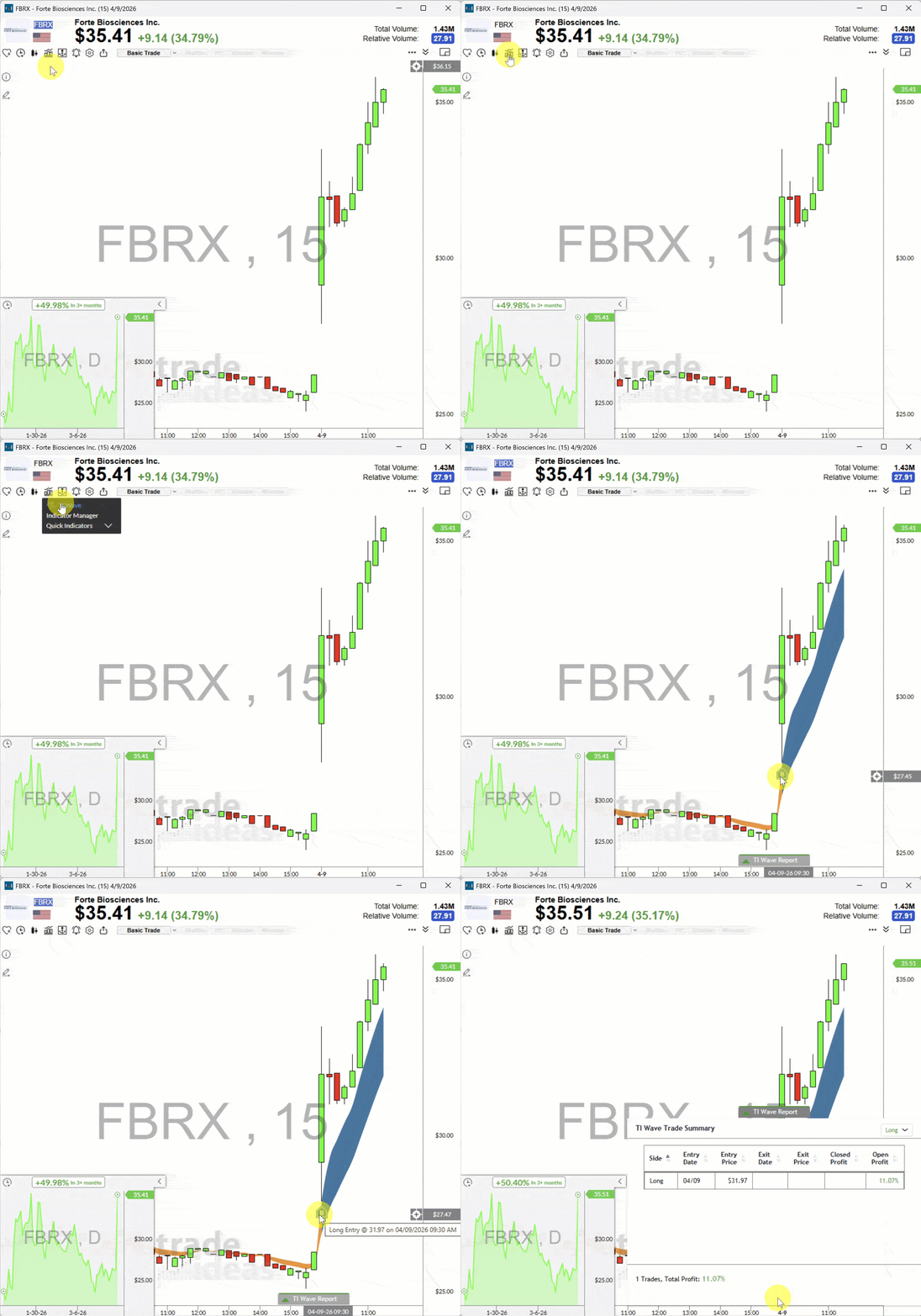
TI Wave works on any stock and any time frame, leveraging cutting-edge adaptive moving average cloud algorithms, and advanced analytics. It's your companion for identifying trend changes, staying on the right side of the market, and managing your trades with confidence.
How to Enable TI Wave
To activate TI Wave on your charts, follow these steps:
Step 1: Ensure You’re using the latest TI Pro Version
TI Wave requires Trade Ideas version 5.6.104 or later.
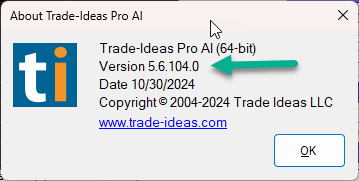
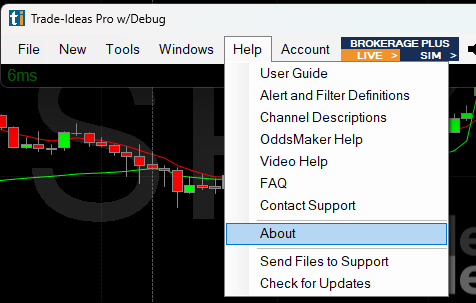
You can check your version by navigating to the Toolbar Bar > Help > About:
Step 2: Activate the Browser Interface on your chart
Right-click on your chart, and ensure the Browser Interface is enabled.
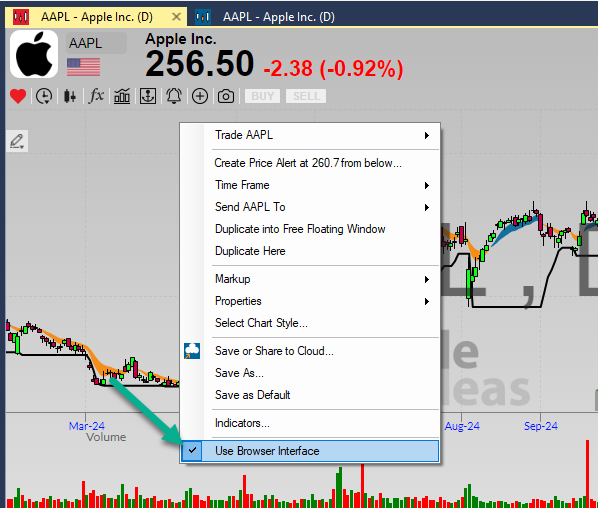
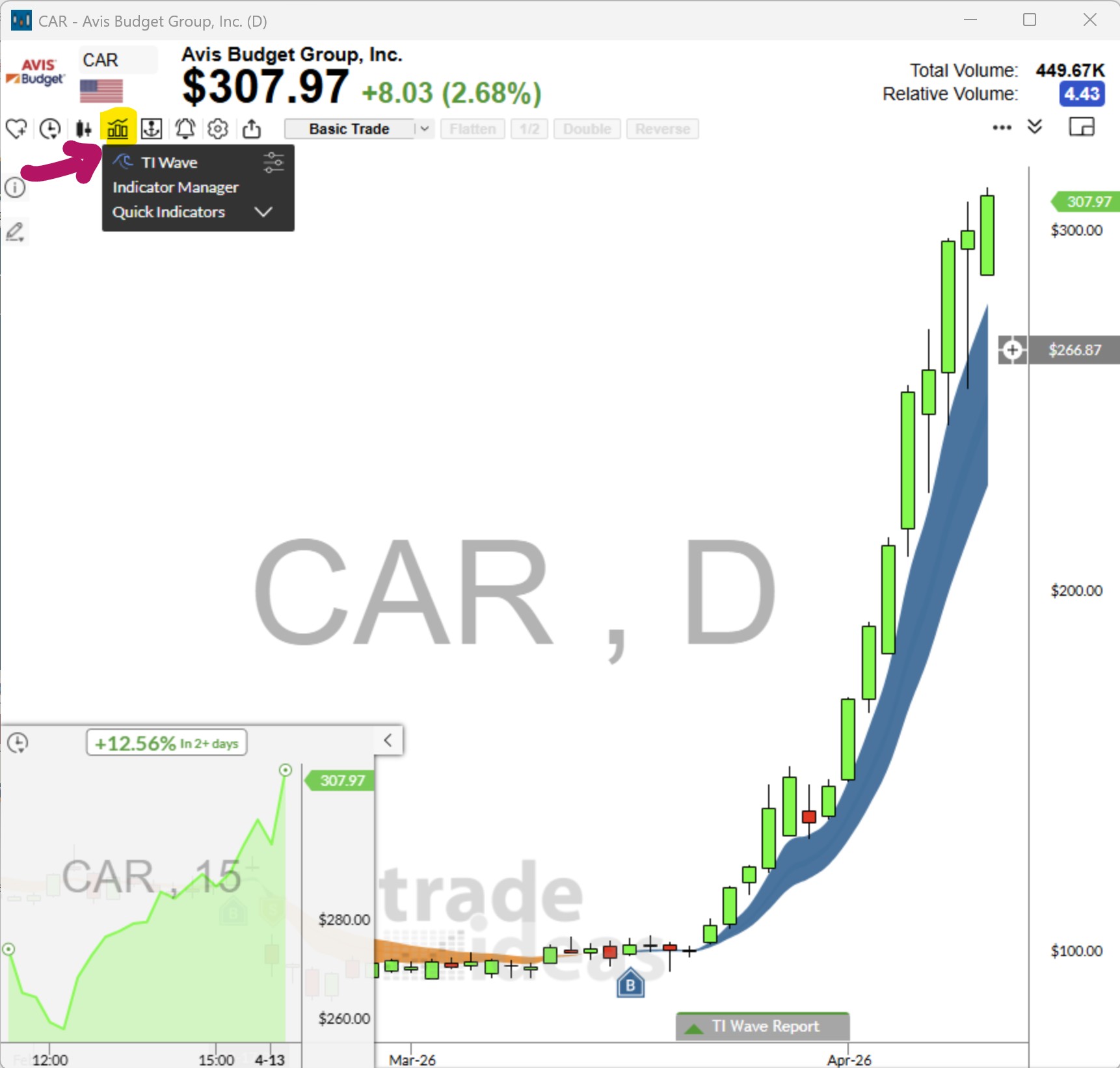
When the option Browser Interface is checked, you'll see a bar icon in the top-left corner of your chart:
Step 3: Apply TI Wave to Your Chart
To add TI Wave Buy and Sell signals to your chart, click the bar icon and select TI Wave from the list.
Step 4: TI Wave Settings
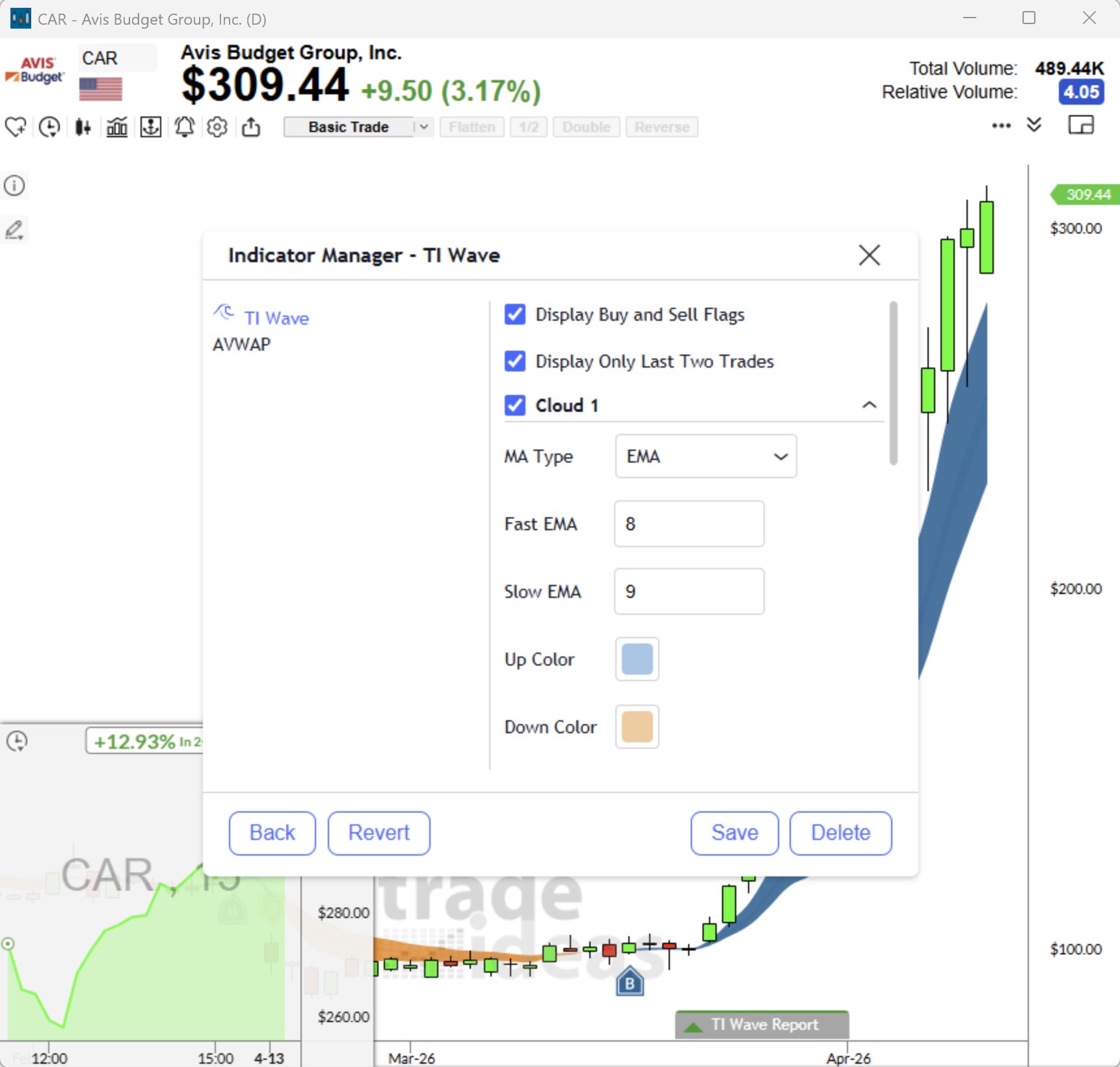
Adjust how many past signals are displayed by accessing the TI Wave Settings via the bar menu.
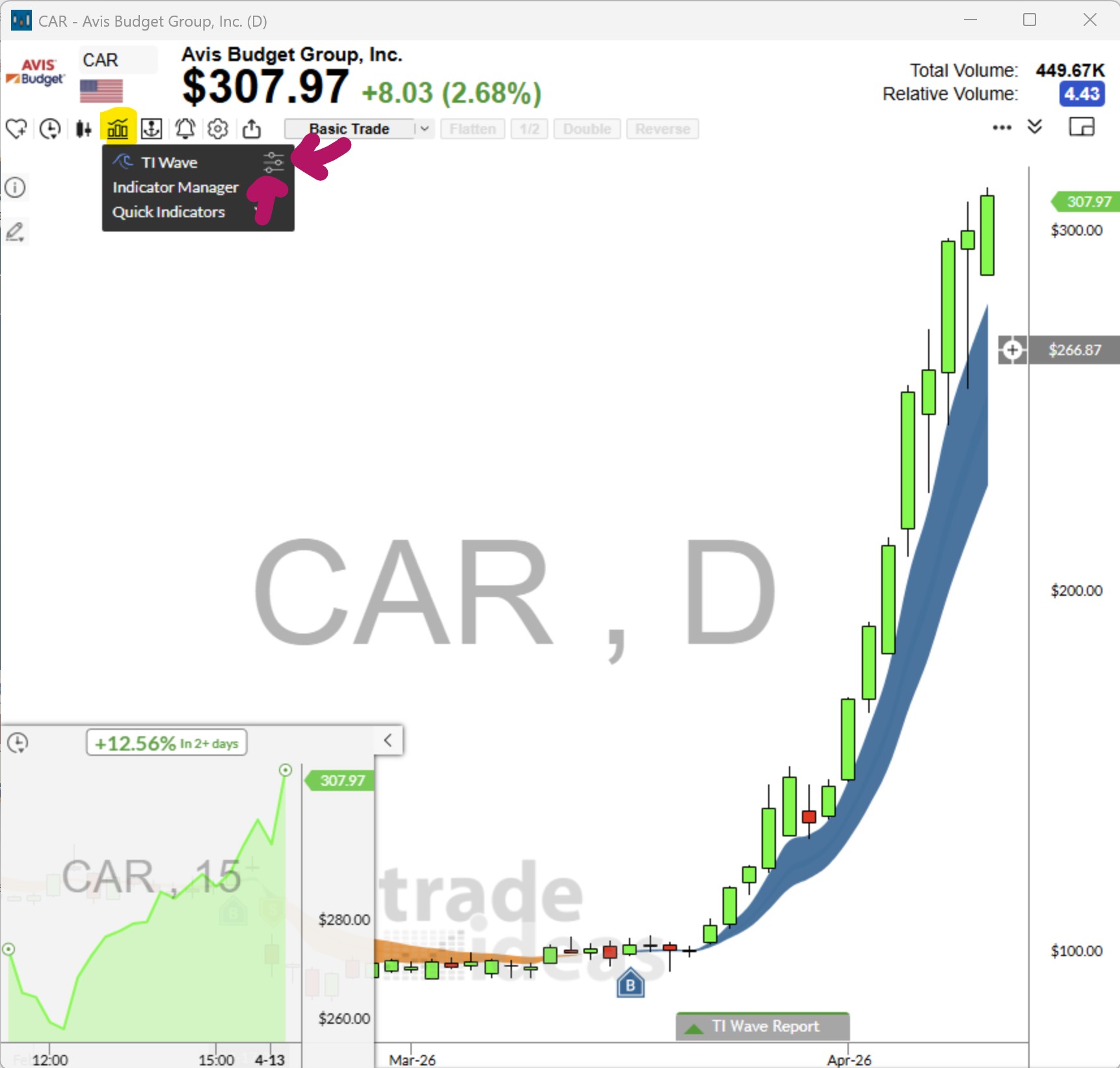
Prefer a cleaner look? You can hide the buy/sell markers and focus solely on the trend clouds or opt to only see the last two TI Wave trades.
Scans for TI Wave Signals
We’ve made it even easier to find opportunities with built-in TI Wave scans, available in our Market Explorer. These scans focus on stocks showing strong trends while filtering out low-volume or less relevant symbols. Although they’re not customizable yet, they provide a curated list of stocks primed for TI Wave analysis.
- Open the Market Explorer from the Toolbar bar > New > Market Explorer Window
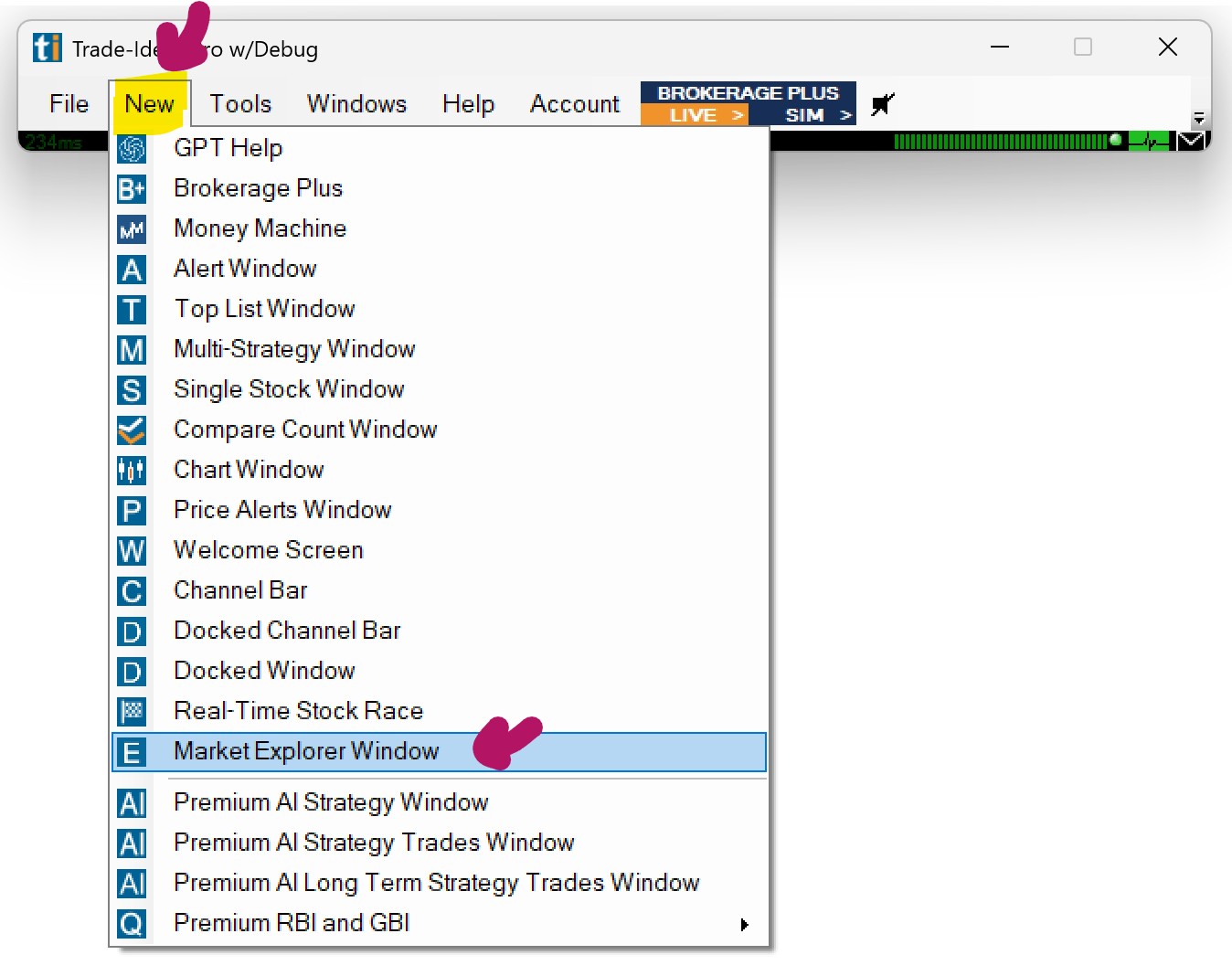
Right-click in the Market Explorer window, select Strategy, then TI Wave.
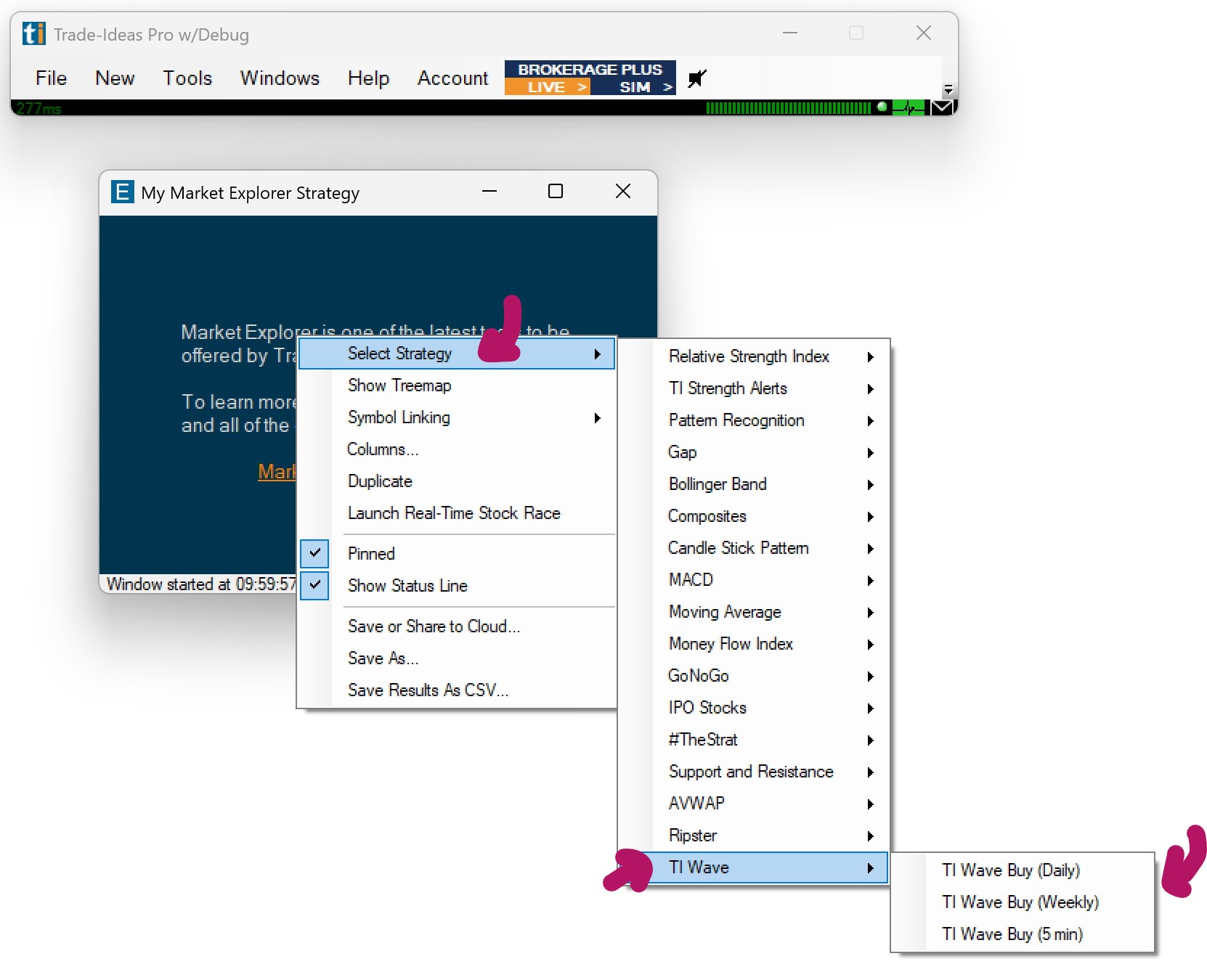
Here, you can choose various TI Wave scans.
TI Wave Tutorial by Chris