
Light Mode

Trade Ideas watches every US stock in real time and shows you the ones doing what you care about, as it happens.
Free account, just an email. No card.

Named to the Inc. 5000 list of America’s fastest-growing private companies six years in a row (2017–2022).

Investopedia: Best Short Term Stock Screener, 2024
Trade Ideas is stock market software for active traders and investors in US stocks. It watches every US stock at the same time and tells you, as it happens, which ones are doing something worth a look. That could be a stock running up on heavy volume, a stock breaking a resistance level, a stock coming out of a halt, or a stock with options volume far above its normal pace.
There are four parts most people start with. Streaming Alerts (Scanner) are the real-time stock scanner. Top Lists (Screeners) are the stock screener. OddsMaker is the backtester. Holly AI Signals are trade signals from the Trade Ideas artificial intelligence. Around those sit charts, a Formula Editor, simulated trading, broker connections and Money Machine, which can place trades for you from your own scans.
Trade Ideas has been around since 2002. It is a small American company, a team of about 17 people, with traders in over 65 countries using the software. It made the Inc. 5000 list of fastest-growing private companies six years in a row, from 2017 through 2022 (Inc. profile), and Investopedia named it the Best Short Term Stock Screener in its 2024 awards.
If you search for Trade Ideas today you will find a lot of pages written by other companies. Some are fair. Some get basic facts wrong, like what it costs or when Holly sends signals. One of them is a ChartingLens blog post called "Trade Ideas AI," which spends about 4,000 words on AI trade ideas in general and then recommends ChartingLens first.
That is their right. But since they used our name, we figured the people searching for it deserve one page, written by the company, that lays out what Trade Ideas actually is, what it costs, what it does well, where it is not the right fit, and how it stacks up against the tools people compare it to. I wrote this one myself. Where I mention another company's product, I took the facts from that company's own website and noted the date I checked it.
A few corrections up front, so nobody has to dig for them:
There are roughly 8,000 US-listed stocks and ETFs that trade on a normal day. No one can watch them all. Most traders end up watching the same 20 or 30 names, which means they miss most of what moves.
Trade Ideas flips that around. Instead of you hunting through charts, the software watches the whole market and sends you the stocks that match what you care about. You decide what a good setup looks like. Trade Ideas finds the stocks doing it, right now, and puts them in front of you with the time, the price and a short description of what happened.
That is the whole idea in one line: you set the rules, it watches the market, and you spend your time deciding instead of searching.
Streaming Alerts are the heart of the software. An alert is an event. A stock made a new high. A stock crossed above VWAP. A stock broke out of a consolidation. A stock was halted. Trade Ideas has about 300 of these alert types, and each one has its own page in the alert library that explains what it finds and how it is calculated.
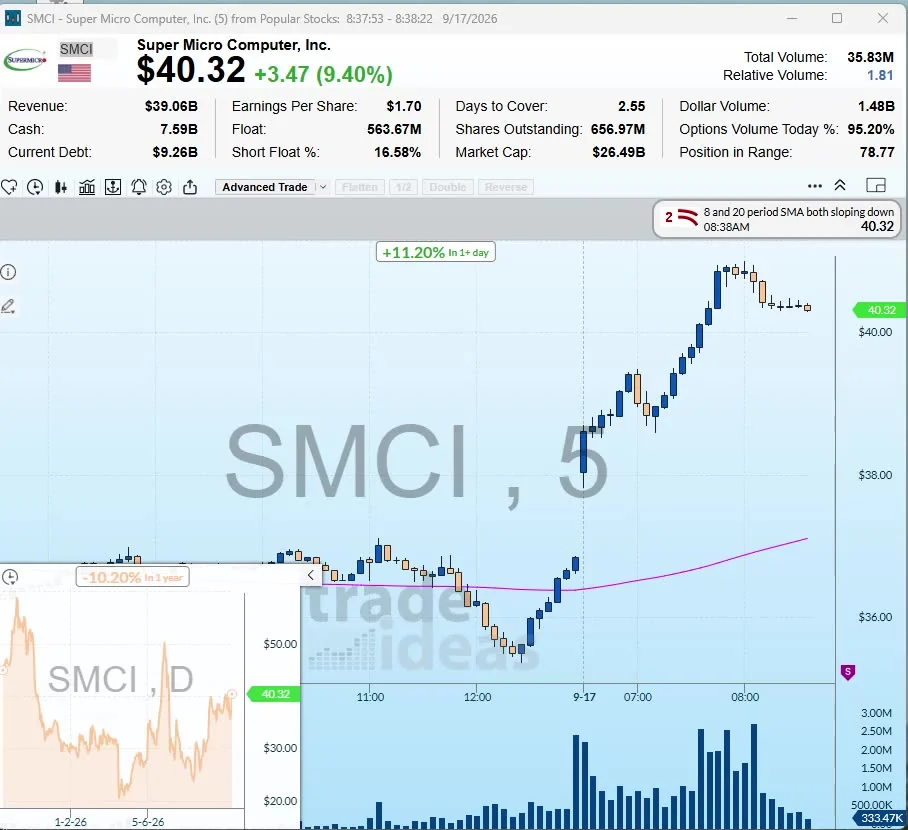
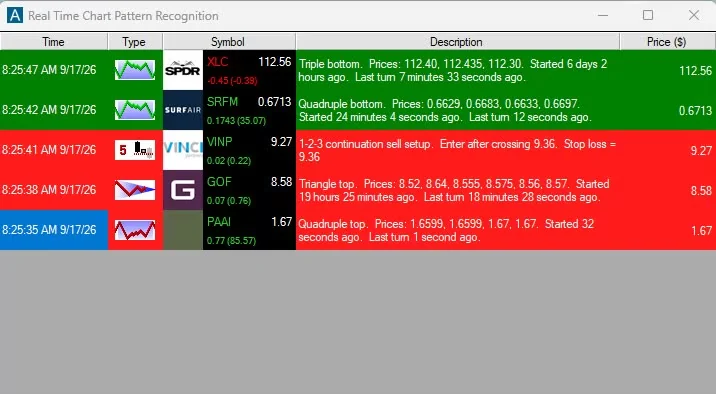
The important word is streaming. Many scanners take a snapshot of the market every so often and show you the results. Streaming Alerts work off the live trade data, so an alert can fire on the trade that triggers it. On a busy stock that can be several times a second. There is no refresh button, and you do not wait for a one-minute or five-minute candle to close.
Some alerts traders lean on every day:
Alerts are grouped into 16 categories, like candlestick patterns, chart patterns, highs and lows, moving averages and volume-confirmed breakouts. The trade scanner guide walks through setting up your first alert window.
Alerts tell you what happened. Filters tell Trade Ideas which stocks you care about. There are about 250 filters, all documented in the filter library. You can add as many as you want to an alert window or a Top List (Screener).
A small-cap momentum trader might use Price between $1 and $20, Float under 20 million shares, Gap (%) above 5%, and Volume Today (%) above 200%. A swing trader might use Market Cap above $2 billion, ADX above 25 and Daily RSI under 40. An options trader might watch Options Volume Today (%) and Put/Call Ratio.
Filters cover price and volume, volatility like Average True Range, moving averages on several timeframes, short interest, earnings dates, fundamentals like P/E and revenue growth, and market direction. When the built-in filters are not enough, the Formula Editor lets you write your own formula and use it as a live filter across the whole market. More on that in the scanner scripting guide.
A Top List is a ranked list of the stocks that meet your filters right now. Sort it by percent gain, by relative volume, by distance from VWAP, or by almost any filter. Top Lists update every 15 seconds.
Alerts and Top Lists do different jobs. Alerts are a feed of events, newest on top. A Top List is a leaderboard. Most traders run both: a Top List of the biggest gainers with a float under 50 million, say, and an alert window that fires when one of those names breaks its high of day.
If you want a screener that streams instead of ranking, an alert window with filters and no alerts uses the Heartbeat alert and streams every stock that meets your criteria. The streaming stock screener guide explains when to use which.
Holly is the Trade Ideas artificial intelligence. It shows up in two ways, and people mix them up, so here they are separately.
Holly AI Signals (TI Premium). Every night, Holly tests a large set of trading strategies against recent market data. The ones that pass are allowed to send signals the next trading day. When a stock meets one of those strategies during the day, Holly sends a signal with the time, an entry price and a suggested stop. Each signal is dated, so you can look back and see exactly when it fired and what the stock did after. You choose whether to treat it as a day trade or hold longer, based on your own plan and risk.
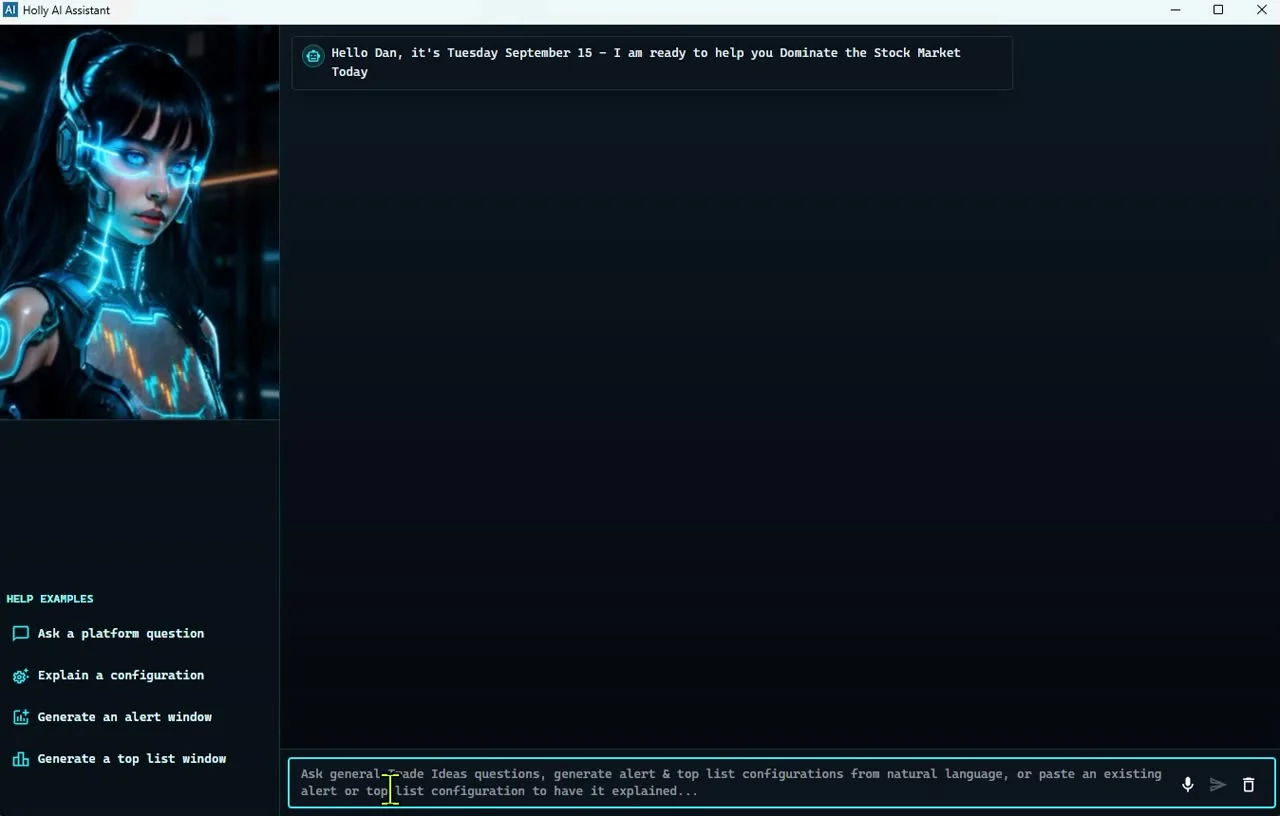
AI Assistant (every plan). This is a helper you talk to in plain English. Type "show me stocks under $10 gapping up more than 10% on big volume" and it builds the Top List (Screener) or alert window for you. It is the fastest way for a new user to get a useful scan on screen.
What Holly is not: it is not a promise. No signal service can tell you a trade will work. Holly tilts the odds by only using strategies that held up in testing, and every signal has a stop, but some trades lose. Past results, including backtests, don't guarantee future results. The Holly AI Signals page and the Super Intelligence page go deeper.
OddsMaker is the backtester, included in TI Premium. Pick any alert window you built, set entry times, a stop, and an exit rule, like a profit target, a timed exit, or the close. OddsMaker replays real past alert events across all stocks and shows you every trade the idea would have made, the win rate and the profit factor.
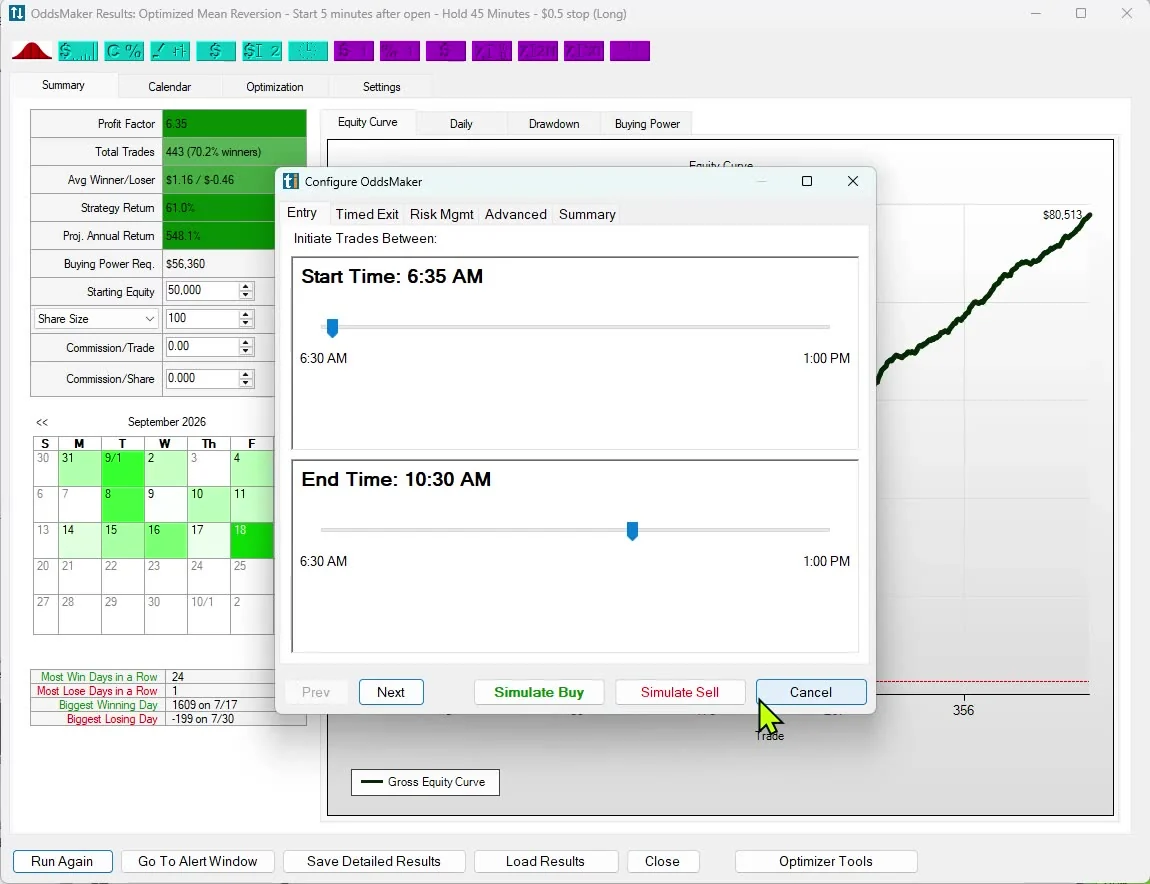
This is different from most chart backtesters, which test one indicator on one symbol at a time. OddsMaker tests a scan across the whole market, which is what you actually trade. There is no code to write. The no-code backtesting guide has worked examples, and our backtesting roundup compares OddsMaker with other testers, including ones that use code.
Once you have tested an idea, you can trade it by hand, in simulated trading, or automatically. Money Machine, places trades for you from your own Alerts and Top Lists (Screeners) with the rules you set. It is part of TI Premium.
Brokerage Plus connects TI Pro to broker accounts, including TradeStation, Interactive Brokers, E*TRADE and Alpaca, so you can place orders from the same screen where the alerts show up. There is also a simulated account for practice with no real money. The AI automated trading guide covers how it works and the questions people usually ask about automation.
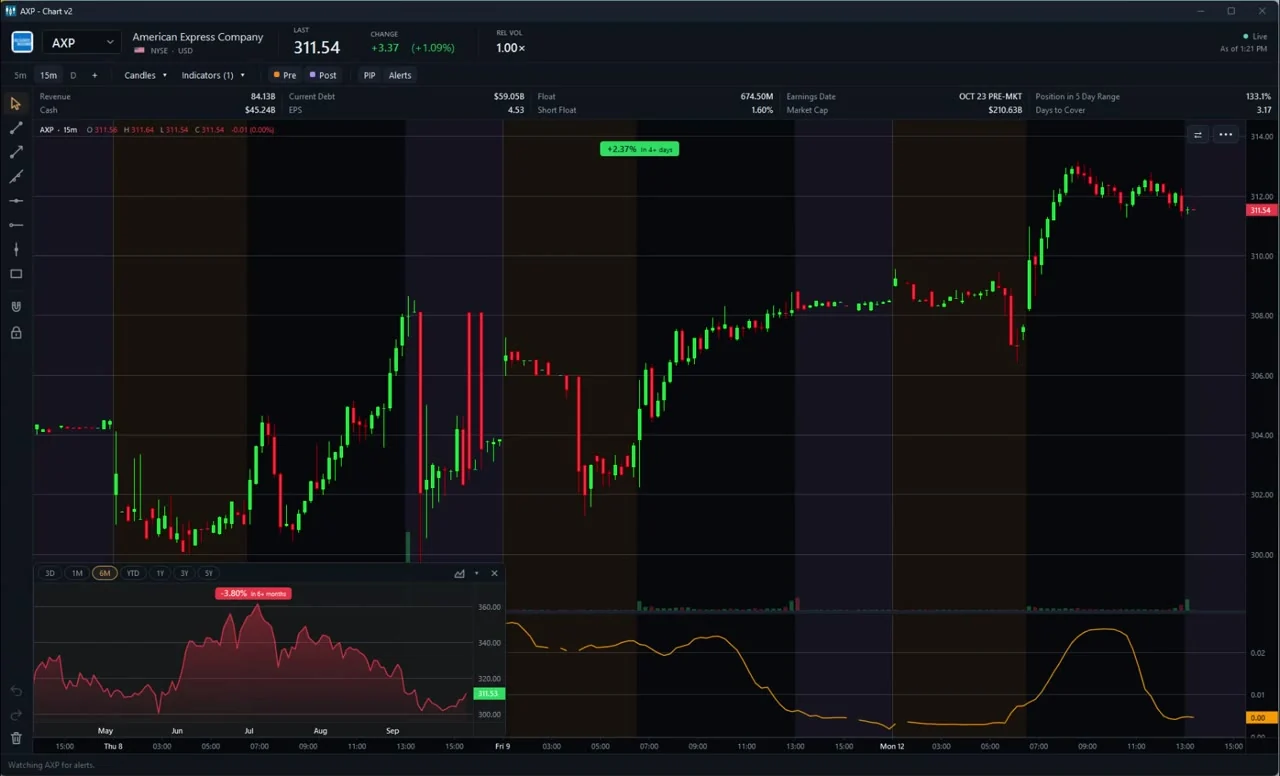
Trade Ideas charts show the percent change for the visible range and update as you zoom, so you know how far a stock has moved in the window you are looking at. PiP charting puts a longer-term chart of the same stock inside your intraday chart. Pick its range from 3 days to 5 years, and double-click to swap the two charts.
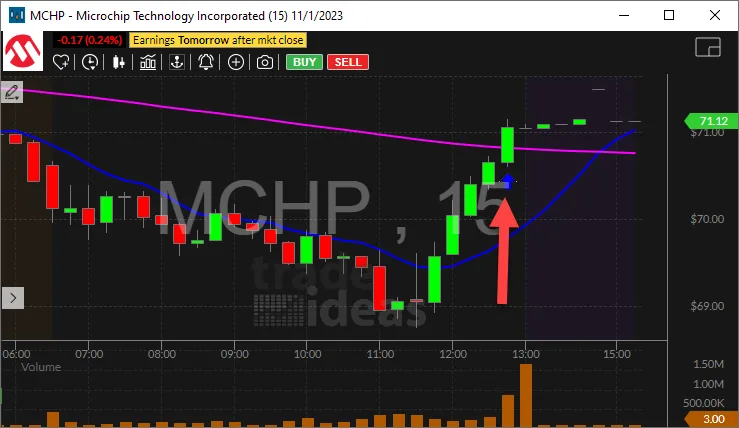
A few more pieces people end up liking:
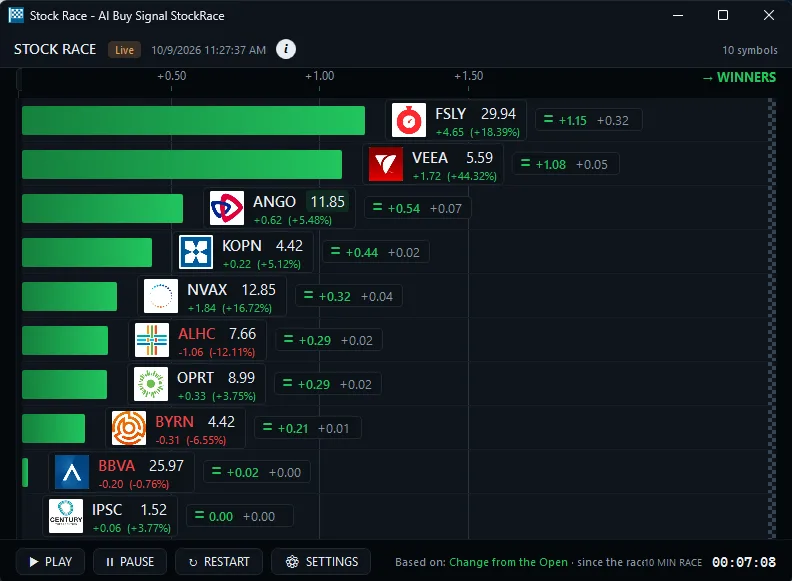
There are two ways in. TI Pro is the full desktop software. It runs on Windows, and on a Mac through Parallels. Streaming Alerts, OddsMaker, Money Machine and the full set of windows live there. The Web Dashboard runs in any browser and gives you heat maps, Top Lists (Screeners), channels and Stock Race replays without installing anything.
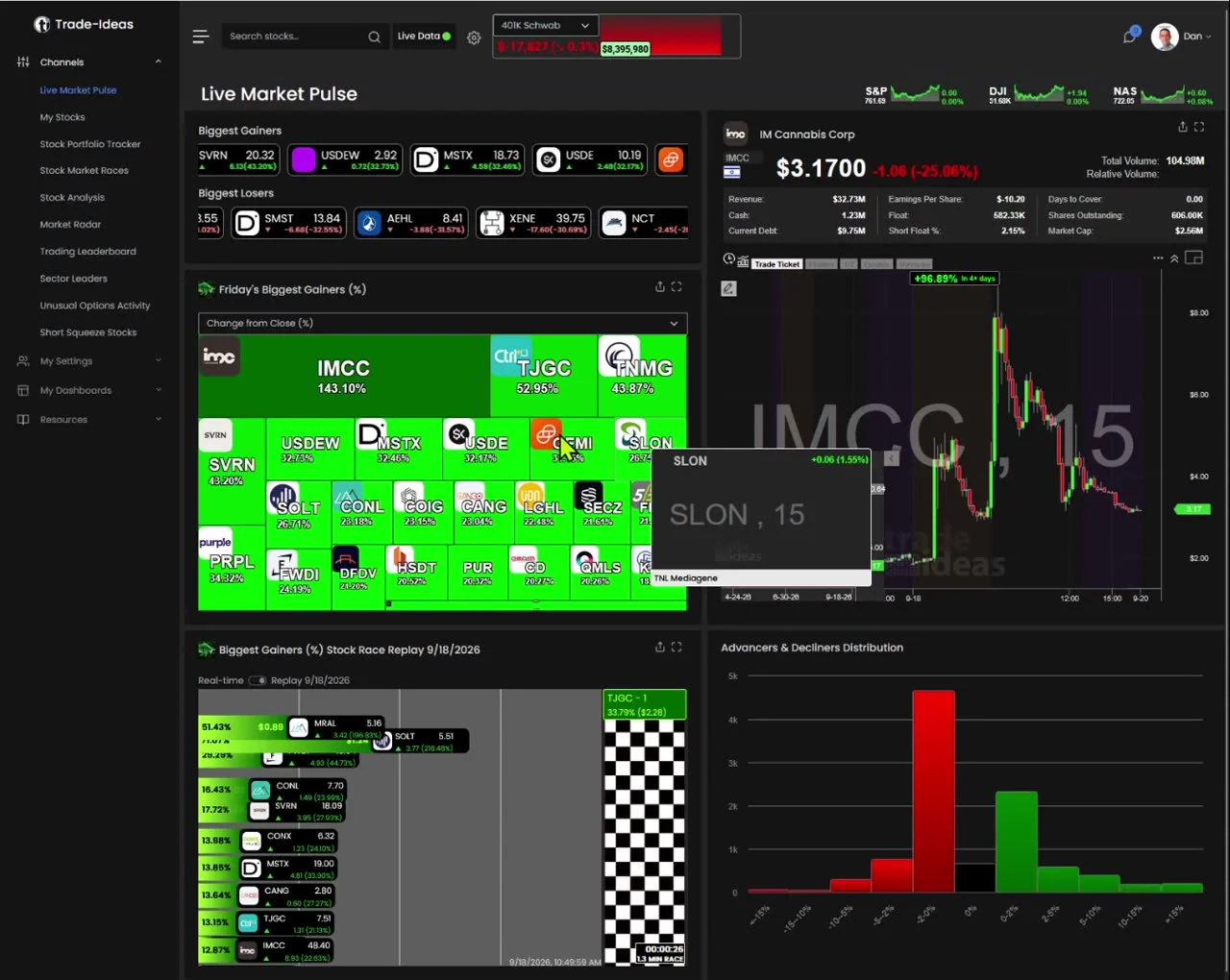
If you are not sure which you need, start with the Dashboard. If you find yourself wanting alerts the moment they happen, more windows, or backtesting, that is when TI Pro earns its keep. The speed page explains what real-time means here, including the live latency reading on the TI Pro toolbar.
Two plans, both listed on the pricing page:
You can also open a free account with just an email, no card. It includes live access for a limited time, so you can see the software on real market data before you pay. After that, you pick a plan or stop. We are upfront about that.
Is it expensive? Next to a $15 charting app, yes. Next to the cost of missing one good move, or taking one bad trade you could have tested first, most active traders find it pays for itself. The honest answer is it depends how much you trade, and the free account is there so you can find out.
It helps to see how the pieces fit in a real day, so here is how a typical active trader might use it.
Before the open, 7:00 to 9:30 a.m. Eastern. The premarket Top List (Screener) ranks stocks by gap percentage, with a price range and a minimum premarket volume so thin names drop out. An alert window runs Pre-market Highs on those same filters, so you see which gappers are still being bought. Many traders pull news on the top few names at this point. Unusual volume often shows up before a headline does, which is why the breaking news scanner leans on volume filters rather than news alone.
The open, 9:30 to 10:30. This is when the alert feed gets busy. Halts, 5-minute highs and consolidation breakouts stream in on the trade. The Top List keeps ranking every 15 seconds. If you run Holly AI Signals, this is often when the first signals of the day fire, each with a time stamp, entry and a suggested stop.
Midday. Volume thins out. Traders who hold longer switch to windows built around daily levels, like crossing the 50-day average or multi-day highs. Idea Surfing can cycle charts in the background while you step away from the keyboard.
The close and after hours. Post-market Highs and the post-market volume filter show which stocks are moving on late news. After the session, a TI Premium user might take the day's best-looking setup and run it through OddsMaker over the last few months to see whether it is worth keeping.
Overnight. Holly tests its strategies again. The ones that pass are cleared to signal the next day. The cycle starts over.
If you want to go scanner by scanner, start with the premarket scanner, gap scanner, momentum scanner, low float scanner, halt scanner, small cap scanner, penny stock scanner, after-hours scanner and earnings scanner. Each page lists the exact alerts and filters it uses, so you can copy the setup.
If you want to see people's verdicts rather than ours, the Trade Ideas review page collects them. If you are weighing a switch from another tool, the alternatives hub sorts every option by what you use it for.
It fits best if you trade US stocks actively, whether that is day trading or holding for a few days to a few weeks, and you want the software to find opportunities instead of you scrolling through charts. It also fits people who like to test ideas before they risk money, and people who want an AI that shows its work with dated signals.
It is probably not for you if you mostly trade crypto, forex or futures, since Trade Ideas covers US equities and options data. It is overkill if you check the market once a week and buy index funds. And if you mainly want a social feed of other people's chart ideas, TradingView does that better.
Plenty of people run Trade Ideas next to a charting tool they already like. Trade Ideas finds the stock; you chart it wherever you are comfortable.
These are the tools people most often put next to Trade Ideas. Each has a full comparison page, and the prices listed here come from each company's own pricing page, checked Oct 12, 2026.
For a wider view, see the best stock scanners of 2026, the best AI stock analysis tools, and every Trade Ideas comparison.
Since ChartingLens wrote the article that prompted this guide, here is the short, fair version. The full comparison has the details and sources.
ChartingLens is a browser charting app with an AI assistant. Its pricing page lists a Free plan at $0, Premium at $14.99 a month or $149 a year, and Pro at $29.99 a month or $299 a year. Its homepage says the AI posts 25 new signals daily, and its AI Pattern Screener runs across 2,000+ stocks or a watchlist. It also covers crypto, forex and metals, which Trade Ideas does not. AI use is metered in credits: 1 a day on Free, 20 on Premium, unlimited on Pro.
Trade Ideas is a real-time scanner first. It watches every US stock, not a 2,000-stock list, and its alerts stream on the trade instead of arriving as a daily batch. Holly's signals fire during the session with a time stamp, an entry and a suggested stop. OddsMaker tests a scan across the whole market. Those are different jobs. If you want cheap charts with an AI to talk to, ChartingLens is a reasonable pick. If you want to know what is moving in US stocks the moment it moves, that is what Trade Ideas was built for.
Here is the plan we give new users:
The beginners page, the users guide and the Learning Center cover each step in more detail.
I started as one of the original SOES traders in the 1990s, trading from home when that was still unusual. The problem then was the same as now: too many stocks, not enough eyes. Trade Ideas started in 2002 to solve that for regular traders, with software that watches the whole market and points at what matters.
We are still a small team, about 17 people, and we have stayed independent. The software is built in the USA. Over the years it has picked up the Inc. 5000 listing six years running and Investopedia's 2024 Best Short Term Stock Screener award, and traders in over 65 countries use it today. You can read more on my author page and see what is new on the changelog.
Trade Ideas prices and features come from our own pricing and product pages. Competitor prices and features come only from each competitor's own website, read on Oct 12, 2026. Where a competitor's page did not state something clearly, we left it out rather than guess. Prices change; check the vendor's site before you buy.
Sources for ChartingLens facts:
Other competitor sources: www.tradingview.com/pricing/, trendspider.com/pricing/, finviz.com/elite.ashx, scanz.com/pricing/, www.tc2000.com/pricing, www.benzinga.com/pro/pricing.
Trade Ideas is stock market software that watches every US stock in real time and shows you the ones meeting your rules as it happens. It includes Streaming Alerts (the scanner), Top Lists (the screener), OddsMaker backtesting, Holly AI Signals and Money Machine.
TI Standard is $127 a month, or $1,068 a year (about $89 a month). TI Premium is $254 a month, or $2,136 a year (about $178 a month). A free account needs only an email, no card, and includes live access for a limited time.
No. Day traders use it heavily, but Holly AI Signals and the daily filters also serve swing traders and longer-term investors. You decide how long to hold.
Holly tests its strategies overnight. The signals fire during the trading day when a stock meets a strategy that passed testing, each with a time, an entry and a suggested stop.
Holly AI Signals are dated trade signals on TI Premium. The AI Assistant, included in every plan, builds scans and Top Lists from plain-English requests.
The Web Dashboard runs in any browser, including on a Mac. TI Pro runs on Windows, and on a Mac through Parallels.
Money Machine places trades from your own Alerts and Top Lists. It is part of TI Premium.
ChartingLens is a low-cost charting app with an AI assistant and 25 daily AI picks from a 2,000+ stock scan. Trade Ideas is a real-time scanner across all US stocks, with streaming alerts, dated Holly signals and market-wide backtesting.
Since 2002. It made the Inc. 5000 six years in a row (2017-2022) and won Investopedia's 2024 Best Short Term Stock Screener award.
Yes, on TI Premium with Money Machine, using rules you set. You can also trade by hand through Brokerage Plus or practice in a simulated account.
Yes. Trade Ideas has been in business for 24 years and is one of the few companies to make the Inc. 5000 six years in a row. Our software is 100% made in the USA by our own in-house US development team.
US-listed stocks and ETFs, with options volume data used in filters such as Options Volume Today and Put/Call Ratio. It does not cover crypto, forex or futures.
About 300 alert types and about 250 filters, each with its own page in the alert and filter libraries, grouped into 16 categories.
Free account, just an email. No card. Live access for a limited time. Ready to buy? See plans & pricing

