
Light Mode

Trade Ideas covers US stocks and also monitors unusual options activity. It is worth buying if you trade US stocks and will put in the time to learn it.
Free account, just an email. No card. Live access for a limited time.

Named to the Inc. 5000 list of America’s fastest-growing private companies six years in a row (2017–2022).

Investopedia: Best Short Term Stock Screener, 2024
The verdict
It depends on how you trade. If you trade US stocks, can act while the market is open and will test a setup before you put money on it, Trade Ideas is very likely worth it.
It's for traders and investors who want to see setups across the whole market as they happen, test them before risking money, and act on them in the same place.
Holly AI Signals fire during the trading day, when stocks have normal intraday movement. You choose whether to exit that day or stay in based on your risk, so a signal can become a long-term position. It is not worth it if you mainly trade crypto, forex or futures, want a ready-made pick list you never have to learn, or are fine working from static data that doesn't refresh.
Trade Ideas is continuous and real-time. Trade Ideas works in four steps: it finds events across the market as they happen, OddsMaker tests them, Holly turns them into signals and Brokerage Plus places the trades. TI Standard covers the real-time events, charts and trading. TI Premium adds Holly AI Signals, OddsMaker and Money Machine. If you won't use those two, buy Standard or skip Trade Ideas.
It depends on how you trade. Ask yourself four questions:
Four yeses: Trade Ideas is very likely worth it, and Premium is the plan that includes Holly, OddsMaker and Money Machine. One or more noes: read who it is not for first.
Pricing
Two plans, billed monthly or yearly. These are the prices on the live pricing page, checked October 2026, and annual billing saves a good chunk.
Prices from the live pricing page, checked October 2026:
| Plan | Monthly billing | Annual billing | What it adds |
|---|---|---|---|
| TI Standard | $127/month, cancel anytime | $1,068/year (equal to $89/month; the pricing page says this saves $456/year) | Real-time data, Streaming Alerts and Top Lists (Screeners) you can customize (308 alerts and 249 filters), 10 charts on screen, custom layouts, multi-strategy windows, unlimited watchlists, TI Wave, price alerts, real-time paper trading, in-app trading, AI Assistant |
| TI Premium | $254/month, cancel anytime | $2,136/year (equal to $178/month; the pricing page says this saves $912/year) | Everything in Standard, plus Holly AI Signals, OddsMaker backtesting and Money Machine (listed as Auto Trading), along with Smart Risk Levels and RBI/GBI windows |
Older reviews quote Trade Ideas at $118 and $228 a month. Those figures are out of date, so check the pricing page.
Limits
This is the part most review pages skip. Trade Ideas has real depth, it is not cheap, and it sticks to US stocks plus unusual options activity.
Who it fits
Trade Ideas is built for day traders and investors in US stocks who want market-wide setups as they happen, and for beginners who want ready-made channels from day one.
Both. Holly AI Signals and Streaming Alerts fire during the trading day, when stocks have normal intraday movement, and the same signal serves either style.
How long you hold is your risk choice, not a limit of the software. Getting in when the signal fires, instead of after the move shows up on a daily chart, matters for both.
Trade Ideas is for:
Trade Ideas is not for:
Comparing Trade Ideas with a specific tool? See all Trade Ideas comparisons.
Free account
Yes. Open a free account with just an email, no card, and try the web dashboards on live data for a limited time before you pay.
Yes. Open a free account with just an email, no card. Access is time-limited. As of October 2026, the pricing page shows paid plans only. You open the free account from the Free Account link (also in the Free Trade Ideas menu) at /AccountManagement/FreeAccountSignup.html. It lets you try the Trade Ideas web dashboards, so you can see how the market data and scanning work before you pay. It is not a free version of TI Standard or TI Premium. Holly AI Signals, OddsMaker backtesting and the full TI Pro desktop app require a paid plan.
Strengths
Trade Ideas watches the whole US market as trades print, tells you the moment a setup happens, and lets you test it and trade it without leaving the window.
An alert is an event that just happened, like a new high on a given timeframe, a jump in relative volume adjusted for time of day, or a cross of an opening range. A filter is a condition a stock must already meet, like price, float, volume or distance from the open.
You combine events with filters, and Trade Ideas pushes every match to your window as it fires, across the market, all session. The Top List (Screener) uses the same filters to rank which stocks qualify right now. Under both is Trade Ideas’ real-time data engine: tick-level state for thousands of symbols, not a chart refreshed on bar close.
There are 308 alerts and 249 filters, and the Formula Editor lets you build your own.
It has a dedicated channel for this in TI Pro and the Web Dashboard. You can see where options traders are putting money right next to the stock alerts you already run.
Holly AI Signals come from a bank of strategies that is backtested and reselected every day, so the strategies trading on a given day are the ones that held up in recent conditions. Signals fire during the trading day with entry and exit levels. You decide whether to exit during the day or hold the position based on your risk. The Holly signals highlighted on the Trade Ideas homepage are examples that became large long-term winners. The AI Assistant takes plain English, like "stocks up from the open on heavy relative volume", and builds a live Alert or Top List window on the same real-time data. Holly AI Signals are part of TI Premium.
OddsMaker is event-based. Right-click an Alert window and run Backtest Strategy. It replays every time that alert fired over recent regular sessions, with your entry window, timed exit and stops. Then it breaks the results down by time of day, price, symbol and every Trade Ideas filter as it stood at each alert. You keep the slice that held up, add it to the scan, and run the test again. You can also flip an alert from long to short and test both sides.
Holly AI Signals give entry and exit, and Smart Risk Levels on charts (Premium) show where the risk sits. When you're ready to trade, TI Standard includes in-app trading and real-time paper trading. Brokerage Plus connects your broker accounts, or TI simulated trading, inside Trade Ideas, and TI Premium adds Auto Trading. Trade Ideas connects to E*Trade, Interactive Brokers, TradeStation and Alpaca for live and simulated trades. Supported brokers are on the brokers page.
Trade Ideas runs a Trading Room, a Learning Center and a full User Guide. Many of the testimonials below mention the support team by name.
Proof
Traders write in about the scans, the backtests and the support team. Trade Ideas has been in business for 24 years and made the Inc. 5000 six years in a row.
"I would've never learned if I didn't have the scans showing the range setups each day. Appreciate what you and your software do 100%." — Taylor, 07/2024
"I LOVE the fact I can program my own alerts and greatly appreciate everyone's help at TI. I have a very specific strategy I go by so building scans focused around this has been huge time saver. The fact I can backtest scans along the way helps with conviction." — Bullish_bob, 04/2023
"It's quick on the draw, scanning the market in real-time and tossing alerts my way when it sniffs out potential trades." — teddbe
"Stocks that I may not even know exists could be presented as a possible trade that w/o TI I would miss out." — Ricky G.
"I just want to say thank you for everything you guys do at Trade Ideas. Your software is helping me tremendously as a beginner in the stock market." — Fausto M., 09/2022
"TI support is seriously some of the best software support I have ever encountered. I may have said this before but it bears repeating." — Mark
"I can't say enough good things about your service. Stefanie provided a timely, thorough, and easy to understand response to my question. Your team is awesome - thank you!" — Mike
"Been with TI for 3+ years - Awesome team and great service. Continuing my subscription for year another year !!!" — Stocktrade, 12/2022
Are you a Trade Ideas customer? Share your testimonial.
Traders on X
“Absolute legend for the NBIS position alone.”
“I manage my own 401K with Trade Ideas software.”
Start with the plan that matches how you trade. Choose TI Standard for real-time Streaming Alerts, charts and trading, or TI Premium to add Holly AI Signals, OddsMaker and Money Machine. If you're not ready to pay, open a free account and try the web dashboards first.
Trade Ideas publishes this review of its own product, and we've tried to say plainly what it does not do. Prices were checked on the publish date and can change; the pricing page is current. Trading involves risk. Nothing on this page is investment advice or a promise of results.
Quick answers
Straight answers to what traders ask most, from cost and Mac support to whether Trade Ideas is legit and whether Holly works.
Trade Ideas covers US stocks and also monitors unusual options activity. It is worth it if you trade US stocks or watch options activity and will use real-time Streaming Alerts, Holly AI Signals and OddsMaker testing. Holly AI Signals fire during the trading day, when stocks have normal intraday movement. You choose whether to exit that day or stay in based on your risk, so a signal can become a long-term position. It is not worth it if your main market is crypto, forex or futures, if you want a pick list you never have to learn, or if you are fine with static data that does not refresh.
Full breakdown: how much Trade Ideas costs. As of October 2026: TI Standard is $127/month or $1,068/year, and TI Premium is $254/month or $2,136/year. Premium adds Holly AI Signals, OddsMaker backtesting and Money Machine auto trading. See https://www.trade-ideas.com/pricing/ for current prices.
Yes. Open a free account with just an email, no card. Access is time-limited. Holly AI Signals, OddsMaker and the full TI Pro desktop app require a paid plan.
Yes. Trade Ideas has been in business for 24 years and is one of the few companies to make the Inc. 5000 six years in a row. Our software is 100% made in the USA by our own in-house US development team.
Yes. The Web Dashboard runs in any browser, Mac included. TI Pro, the full desktop app, runs on Windows and on a Mac through Parallels. See what each one has in Web Dashboard vs TI Pro.
 Holly allows up to about 3% risk because big movers swing hard, and a tight stop gets shaken out before the move happens. You have to give a trade room to get the reward. Think of big-wave surfing in Hawaii. Some waves are so big and fast that nobody can paddle into them. Surfers get towed in behind a jet ski, or they don't ride them at all. Holly is your jet ski. It gets you into the big movers with a set plan for the risk.
Holly works by finding big movers and managing risk on every trade, not by being right on every signal. No system can do that. Each signal comes with a stop, usually set about 3% from entry. Gaps can make a loss bigger. If a stock stops out and then turns back up (or down, for a short), Holly can give a re-entry point. What Holly looks for is the big movers. Holly AI Signals are part of TI Premium, and you can try them in a SIM account first. Past results don't guarantee future results.
Streaming Alerts fire on every qualifying trade, and Top Lists (Screeners) update every 15 seconds. The TI Pro toolbar shows a live latency reading: the round trip from your computer to our servers. It varies with your connection and location, and you can check it on screen. More on how fast Trade Ideas is.
Yes. Trade Ideas monitors unusual options activity across all stocks and has a dedicated channel for it in TI Pro and the Web Dashboard, built on the Unusual Options Volume % filter.
Both. Holly AI Signals and Streaming Alerts fire during the trading day, when stocks have normal intraday movement, and the same signal serves either style. Day traders take the entry, manage it with Smart Risk Levels and the exit levels, and close out in the same session. Investors take the same entry and hold the position when the risk still fits, because Holly AI Signals are designed to find stocks with large long-term upside. How long you hold is your risk choice, not a limit of the software.
Trade Ideas is for two kinds of people in US stocks. Day traders who want market-wide setups as they happen, test results from OddsMaker, and an exit in the same session. Investors who want to get into Holly AI Signals' potential long-term winners at the moment they fire and hold them as long as the risk fits.
It also suits beginners who want the premium experience, with ready-made channels in every plan and the free Trading Room. It also suits traders who watch unusual options activity, which Trade Ideas tracks across all stocks in a dedicated channel. It is not for traders who only want a daily pick list, or traders whose main market is crypto, forex or futures.
If you are okay with static non-refreshing data, Trade Ideas is probably not your best choice.
Yes, for beginners who want the premium experience. There is no need to configure anything. Think of the Channel Bar like Netflix for stocks: click a themed channel and you're watching live Streaming Alerts and Top Lists for that style right away, with zero setup. The Channel Bar and AI Assistant are included in TI Pro on every Trade Ideas plan.
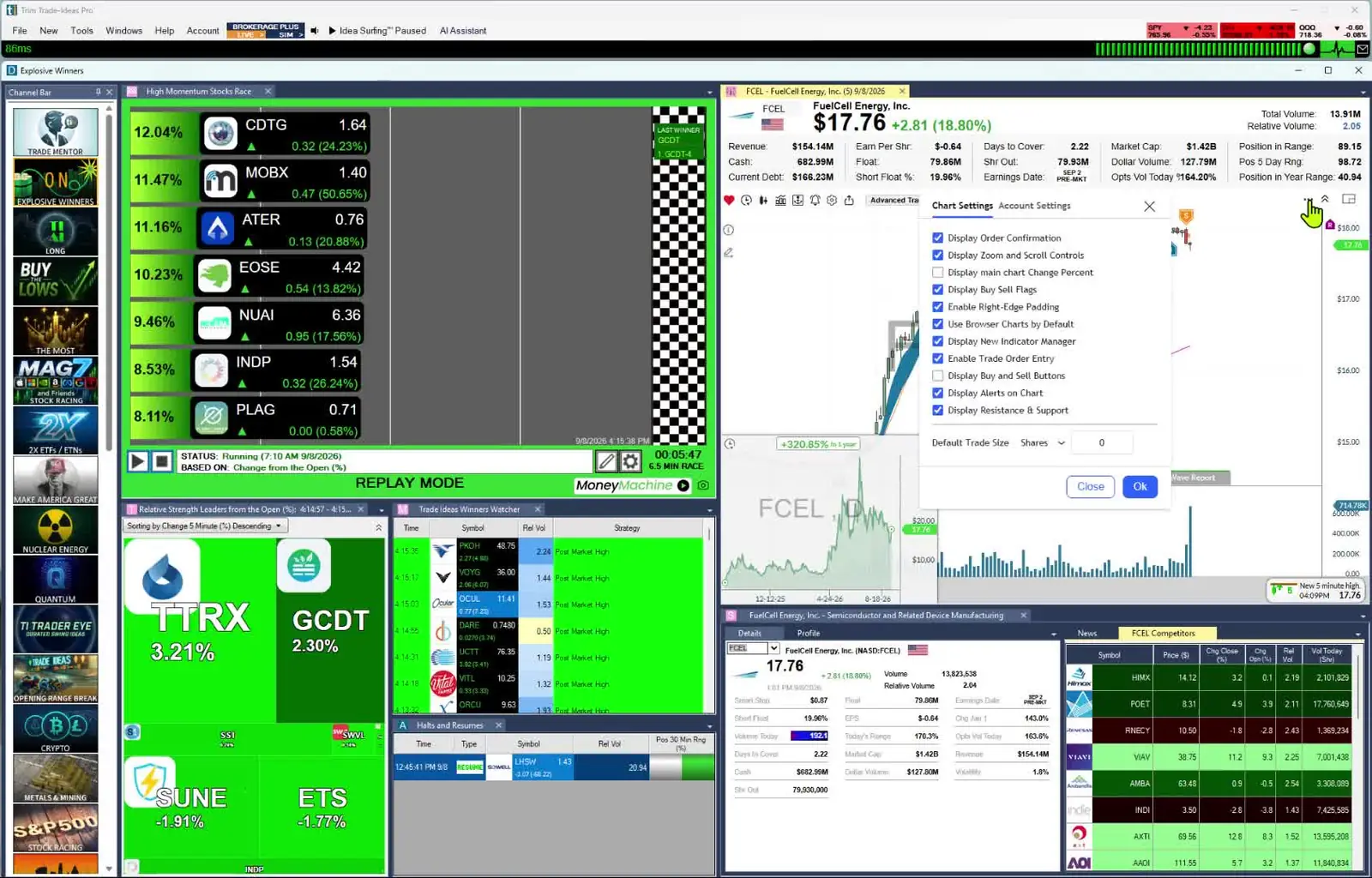
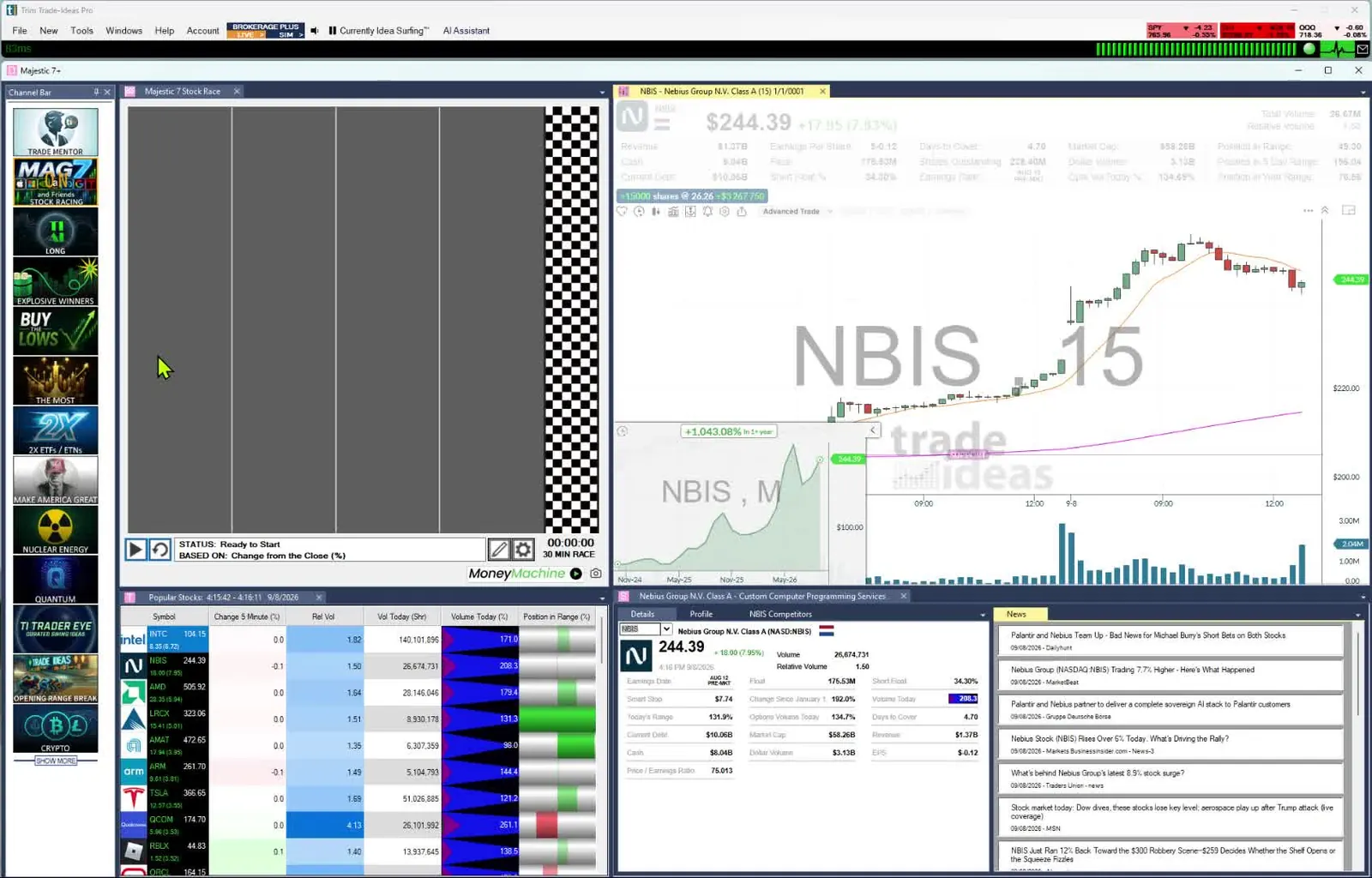
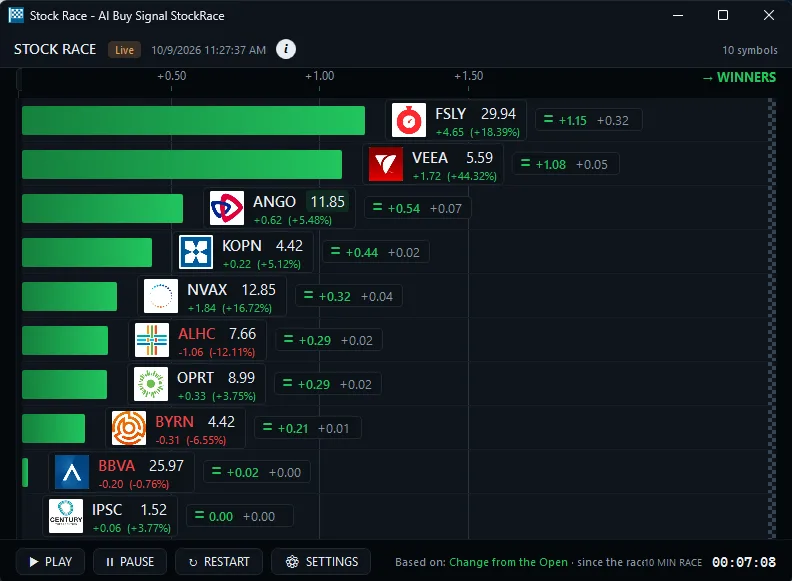
Its ready-made channels are built around themes, such as big momentum movers or S&P 500 stocks moving up fast. Stock Races show stocks racing each other in real time. The free Trade Ideas Trading Room is led by Barrie Einarson, with a whole community of traders. You can practice with paper trading before you risk money.
When you are ready, 308 alerts and 249 filters, OddsMaker, Money Machine and Holly AI Signals give you room to grow. See our guide for beginners.
Yes. The free account takes just an email, no card, and gives live access for a limited time.
Trade Ideas scans US stocks, including premarket and after-hours, and has an unusual options activity scanner. It has no crypto or futures scanner.
Real-time data from every US exchange, plus all off-exchange trades and the NBBO. It is not a Nasdaq Basic feed.
Results are not typical. Trading involves risk; most day traders lose money. Past and simulated results don’t guarantee future results.
Free account, just an email. No card. Live access for a limited time. Ready to buy? See plans & pricing

