
Light Mode

Streaming Alerts and Holly Find It, TradingView Charts It
You don't have to choose. TradingView is the charting and community tool most traders already keep open. Trade Ideas does the job that comes before the chart: Streaming Alerts and the Top List find U.S. stocks as they move, Holly AI Signals bring you trade ideas, and OddsMaker tests a setup before you risk money. With External Linking in TI Pro, every symbol you click can load straight into your TradingView chart.
Want a wider view? Here are TradingView alternatives, broken out by the work each tool does.
Free account, just an email. No card. Live access for a limited time.

Named to the Inc. 5000 list of America’s fastest-growing private companies six years in a row (2017–2022).

Investopedia: Best Short Term Stock Screener, 2024
Most of a trading day is spent on two questions: what should I be looking at? and is this chart worth a trade? TradingView is built around the second question. You open a symbol, draw your levels, add indicators, set alerts on lines and conditions, and share the idea with a community of millions.
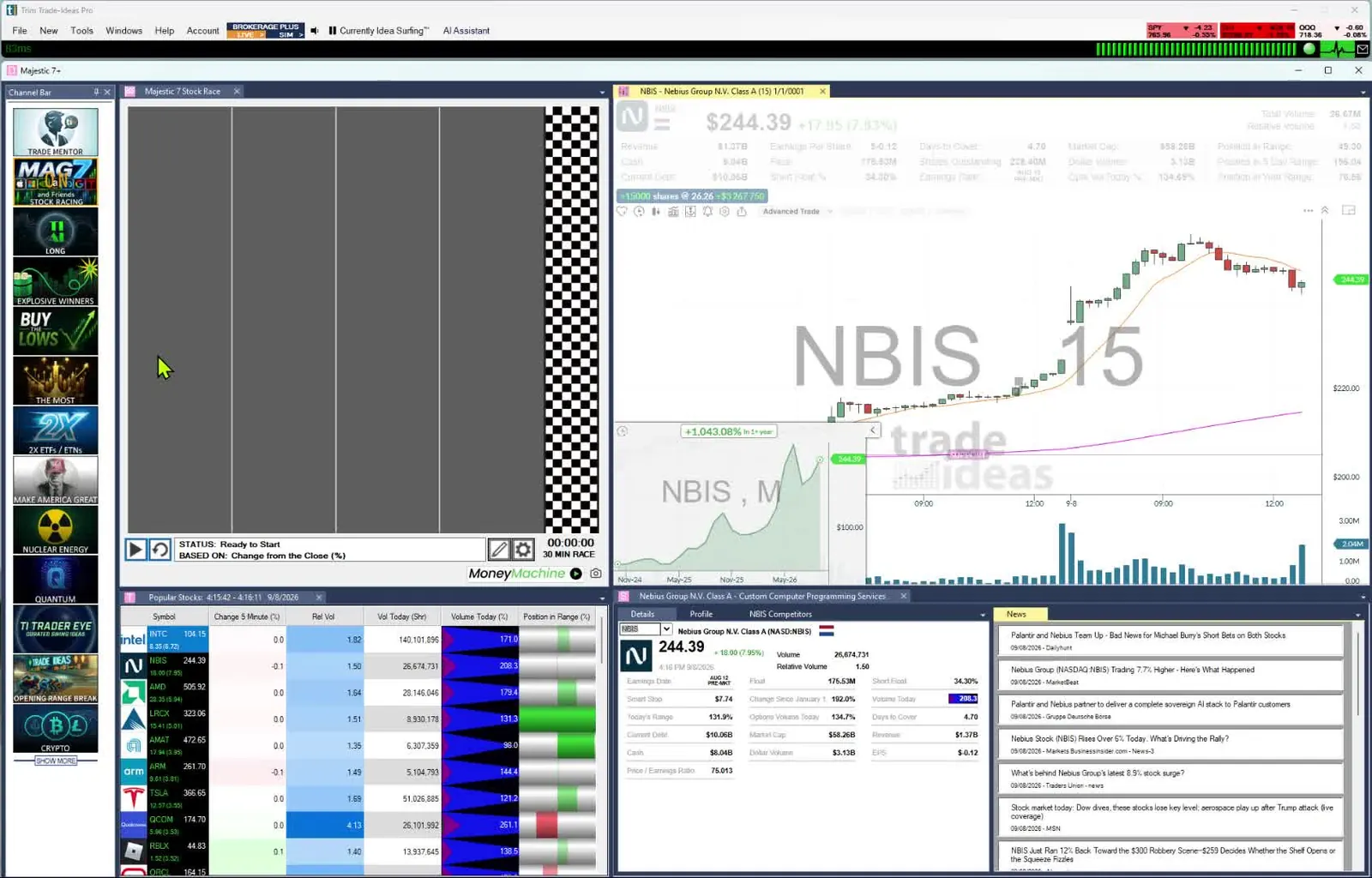
Trade Ideas is built around the first. Its servers watch every trade across the U.S. market and send you the stock when your setup happens. Streaming Alerts, the scanner, report events such as a 5 minute opening range breakout or a cross above VWAP. The Top List (Screener), the screener, updates every 15 seconds with a ranked list of stocks that meet your criteria. Holly adds trade ideas you didn't go looking for.
Opening range alerts come in 1, 2, 5, 10, 15, 30 and 60 minute lengths, breakouts and breakdowns alike (30-minute breakdown). Indicator events you might otherwise script in Pine are ready-made alerts: a 60-minute MACD cross above signal, a 30-minute 5/8 SMA cross up, a Fibonacci 50% buy signal. Every one of them is in our help, which runs to 308 alerts and 249 filters. Any alert runs with any filters, each limited by min and max, and 191 alerts take a setting of their own, such as the hours a Fibonacci pattern took to form, which makes the possible scans effectively unlimited.
Put them side by side and the work splits cleanly: Trade Ideas tells you which ticker, TradingView helps you read it.
| Feature | TradingView (from its own site) | Trade Ideas |
|---|---|---|
| Best at | Charting, technical analysis and community ideas across global markets. | Finding U.S. stocks as they move, AI trade signals and event-based backtesting. |
| Scanner / screener | Stock, ETF and crypto screeners: 150+ exchanges, 500+ fields, auto refresh every 10 sec or 1 min on paid plans, plus a Pine Screener. | Streaming Alerts (can fire on every trade, multiple times per second) and the Top List (Screener) (updates every 15 seconds), with 308 alerts and 249 filters. |
| Scripting | Pine Script, TradingView's own language for indicators and strategies. | Pick from 308 alerts (events) and 249 filters, combined with AND. No scripting needed. Formula Editor for custom scan filters; AI Assistant for plain-English scans. |
| Backtesting | Strategy backtesting on the chart, with deep backtesting on higher plans. | OddsMaker tests alerts and filters across all stocks (TI Premium). |
| AI | AI screener requests on paid plans. | Holly AI Signals (TI Premium). |
| AI Assistant (plain-English scan builder) | AI Copilot, a separate monthly add-on for paid plans; $7.50 a month at checkout in October 2026 | AI Assistant included at no extra cost in every TI Pro plan |
| Alerts | Price alerts from 3 (Basic) to 1,000 (Ultimate), technical alerts on paid plans, watchlist alerts on Premium and Ultimate, webhook notifications. | Streaming Alerts across the market, plus Price Alerts. |
| Trading | Trade through selected brokers from the chart; paper trading. | Brokerage Plus, chart trading, Auto Trading (Money Machine); paper trading. |
| Markets | Stocks, ETFs, futures, forex and crypto worldwide; some exchange data costs extra. | U.S. stocks, with unusual options activity tracked across all stocks. |
| Runs on | Web, desktop and mobile apps. | TI Pro on Windows, also on a Mac through Parallels. In any browser, the Dashboard needs no download and has Races, Market Pulse, Top Lists, TreeMaps, Picture in Picture charting, and stock details and news. |
| List price (monthly / annual) | Basic free; Essential/Plus/Premium/Ultimate on tradingview.com/pricing (see costs section). | TI Standard $127/mo or $1,068/yr; TI Premium $254/mo or $2,136/yr. OddsMaker, Money Machine and Holly AI Signals require TI Premium. |
Competitor prices and features checked October 12, 2026.
TradingView details checked on tradingview.com/pricing on Oct 5, 2026.
TradingView's screener is broad. It covers stocks, ETFs and crypto on 150+ exchanges in 50+ countries, with 500+ fundamental and technical fields, and paid plans refresh it automatically every 7 seconds or every minute. It also has a Pine Screener for running your own scripts as a screen. For a global, fundamentals-plus-technicals filter, it is very capable.
A screener answers "which stocks match my filters as of this refresh?" Trade Ideas Streaming Alerts answer a different question: "what just happened, and to which stock?" Each alert is an event with a time attached, such as a stock making a new 30 minute high or a high relative volume burst. Streaming Alerts can fire on every trade, and that can be multiple times per second. If you want the screener experience, the Top List is the Trade Ideas equivalent, and it updates every 15 seconds.
Neither approach is wrong. If you trade global markets or screen on valuation, TradingView's screener is the better fit. If you trade U.S. stocks intraday and care about the first move, Streaming Alerts are built for that.
TradingView scripting is Pine Script, not Python. TradingView describes Pine Script as its own lightweight language for indicators and strategies that run on its servers, and says its community has published more than 150,000 Community Scripts, about half of them open-source. If you want to code a custom indicator, or borrow one, that library gives you plenty to start from.
The Trade Ideas Formula Editor is built for scanning rather than drawing. You combine Trade Ideas data fields such as price, volume, float and relative volume with C-style math, and the formula runs as a filter in Streaming Alerts and Top Lists (Screeners) across every stock in real time. Drop it into a strategy and OddsMaker backtests it against past market events. Prefer not to code? Describe the scan in plain English to the AI Assistant.
TradingView gives you a great chart once you know the ticker. Holly is the Trade Ideas artificial intelligence, and its job is to hand you the ticker and the plan.
Holly AI Signals fire during the trading day with a symbol, an entry and a stop to manage risk. Holly is designed to look for stocks with large long-term potential. Many signals won't work out. You choose whether to exit the same day or hold, based on your risk.
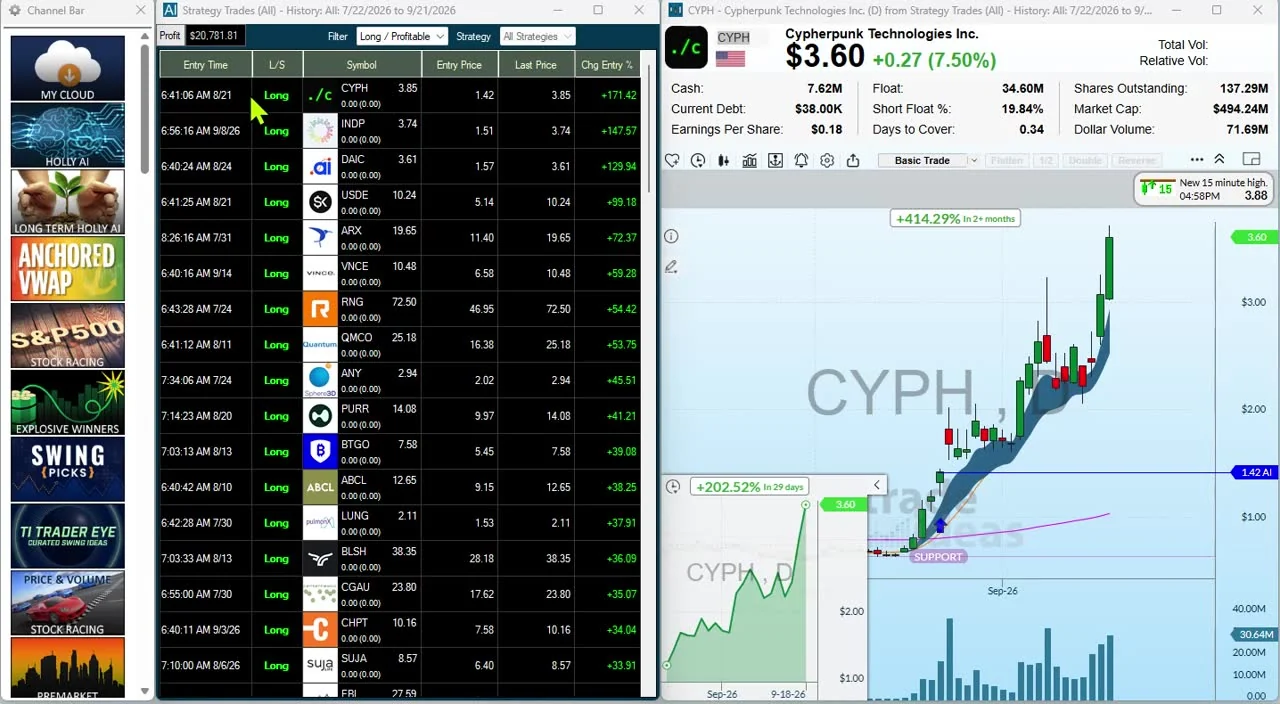
Holly selects its strategies by running OddsMaker-style tests each night. With External Linking turned on, a click on a Holly signal can load the symbol into your TradingView chart, so you can judge the setup with your own levels and indicators. See Holly AI Signals.
External Linking is a TI Pro feature that sends every symbol you click in Trade Ideas to a target field in another app, such as your TradingView chart's symbol box. The Trade Ideas user guide covers it in full; in short:
TradingView's pricing page says extra real-time data for exchanges such as NASDAQ and NYSE is added separately to a paid plan, so check which feeds your plan actually includes. Trade Ideas includes real-time data on both paid plans, and Streaming Alerts run on Trade Ideas live market data. If you are okay with static non-refreshing data, Trade Ideas is probably not your best choice.
Trade Ideas also monitors unusual options activity across all stocks, and TI Pro and the Web Dashboard each include a dedicated channel for it. TradingView's pricing page doesn't list an unusual options activity feature, so if options volume is one of your catalysts, see the options volume filter.
If you need to find stocks as they move, Trade Ideas is built for that job, while TradingView is built for charting what you've already found. Many traders use both: Trade Ideas to spot the move and TradingView to chart it.
Deciding TradingView or Trade Ideas comes easier with the facts.
TradingView is a great charting tool, and you don't have to give it up. Trade Ideas finds the US stock first, then External Linking sends it to your TradingView chart. Streaming Alerts (Scanner) watch every US exchange, plus off-exchange trades and the NBBO, across the whole market at once, which a chart screener isn't built for. The Channel Bar gives you ready-made scans, and the AI Assistant comes with both plans. TI Premium adds Holly AI Signals and OddsMaker. A free account takes just an email and no card.
TradingView: Basic is free. On Oct 5, 2026, TradingView showed "special price" annual plans of $12.95/mo (Essential), $29.95/mo (Plus), $59.95/mo (Premium) and $199.95/mo (Ultimate), billed annually, with monthly billing costing more. Extra real-time exchange data is sold separately.
AI assistant: TradingView's AI Copilot is not included in its plans. It is an add-on that renews monthly and works only on top of a paid plan (Essential, Plus, Premium or Ultimate), on the web and in the desktop app but not in the mobile apps, with a monthly usage limit that does not roll over, according to TradingView's AI Copilot guide. TradingView does not list the add-on price; it was $7.50 a month at checkout in October 2026. On the Trade Ideas side there is nothing to add on: every TI Pro plan includes the AI Assistant at no extra cost.
Trade Ideas: TI Standard is $127 for a month at a time or $1,068 for twelve months (roughly $89/mo); TI Premium is $254 monthly or $2,136 for twelve months (roughly $178/mo). Premium unlocks Holly AI Signals, OddsMaker backtesting and Auto Trading (Money Machine). External Linking runs in TI Pro, and so does the AI Assistant, on every plan.
Most TradingView plans cost less than TI Standard. The difference pays for scanning rather than charting: a custom database Trade Ideas has developed in-house for more than two decades, Streaming Alerts that can go off on every trade across US stocks, and a 15-second Top List (Screener) refresh.
TradingView's pricing page lists screeners with auto refresh every 7 seconds or 1 minute on paid plans, and says extra real-time data for exchanges such as NASDAQ and NYSE is added separately. A screener shows the stocks that match your filters on each refresh. Trade Ideas Streaming Alerts report each event as it happens. The Top List (Screener) updates every 15 seconds.
No. TradingView's scripting language is Pine Script, its own language for indicators and strategies that run on TradingView's servers. Trade Ideas uses the Formula Editor, with C-style syntax, for custom scan filters.
Yes. External Linking in Trade Ideas Pro sends every symbol you click in Trade Ideas to a target field in another app, and the Trade Ideas user guide includes steps for linking to TradingView. You can also include it in Idea Surfing, which cycles the top symbols of your Top Lists and the Holly Strategy Trades window every 7 seconds.
TradingView's pricing page lists AI screener requests, which help you build a screen. It does not list AI trade signals. In Trade Ideas, Holly AI Signals are included with TI Premium and arrive while the market is open.
No. TradingView sells AI Copilot as a separate add-on, billed monthly, for people who already have a paid plan: Essential, Plus, Premium or Ultimate. Free accounts can't add it, it isn't in the mobile apps yet, and unused monthly usage doesn't carry over (TradingView's announcement). The add-on came to $7.50 a month at checkout in October 2026; TradingView doesn't publish a price. In Trade Ideas, the AI Assistant comes with every TI Pro plan at no extra cost.
Not necessarily, since Trade Ideas has built-in charts and TradingView has a screener. Many active traders use both anyway: Trade Ideas to find what is moving across the U.S. market, and TradingView for charting, drawing, Pine Script indicators and the community.
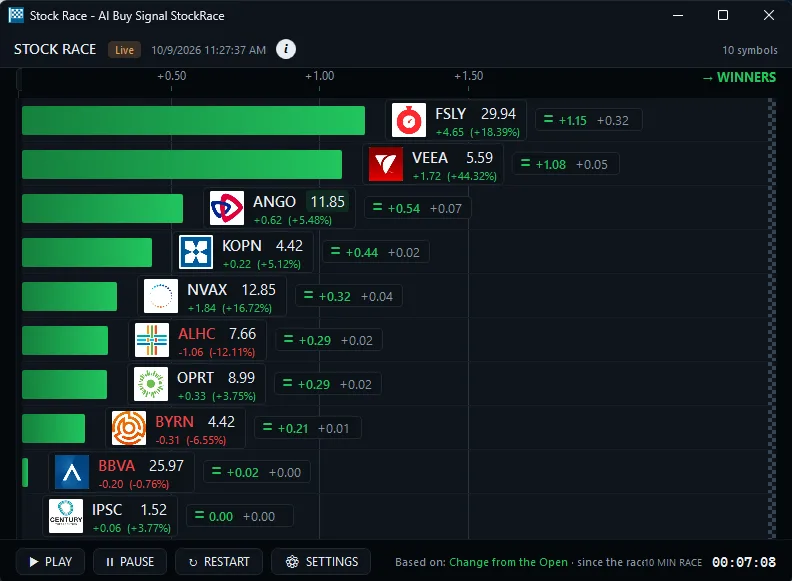
Yes, for beginners who want the premium experience. There is no need to configure anything. The Channel Bar and AI Assistant are included in TI Pro on every Trade Ideas plan. Its ready-made channels are built around themes, such as big momentum movers or S&P 500 stocks moving up fast. Stock Races show stocks racing each other in real time. The free Trade Ideas Trading Room is led by Barrie Einarson, with a whole community of traders. You can practice with paper trading before you risk money. When you are ready, 308 alerts and 249 filters, OddsMaker, Money Machine and Holly AI Signals give you room to grow. See our guide for beginners.
Past results, including backtests, don't guarantee future results.
Prices checked October 2026. Sources: tradingview.com/pricing; Pine Script docs. Trade Ideas plans: trade-ideas.com/pricing, same day.
TradingView labels its prices "special price", and they can vary by region and promotion.
Free account, just an email. No card. Live access for a limited time. Ready to buy? See plans & pricing

