
Light Mode

The short answer: Most TradingView users keep their charts and look for help finding what to chart. For a live scanner, screener, Holly AI Signals, OddsMaker testing and a free Trading Room, Trade Ideas. For automated chart analysis, TrendSpider. For charting on a budget, TC2000. If you have a Schwab account, thinkorswim includes a scanner at no cost. Trade Ideas makes one of the tools on this page.
This page is on Trade Ideas' own website. Charting first or scanning first? Trade Ideas vs TradingView lays out the difference.
Free account, just an email. No card. Live access for a limited time.

Named to the Inc. 5000 list of America’s fastest-growing private companies six years in a row (2017–2022).

Investopedia: Best Short Term Stock Screener, 2024
TradingView is known for its charts and its community. The screeners reach stocks, ETFs and crypto across 150+ exchanges in more than 50 countries.
Custom studies are written in Pine Script, TradingView's own language. Paid plans list strategy backtesting and Bar Replay.
Many traders already keep a TradingView chart open. For charting across world markets, that is a strong home base.
Trade Ideas vs TradingView covers the full feature list.
Six criteria, the same for each TradingView alternative. The pages we read are in How we checked.
| Tool | Replaces which part of TradingView | Real-time data | Backtesting | AI | List price | Best for |
|---|---|---|---|---|---|---|
| Trade Ideas | Discovery before the chart | Yes. Live market data on every plan, no screener timer | OddsMaker, no code (TI Premium) | Holly AI Signals for Premium users; the AI Assistant in TI Pro for every plan | TI Standard: $127/mo, $1,068/yr. TI Premium: $254/mo, $2,136/yr | Full scanning stack plus Trading Room |
| TrendSpider | Chart automation and backtests | Real-time US data (non-pro); scan frequency by plan | Yes, on every plan | Sidekick assistant (25 messages/mo) | Standard $59 to $89/mo by billing term; up to $349/mo | Automated chart analysis |
| TC2000 | Charts and technical scans | Real-time US stocks; real-time scanning on Premium | Not listed | Not listed | Basic $24.99, Premium $49.99, Premium+ $99.99/mo | Charting on a budget |
| Finviz Elite | Quick web screens | Free: delayed. Elite: real-time 4:00 a.m. to 8:00 p.m. ET | Not listed | Not listed | Free; Elite $39.50/mo or $299.50/yr | Screens after the close |
| VectorVest | Daily ratings | 15-min delay on lower plans; real-time on Premium | AutoTimer | RoboTrader alerts | Launchpad $49.99, Enhanced $99, Premium $149 a month | Daily stock ratings |
| Benzinga Pro | News and catalysts | Real-time quotes on paid plans; scanner on Essential | Not listed | Benzinga AI (Essential) | Basic $37, Streamlined $147, Essential $197 a month | News-driven traders |
| thinkorswim | Broker scanner and charts | Scan refresh rate not listed by Schwab | thinkScript strategy testing | Not listed | No charge for Schwab clients | Schwab clients |
Competitor prices and features checked October 12, 2026.
On mobile, swipe the table to read all of it.
"Not listed" signals a feature we couldn't find on the vendor's pages.
Best for scanner, screener, signals, backtesting and Trading Room
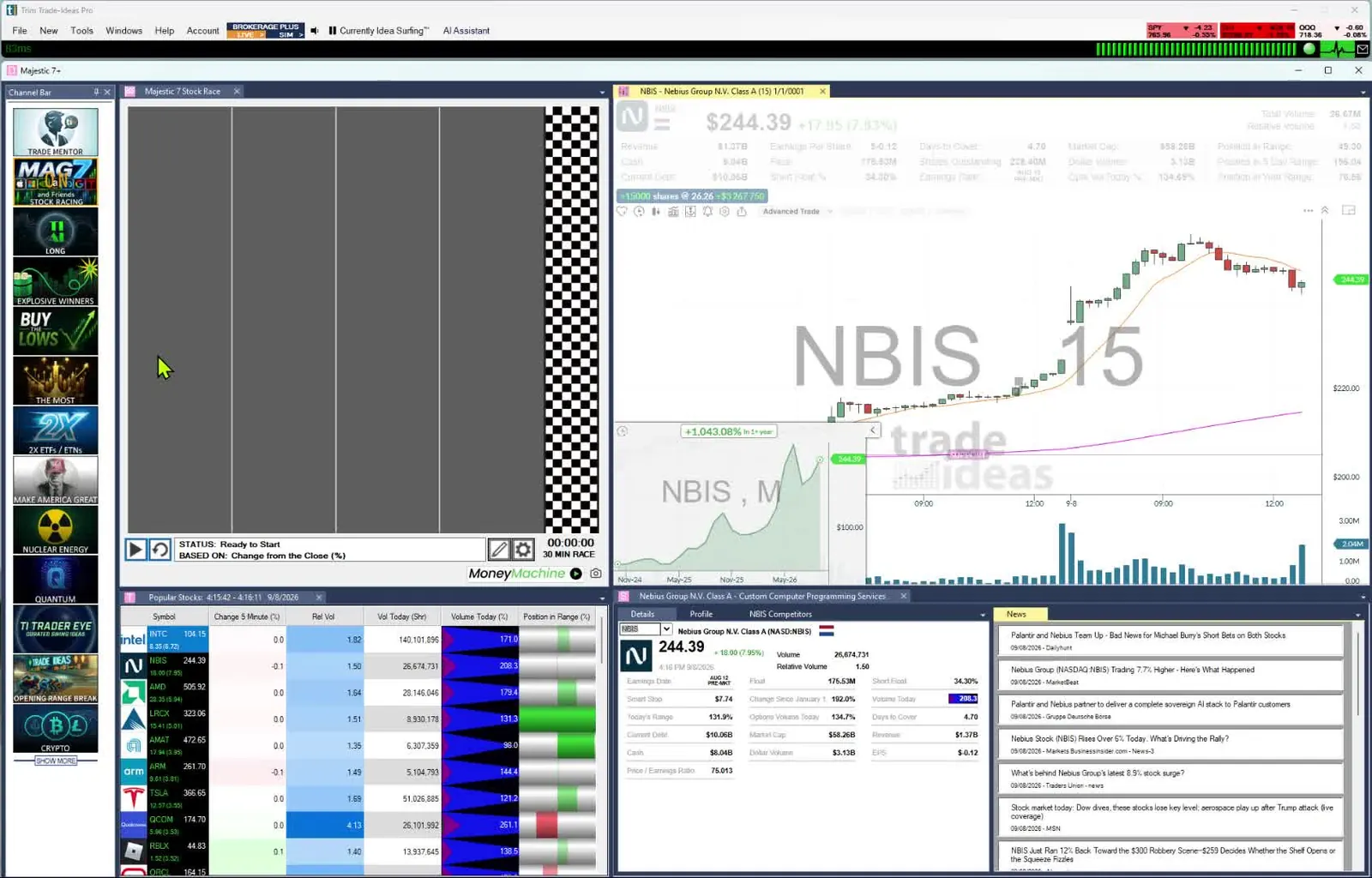
TradingView is where you study a chart. Trade Ideas is where you find the stock worth charting. The scanner, Streaming Alerts, reacts to every trade in US-listed stocks. Top Lists (Screeners), which act as the screener, refresh on a 15-second cycle. Custom scans use a proprietary formula language, not Pine Script or Python. TI Premium layers on Holly AI Signals, OddsMaker and Money Machine, and Barrie Einarson leads the free Trading Room.
Replaces: The search that comes before the chart: live scanning, AI signals and no-code testing.
Indicator alerts on every stock. Trade Ideas has 308 alerts and 249 filters, documented in our help, that run across all U.S. stocks: a 5-minute MACD crossing its signal line, a 5/8 SMA cross down, a 5-minute upward thrust, where you can also set how sudden the move must be.
Any alert runs with any filters, each given a min and max, and 191 alerts have a setting of their own like that one. With one alert and two filters there are already more than 9.5 million pairings, so the combinations are effectively unlimited.
Opening range alerts measure the high and low of the first 1, 2, 5, 10, 15, 30 or 60 minutes and fire on the break either way; the 15-minute breakdown is one.
Worth knowing: Trade Ideas covers US-listed stocks, not world markets. Holly AI Signals, OddsMaker and Money Machine are only in TI Premium, the higher of the two plans. If you chart on a Mac, the browser-based web Dashboard opens with no download; TI Pro, home of Streaming Alerts and Holly, is built for Windows PCs and also runs on a Mac through Parallels. Open a free account to put the Dashboard next to your TradingView charts.
Scan first, chart second. The AI Assistant builds a scan from your words, or you can configure one from 308 alerts and 249 filters with no code. Custom filters come from the Formula Editor, and OddsMaker on TI Premium tests them on past events. Premium subscribers also see Holly's signals every session, with the entry and the stop written out. The sequence from raw variable to next-session signal is drawn out in a short chain on our Data Difference page.
Best fit: TradingView chartists who want stocks found for them during the session, plus beginners who want the premium experience.
Best for automated charting and backtests
TrendSpider is the automated side of chart work. It draws trendlines, runs scans and backtests, and can place orders automatically.
Replaces: TradingView charts and Pine strategy tests, with multi-timeframe scans.
Worth knowing: Higher plans scan more often. Intro periods cost between $19 and $49.
Best fit: TradingView users who want the software to draw and test chart rules for them.
Best for US stock charts and scans on a budget
TC2000 pairs charting with its own scanning. The real-time data it lists is for US stocks.
Replaces: TradingView charts and technical screens for US stocks.
Worth knowing: Real-time scanning is reserved for Premium and up.
Best fit: Swing and chart traders focused on US stocks who watch their monthly spend.
Best for fast fundamental screens after the close
Finviz is a screener first and a chart tool second. It has market heat maps, a free version and a paid Elite plan.
Replaces: The TradingView screener, for presets you check once a day.
Worth knowing: A 3-minute refresh applies when you use Finviz without Elite. A live event scanner is not on the list.
Best fit: US stock investors who mainly need fundamental screens, not world-market charts.
Best for a rating instead of chart reading
VectorVest rates stocks with VST and a Buy, Sell or Hold call. It runs its analysis each day and adds coaching.
Replaces: Daily chart review, with ratings and market timing.
Worth knowing: Real-time US data is a Premium feature. Add-ons like RealTime Derby cost extra.
Best fit: Investors who would rather follow a daily rating than read charts.
Best for the news behind the chart
Charts show that a stock moved. Benzinga Pro, a news service first, helps explain why. On top of news it has audio squawk, calendars and a real-time scanner.
Replaces: Headlines and catalysts, plus a scanner on Essential.
Worth knowing: Only Essential ($197) has the Real-Time Scanner. No live teaching room is listed.
Best fit: Chart traders who want a news layer beside their charts.
Best for Schwab clients who want charts at the broker
thinkorswim is Schwab's own trading software. Its scanner goes by the name Stock Hacker.
Replaces: TradingView charts and screens, with trade entry built in.
Worth knowing: Built for Schwab clients. Trade Ideas is added software that works with your current broker.
Best fit: Schwab clients and options traders who want to chart and trade in one place.
TradingView is the right home for lots of chart traders. Stay if any of these sounds like you.
If you are okay with static non-refreshing data, Trade Ideas is probably not your best choice.
Trade Ideas is a full stack for finding stocks, testing ideas and learning live. TradingView is the charting home many traders keep. Read across each row to see where a TradingView habit goes in Trade Ideas.
| If you use this in TradingView | In Trade Ideas |
|---|---|
| Charts and drawing tools | Charts are built in. External Linking can also load each symbol into your own TradingView chart. |
| Stock screener (refreshes every 10 seconds or 1 minute on paid plans) | Top Lists (Screeners), the screener, updating every 15 seconds. |
| Pine Script studies | Pick from 308 alerts (events) and 249 filters, combined with AND. No scripting needed. Live scans are written in the Formula Editor, in Trade Ideas' proprietary formula language. That is neither Pine Script nor Python. |
| Strategy backtesting and Bar Replay | OddsMaker no-code backtesting on past trading days (TI Premium). |
| AI screener requests | The AI Assistant turns plain English into a scan. Holly AI Signals on TI Premium give an entry and a stop to manage risk. |
| Added when you switch | Streaming Alerts, the scanner, across US-listed stocks. |
| Added when you switch | Channel Bar presets on every plan. |
| Added when you switch | The Trading Room, free, with Barrie Einarson Monday through Friday from 8:00am to 3:30pm ET. |
Competitor prices and features checked October 12, 2026.
Swipe for the Trade Ideas column next to each TradingView habit.
Instead of hunting for symbols to chart, let the Channel Bar bring them. Whichever plan you pick, it is there in TI Pro. Open Big Momentum Movers for fast movers, or S&P 500 stocks moving up quickly if you chart large caps. More in Trade Ideas for beginners.
Streaming Alerts replace the screener timer and act as the scanner. Top Lists are the screener. Both stream live market data.
TI Premium users see Holly AI Signals pop up mid-session, and each comes with its own entry and a stop. Send the symbol to your chart, then decide whether to exit that day or hold.
With OddsMaker, a scan gets tested on Trade Ideas history. You don't write a strategy in code.
Past results, including backtests, don't guarantee future results.
Pine Script is TradingView's language for custom studies. Trade Ideas scans use a proprietary formula language in the Formula Editor, which is not Pine Script and not Python. Rather skip code? Tell the AI Assistant the scan you want in plain English.
TradingView labels some rates as special price. Extra real-time exchange data is sold separately. Prices checked October 2026.
AI Copilot isn't part of any TradingView plan: it's a monthly add-on you buy on top of Essential, Plus, Premium or Ultimate (not Basic, and not in the mobile apps), and it cost $7.50 a month at checkout in October 2026. Details are in TradingView's AI Copilot post.
Pine users who want trade ideas handed to them pay for TI Premium, home of Holly AI Signals, OddsMaker and Money Machine. The Channel Bar's presets and the AI Assistant are yours in TI Pro on Standard as well as Premium, with no add-on to buy. The Trading Room is free to all.
Prices were read on October 6, 2026. Check each site before you buy, because they change.
Through Premium, each TradingView tier comes in under the TI Standard price. Paying more buys a market-wide scanner on a database Trade Ideas has built and kept improving for more than two decades, alerts that can fire trade by trade, and 308 alerts to pair with 249 filters.
Reference pages, checked October 6, 2026: trade-ideas.com/pricing; tradingview.com/pricing; trendspider.com/pricing; tc2000.com/pricing; finviz.com/elite; vectorvest.com/product-pricing; pro.benzinga.com/pricing; schwab.com/trading/thinkorswim.
Update notes: first published October 6, 2026. We confirmed every TradingView price and feature on that day.
Real-time discovery is where Trade Ideas earns its keep, while TradingView earns its keep on charting and a big community. Using the pair together is common.
Here is our side of the TradingView or Trade Ideas question.
For live US scanning with AI signals and backtesting, our pick is Trade Ideas. Keep in mind we make it. Keep TradingView for charts, since External Linking connects the two.
Yes, within limits. TradingView's own Basic plan is $0, Finviz has a free version, and thinkorswim costs Schwab clients nothing. Trade Ideas software is a subscription, yet the live Trading Room costs nothing.
On October 6, 2026, TradingView Essential itself was $12.95 a month on annual billing. TC2000 Basic was $24.99 a month and Finviz Elite was $39.50.
Yes. When charts are all you have used so far and live scanning is new, Trade Ideas is a good fit for a beginning trader who wants the premium experience. No configuration is needed, thanks to the Channel Bar presets in TI Pro. The AI Assistant, included in TI Pro on both plans, turns a chart idea into a scan. See Trade Ideas for beginners.
Yes, at list price. On October 5, 2026, TradingView listed Essential at $12.95, Plus at $29.95, Premium at $59.95 and Ultimate at $199.95 a month billed annually (special price). By comparison, live scanning from Trade Ideas started at $127 a month or $1,068 a year on TI Standard, and TI Premium cost $254 a month or $2,136 a year.
No. A Holly AI Signal fires while the market is open, and the holding period is yours to decide. Investors who chart weekly can still time entries using Top Lists (Screeners) and Streaming Alerts.
No. TradingView uses Pine Script. Trade Ideas uses a proprietary formula language in the Formula Editor. It is not Pine Script and not Python. You can also describe a scan in plain English to the AI Assistant.
Yes, and many traders do exactly that. Find the stock in Trade Ideas. External Linking in TI Pro can then load it into your TradingView chart.
Free account, just an email. No card. Live access for a limited time. Ready to buy? See plans & pricing

