



Machine learning
Holly runs the ML
Key point
AI Signals / Holly →
Machine learning trading signals generated on live market data: Entry and Exit Signals with a Statistical Edge.
Professional-Grade AI Trading, Ready When You Are
Trade Ideas AI Strategy Lab does the machine learning for you, so you don’t have to build models yourself. Holly, the Trade Ideas AI, applies machine learning to live market events so you get Entry and Exit Signals with a Statistical Edge.
AI Strategy Lab · Machine Learning Machine learning trading signals on live market events, tested by OddsMaker TI Premium on Trade Ideas history.
Free account, just an email. No card. 15-minute delayed data.

Named to the Inc. 5000 list of America’s fastest-growing private companies six years in a row (2017–2022).

Investopedia: Best Short Term Stock Screener, 2024
Machine learning is no longer just for Wall Street. Trade Ideas puts a machine learning strategy lab on your desk, and you don’t have to become a data scientist to use it. Holly does the machine learning for you on live market data, so you trade signals instead of writing code.
In a build-your-own lab, you pick a model type, build your own chart inputs and check whether it holds up on new data.
ML trading signals on live market events. You set up the windows. Holly finds setups with a statistical edge. OddsMaker tests every setup on Trade Ideas history.
Good entries don’t come from gut feel after staring at charts. Holly finds machine learning trading signals with a statistical edge. OddsMaker then shows what happened next under your own risk and hold rules.
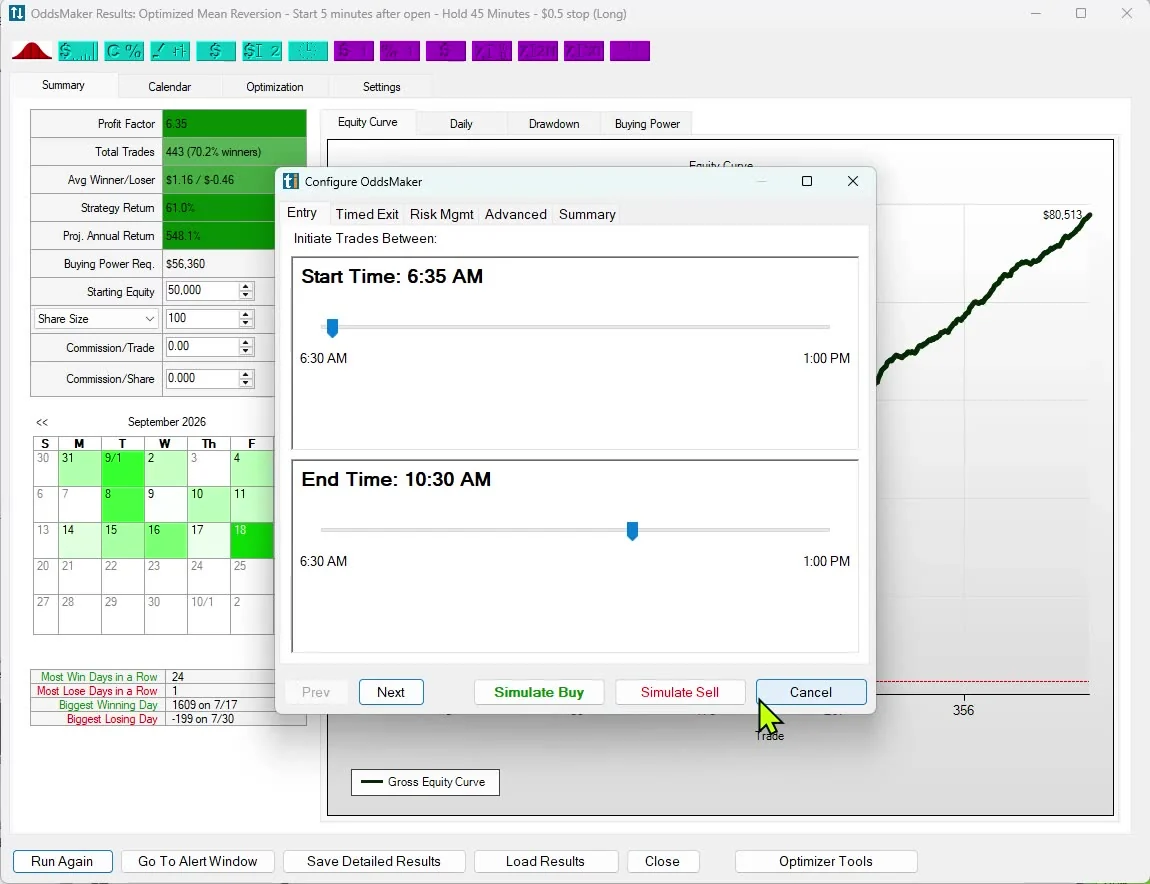
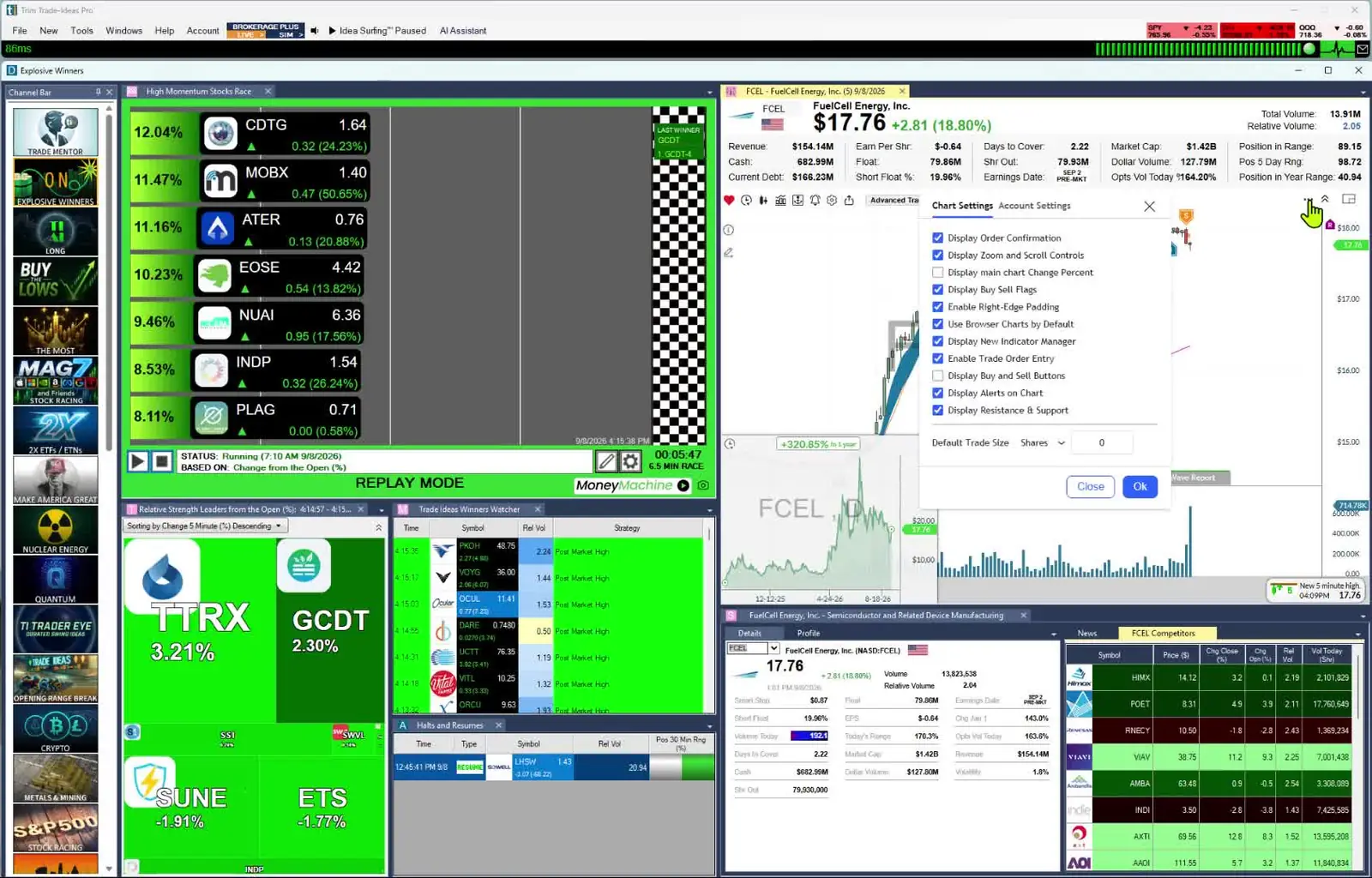
Some ML labs advertise “any market, any timeframe, any input.” Trade Ideas is more focused. The AI Strategy Lab runs on live market events, the same alerts and filters active traders already watch. So machine learning works right where you trade.
Trade Ideas live market data: A live stream of market events built on premium exchange data, so you see moves as they happen. Data Difference →
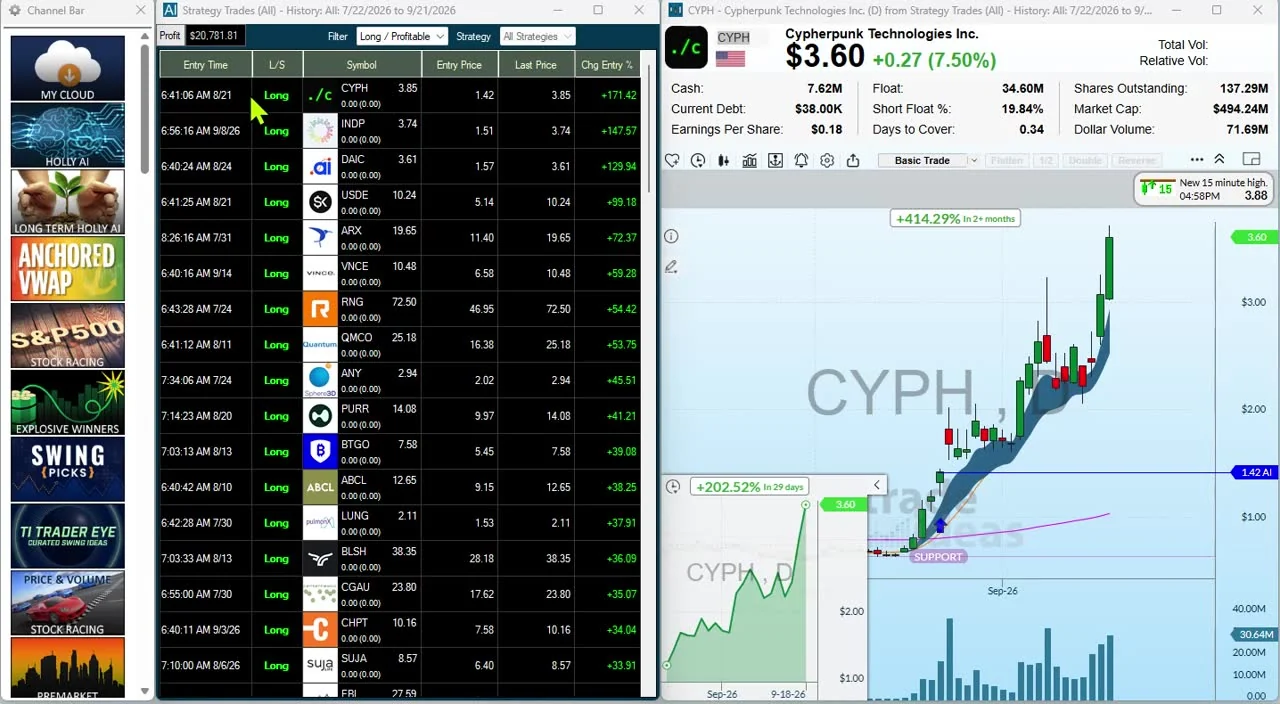
Some ML strategy labs make you code your own indicators to feed the model. Trade Ideas skips that step. AI Assistant turns plain English into Alerts and Top Lists (Screeners). Those events then feed the same machine learning that OddsMaker has already tested.
Some ML labs hand you a menu of model types, like Random Forest, K-Nearest Neighbors, Naive Bayes and Logistic Regression. Trade Ideas does not ask you to pick models. In the AI Strategy Lab, Holly already applies machine learning to live market events. OddsMaker is how you test and improve the results.
Machine learning
Machine learning trading signals generated on live market data: Entry and Exit Signals with a Statistical Edge.
Test results
Event-based testing on the same alerts and filters. Like a Vegas Card Counter but for the Stock Market. Past results, including backtests, don't guarantee future results.
OddsMaker →Refine
Trade Ideas tools improve what actually trades.
Some ML labs ask you to train your own models on chart data. Trade Ideas does machine learning quant trading differently. Live market data feeds Holly. Holly finds the signals, and OddsMaker tests them.
Once Holly finds ML trading signals you like, you don’t need to export them to another app. Everything stays in Trade Ideas: OddsMaker, Alert windows, Top Lists (Screeners), the Channel Bar and charts all use the same live market events.
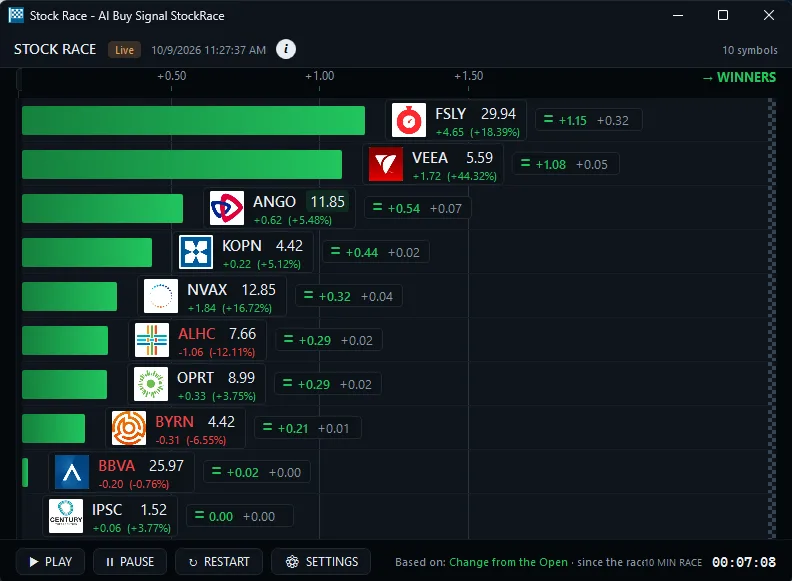
Happy with the machine learning edge? Trade it with Brokerage Plus. Live trading runs through Trade Ideas Pro and connected brokers, and you can practice in simulated trading first.
Some chart labs talk about “cross-training” and “cross-breeding” ML models. Trade Ideas gives you practical tools instead: OddsMaker Optimization, combined filters, hold times, stops and time of day. These are what improve the results.

AI Assistant sets up Alerts and Top Lists (Screeners) from plain English. Holly AI Signals are separate. They use machine learning, and OddsMaker has tested them on Trade Ideas history, so each signal comes with a statistical edge.
Build
Describe your setup in plain English. Holly drafts the Alert window and Top List for you.
ML · Test
Machine learning trading signals on live market events. Results and Optimization before you fund the idea.
Trade
Same tools. Same live market data. Signals that come with an entry price and a suggested stop.
AI Signals / Holly →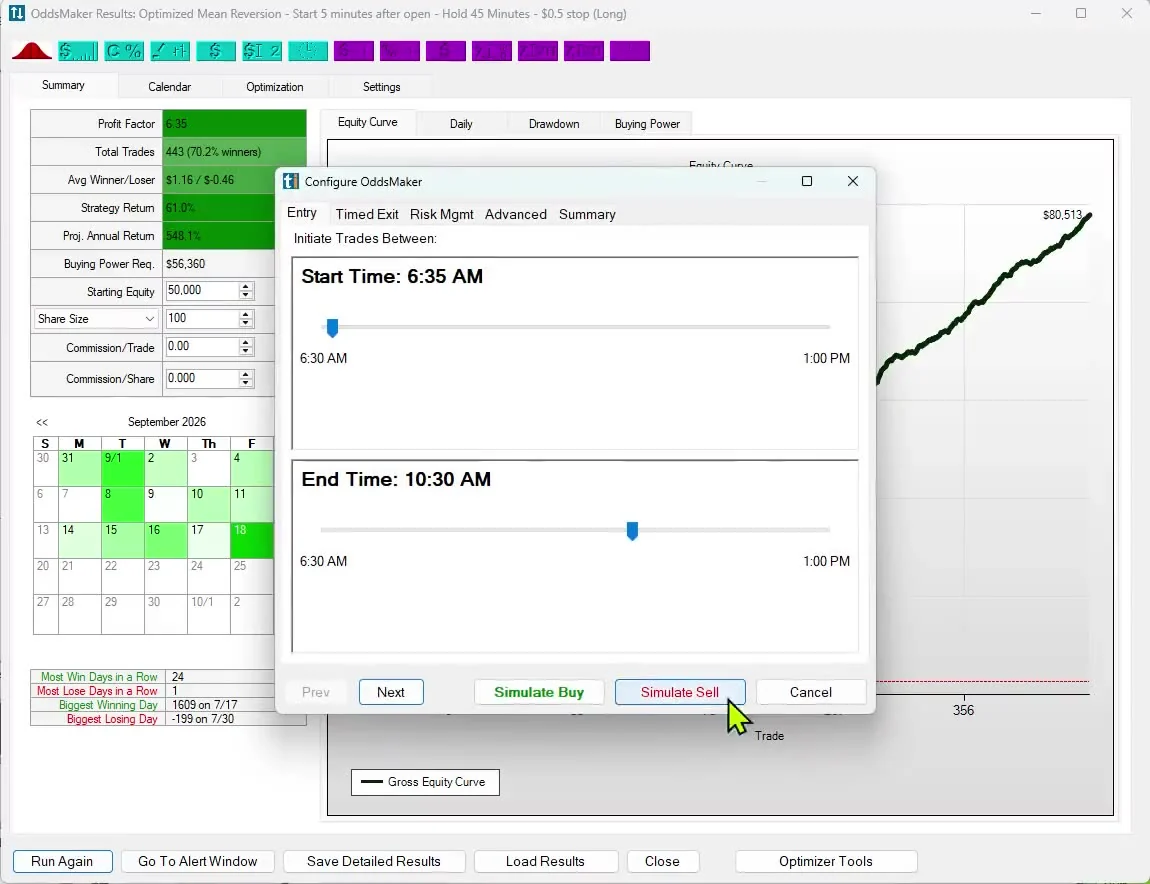
Train-your-own ML labs are built around chart data. In Trade Ideas, live market events from premium exchange data feed Holly’s machine learning. OddsMaker is the testing engine under the hood.
Nasdaq Basic vs Trade Ideas live market data · Compare Trade Ideas → · Data Difference
A practical manual for the AI Strategy Lab. Learn how to set up Alerts and Top Lists (Screeners) with Holly and how to run OddsMaker.
Trade alongside people who Really Know Trade Ideas. The live desk runs Monday to Friday during market hours (ET).
Trading Room →Also: see the Learning Center for chart-automation terms, and Strategy Development & Backtesting Tools for OddsMaker backtesting.
The Trade Ideas AI Strategy Lab, also called the AI Strategy Lab, is machine learning quant trading with Holly. Holly runs machine learning on live market events to generate Entry and Exit Signals with a Statistical Edge. OddsMaker is the event-based testing engine that tests setups on Trade Ideas history, so those ML trading signals come with test results. AI Signals · OddsMaker.
No. This machine learning strategy lab is built so traders do not train their own Random Forest, KNN, Naive Bayes, or Logistic Regression models on chart features. Holly does the machine learning work for you on live market events. You configure Alerts and Top Lists (Screeners) in natural language or point-and-click, then OddsMaker tests what happened next.
Train-your-own ML labs ask you to pick model types, build chart inputs and retrain. The Trade Ideas AI Strategy Lab works the other way. Holly already runs on live market events from premium exchange data and finds the trading signals. You refine and test them with OddsMaker Optimization, filters, time of day and results scoreboards. You never have to pick a model.
The AI Strategy Lab runs on Trade Ideas live market data, a stream of market events built on premium exchange data. Machine learning trading signals here run on those events, the same alerts and filters you trade with live. See also Data Difference.
Holly finds Entry and Exit Signals with a Statistical Edge across more live market events than any trader could watch by eye. Combine alerts and filters, then test them in OddsMaker. The results show which machine learning–backed setups still hold up.
Yes, all in Trade Ideas. OddsMaker backtests on event history with Results and Optimization. Alert windows and Top Lists scan the live market. Charts and the Channel Bar show the same live market events. Machine learning trading signals, testing, and live trading all use the same Trade Ideas data. Strategy development tools.
In Trade Ideas Pro, Brokerage Plus connects partners for Auto Trading, Simulated Trading, and Chart-Based Trading. Your alert windows watch the market, and Money Machine, the Auto Trading feature, can place trades when your rules say go. Live trading runs in the Trade Ideas Pro desktop app, through connected brokers. Simulated trading works in the app and on the web, so you can practice first. Brokers.
Chat assistants help you research and talk about charts. Trade Ideas AI Strategy Lab is Holly generating machine learning trading signals on live market data, with OddsMaker testing how the strategy did in the past. It gives you signals with an edge, not a research conversation.
OddsMaker Optimization lets you test combined filters, hold times, stops and time of day to see which conditions improve the results. The results show your odds in plain numbers: win rate, average winner vs. loser and hold times.
Users Guide for how Streaming Alerts (Scanner), Holly and OddsMaker work together. Learning Center for chart-automation terms. Trade Ideas Trading Room for live help from people who Really Know Trade Ideas during market hours.
Free account, just an email. No card. 15-minute delayed data. Ready to buy? See plans & pricing