
Light Mode

The short answer: A real-time screener should never make you press refresh. Trade Ideas Top Lists, which we call The Super Stock Screener, are our pick.
Free account, just an email. No card. Live access for a limited time.

Named to the Inc. 5000 list of America’s fastest-growing private companies six years in a row (2017–2022).

Investopedia: Best Short Term Stock Screener, 2024
They rank every U.S. stock that meets your filters and update every 15 seconds, so the leader you see is the leader now. If a 10-second refresh at a low price is enough, Finviz Elite is the simpler choice.
Written by Daniel Mirkin, CEO of Trade Ideas, which makes one of the tools compared here.
Most screeners call themselves real-time. They mean three different things.
The gap matters most around the open. A stock can move several percent between two refreshes.
A screener is only as good as its last update. So we started with refresh speed, then asked every tool the same 8 questions. The table gives each question its own column.
The checks were done on October 6, 2026, and How we checked lists every source.
| Screener | How often the list updates | Alerts the moment criteria hit | Premarket and after hours | Price for real-time scanning |
|---|---|---|---|---|
| Trade Ideas | Top Lists (Screeners) re-rank every 15 seconds | Yes. Streaming Alerts (Scanner) fire on each qualifying trade; a filters-only window with the Heartbeat alert streams stocks as they meet your criteria | Yes | Live data on every plan: TI Standard $1,068 a year or $127 month to month |
| Finviz Elite | Every 10 seconds on Elite; every 3 minutes free | Alerts listed | Elite runs 4:00 a.m. to 8:00 p.m. ET | Elite $299.50 a year or $39.50 month to month; free version is delayed |
| TradingView | Every 10 seconds or every minute on paid plans | Alerts listed | Not listed | Paid plans from $12.95 a month on annual billing |
| Scanz | Real-time on all plans | Scans run live; Starter is limited to one at a time | Yes, on all plans | Starter $89 a month |
| TC2000 | Real-time scanning on Premium | Up to 5 streaming scans at once | Not listed | Premium $49.99 a month |
| Benzinga Pro | Real-Time Scanner on Essential | Scanner plus a live newsfeed with audio squawk | Not listed | Essential $197 a month |
| TrendSpider | From every 2 hours to every minute, by plan | Scheduled scans | Not listed | Standard $59 to $89 a month by billing term |
| thinkorswim | Schwab does not publish a scan refresh rate | Not listed | Not listed | No charge for Schwab clients |
Competitor prices and features checked October 12, 2026.
For backtesting, AI and full feature comparisons across ten tools, see our best stock scanners guide.
When you see "Not listed", the feature was not on the company's own pages.
Top Lists are the Trade Ideas screener, The Super Stock Screener. Each one ranks every U.S. stock that meets your filters and updates every 15 seconds. You never have to wonder whether the list is stale.
Screener plus alerts. Top Lists sort on any of 249 filters, and Streaming Alerts add 308 alerts for single events; our help documents every one. Each filter takes a min and max, any alert can join any filter set, and 191 alerts have their own extra setting. Examples: opening range breakouts and breakdowns at 1, 2, 5, 10, 15, 30 and 60 minutes (30-minute breakout), a 15-minute linear regression down trend, or a 5-minute topping tail with a minimum pattern grade. In practice the combinations are effectively unlimited.
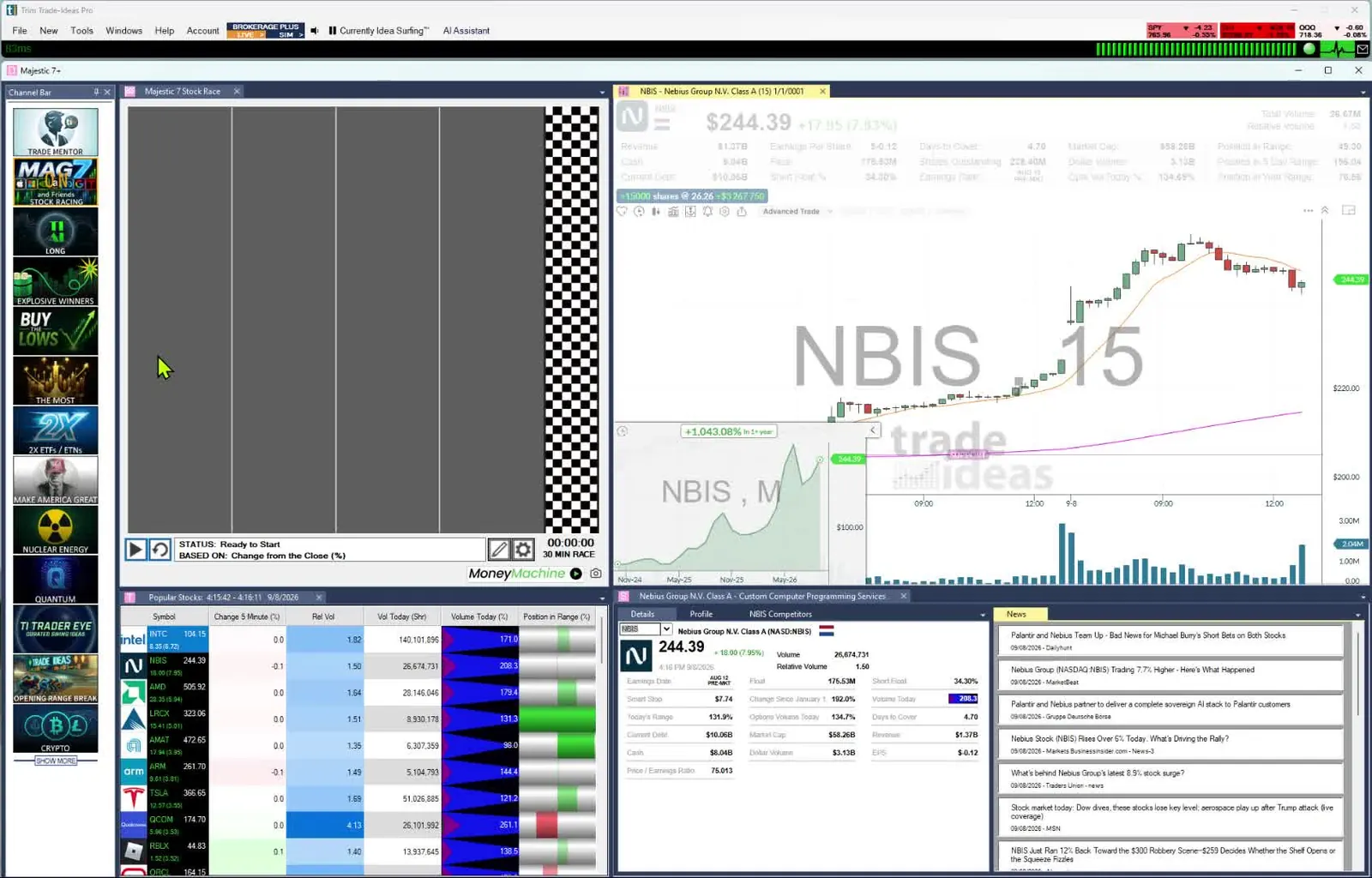
The current order, live. Top Lists update from live market data on every plan. There is no refresh button to press. Streaming Alerts, the scanner, run beside them on the same data.
Sort on what you care about. Choose from 249 filters, such as % from the open, relative volume or SCoRE, the Composite Rating filter. Or, in TI Pro, ask AI Assistant, included in every plan, for a list in plain English. It builds a live Top List on the spot.
Ready on day one. Every ready-made channel on the Channel Bar comes with a Top List already set up. One example is S&P 500 stocks moving up quickly. Every TI Pro plan includes the Channel Bar.
Test the screen, then trade it. On TI Premium, OddsMaker tests any Top List filter combination on Trade Ideas history, with no code. TI Premium also includes Holly AI Signals. They fire intraday with an entry and a stop to manage risk.
Price: $127 a month buys TI Standard, or $1,068 for a full year. TI Premium is $254 monthly, $2,136 yearly.
Worth knowing: Trade Ideas covers U.S.-listed stocks. Its options data is limited to volume-based filters. Windows PCs run TI Pro natively, and Macs can run it through Parallels. The browser-based web Dashboard needs no download, and its Top Lists are the screener this page covers. Open a free account to reach the Dashboard.
Best for: Traders who want a ranked list that stays current, and beginners who want the premium experience.
Finviz is the screener many traders learn first, and Elite is its paid, real-time version.
Worth knowing: The free version is delayed and refreshes every 3 minutes.
Best for: Low-cost screening with a 10-second refresh.
TradingView's screeners sit inside its charts and cover many markets.
Worth knowing: Some exchanges charge extra for real-time data, and Basic does not list screener auto-refresh.
Best for: Traders who screen and chart in one window.
Scanz is a real-time scanner that doubles as a rule-based screener.
Worth knowing: Starter is limited to a single scan. Desktop apps for Windows and Mac come with Pro.
Best for: Traders who want exact rule-based screens with news.
TC2000 combines charting with a sortable scanner.
Worth knowing: Real-time scanning and sorting start on Premium, with up to five streaming scans at once.
Best for: Swing and chart traders who sort scans on a budget.
Benzinga Pro pairs a Real-Time Scanner and a screener with its news feed.
Worth knowing: Benzinga puts the Real-Time Scanner on Essential, a $197-a-month plan.
Best for: Traders who screen around the news.
TrendSpider runs scheduled and on-demand scans inside its charting.
Worth knowing: The 14-day intro period is paid.
Best for: Technical traders who scan on indicators across time frames.
Stock Hacker is the scanner inside thinkorswim, Schwab's trading software.
Worth knowing: It comes with a Schwab account.
Best for: Schwab clients who want to screen where they trade.

You pick the filters, such as price, volume and float. You pick the sort, such as biggest gain or highest relative volume. Every stock that qualifies appears, and the order changes as the market trades.
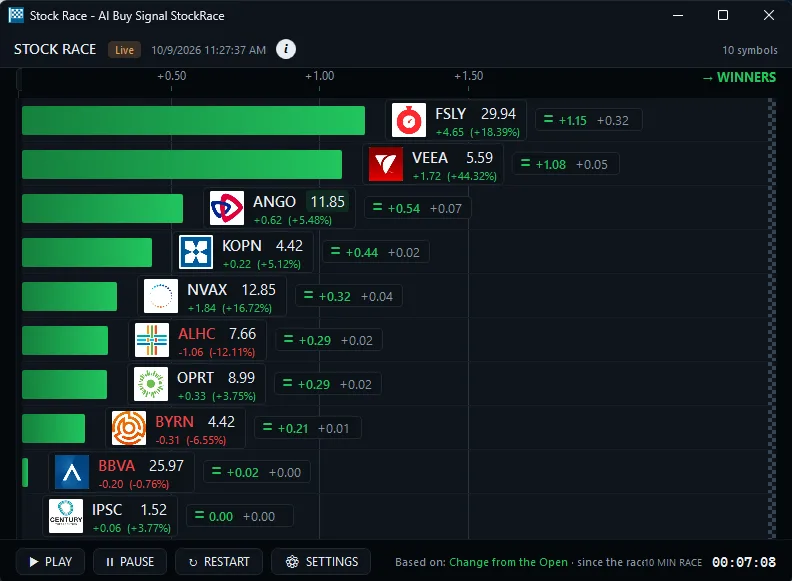
Stock Races show the leaders racing each other in real time.
Ratings work the same way. SCoRE is a 30 to 100 stock rating built from more than 15 metrics, mostly technical, with key fundamental data. As a filter it is called Composite Rating, and you set it in the Window Specific Filters tab. Think of it as a quality filter rather than a buy or sell signal.
A list that updates every 15 seconds helps most at the open. Our stock scanners for day trading roundup goes deeper.
Look for extended-hours data and gap sorts. See the best premarket scanners.
A 1-minute or 10-second refresh is often enough. TC2000 and Finviz Elite fit here.
Ready-made channels mean no setup. See the best stock scanners for beginners.
Pick Trade Ideas if you want a live screener you can shape in plain English. The AI Assistant builds the Top List (Screener), or you choose from 308 alerts and 249 filters without code and add your own through the Formula Editor. With TI Premium come OddsMaker, for checking a screen on past events, and Holly AI Signals that name the entry and the stop on each trade idea.
Free screeners are useful, but each has a catch. Finviz's free version is delayed and refreshes every 3 minutes. TradingView lists screener auto-refresh on its paid plans. thinkorswim costs nothing if you are a Schwab client.
If you screen once a day after the close, a free tool may be all you need. If you act during the session, compare refresh speeds before you compare prices.
Top Lists (Screeners) matter when the order of the list changes your next move. If it does not, keep your money.
If you are okay with static non-refreshing data, Trade Ideas is probably not your best choice.
Past results, including backtests, don't guarantee future results.
Prices checked October 2026. Sources: trade-ideas.com/pricing/; finviz.com/elite; tradingview.com/pricing/; scanz.com/pricing/; tc2000.com/pricing; benzinga.com/pro/pricing; trendspider.com/pricing/; schwab.com/trading/thinkorswim and schwab.com/trading/thinkorswim/desktop. Confirm the price on each vendor's site.
This version () changed:
Trade Ideas Top Lists (Screeners) are our pick, because they update every 15 seconds. Trade Ideas is our product. You can open a free account to try the web dashboards, and the plans page shows what each paid plan adds. Finviz Elite is a low-cost choice with a 10-second refresh, and TradingView suits traders who screen and chart together.
It depends on the tool and the plan. Finviz Elite lists every 10 seconds (3 minutes on the free version), TradingView lists 10 seconds or 1 minute on paid plans, and Trade Ideas Top Lists update every 15 seconds. Check the speed on the plan you would actually buy.
Yes. In TI Pro, an alert window with filters but no alerts uses the Heartbeat alert automatically and streams the stocks that meet your criteria in real time, so it works as a streaming screener. See the streaming stock screener guide.
The one with the freshest list on a sound data feed. A screener that refreshes every few minutes can show a stock that already stopped moving. Trade Ideas Top Lists run on live market data and update every 15 seconds.
Top Lists are the screener that ranks every stock meeting your filters, while Streaming Alerts are the scanner that can fire on every trade, multiple times per second. Both run on the same live market data and come with TI Standard and TI Premium.
Yes. SCoRE is a 30 to 100 rating that updates live during market hours, and you set it as the Composite Rating filter in the Window Specific Filters tab. Think of it as a quality filter rather than a buy or sell signal.
Yes, with OddsMaker on TI Premium, which tests any Top List filter combination on Trade Ideas history and shows every trade and its stats. The Premium plan is $254 monthly or $2,136 a year. Past results, including backtests, don't guarantee future results.
Related scanners: Unusual Volume Scanner
Free account, just an email. No card. Live access for a limited time. Ready to buy? See plans & pricing

