
Light Mode

Premarket to After Hours, Alerts on Every Trade
Written by Daniel Mirkin, CEO of Trade Ideas, which makes the scanner described here.
Free account, just an email. No card. Live access for a limited time.

Named to the Inc. 5000 list of America’s fastest-growing private companies six years in a row (2017–2022).

Investopedia: Best Short Term Stock Screener, 2024
The short answer: A momentum scanner has to catch the move as it prints. In Trade Ideas, Streaming Alerts (the scanner, 308 alerts) fire on every trade for running-up, new-high, gap, volume, halt, premarket and after-hours moves. Top Lists (the screener, 249 filters) rank gappers every 15 seconds, and Stock Races show who is pulling ahead. For small caps, add Price, Float and Market Cap filters. Holly AI Signals are TI Premium; the AI Assistant is in every TI Pro plan.
Streaming Alerts don't refresh on a timer. They fire on every trade that meets the condition, which can be several times a second on a busy stock. More on how fast Trade Ideas is. The window below is a real TI Pro Streaming Alerts window: each new 30-minute high or low prints at the top with price, change from the close, volume and relative volume.
The alerts momentum traders use most: New High and New Low; Running Up, Running Up Now and Running Up (confirmed); 30 Minute High; High Relative Volume and 1 Minute Volume Spike; and Halt with Resume.
Before the bell, Pre-market Highs fires each time a stock tops its earlier premarket high, and a Top List (Screener) sorted by Gap (%) ranks the gappers every 15 seconds. The Below Pre-Market High filter shows how far a stock sits under that high. The PREMARKET preset on the Channel Bar opens a ready-made set of windows. More in the premarket scanner guide.
The open is where gaps either keep going or fill. 5 Minute Opening Range Breakout fires the first time price tops the first 5-minute candle's high (1, 2, 10, 15, 30 and 60-minute versions exist too), and the OPENING RANGE BREAK preset gathers these setups in one click.
During the session, momentum shows up as speed and new highs: Running Up Now for moves faster than the stock's own volatility, New High for each print above the day's high, and High Relative Volume for volume well above normal for the time of day. Keep Halt and Resume in the same window on fast names.
After the close, Post-market Highs fires when a stock tops its earlier after-hours high, and Post-market Lows covers the other side. The AFTER HOURS preset on the Channel Bar shows what's moving after the close.
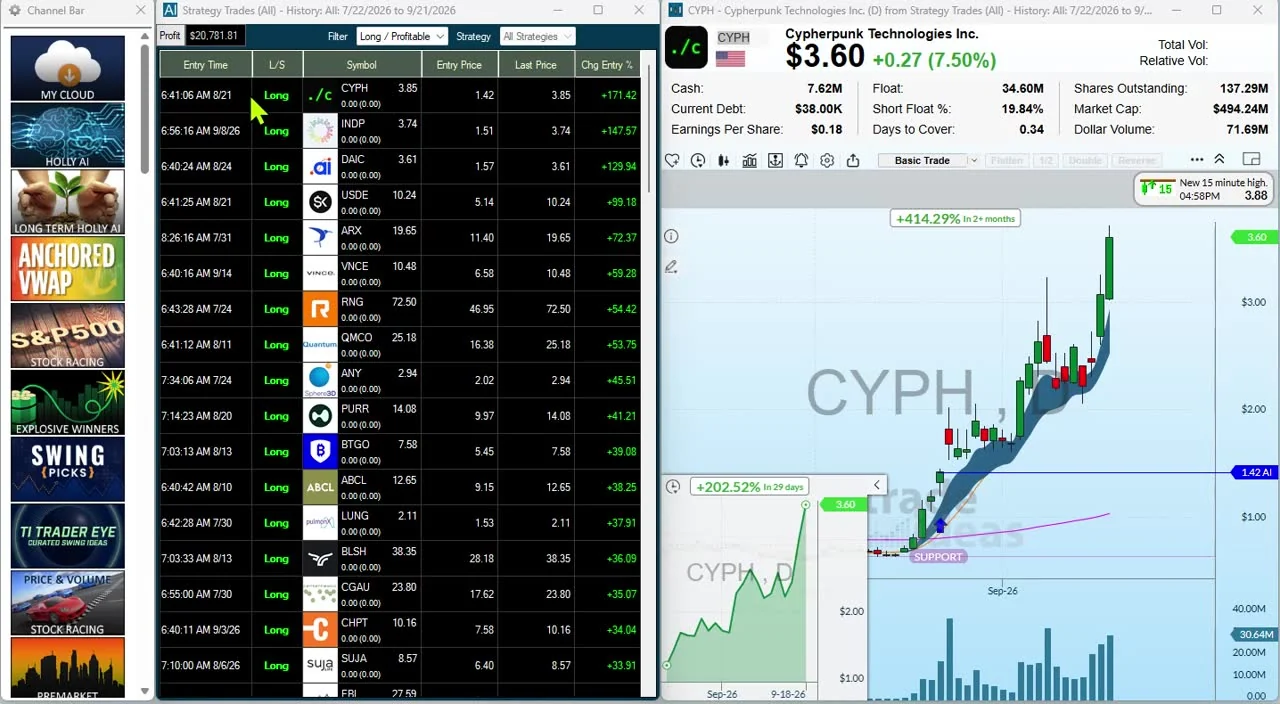
A gap and go scan looks for a stock that gaps up and keeps running instead of filling. Rank by Gap (%) premarket, then watch for Pre-market Highs before the bell and the 5 Minute Opening Range Breakout after it. False Gap Up Retracement catches the version that partly fills and then continues higher. Gap Up Reversal is the alert for the opposite case, when the gap gives way.
A high of day momentum scanner is New High with filters: add Relative Volume above 2 and Minutes Since New High to skip names that topped out hours ago. Pair it with Running Up Now so the alert arrives with the speed behind it.
Small caps move fast, spreads can be wide and halts are common. Size and stops matter more here than anywhere. Try an example: Running Up Now, New High and High Relative Volume, filtered to Price $1 to $20, Float under 20 million and Relative Volume above 2. These numbers show how the pieces fit; they are not a recommendation.
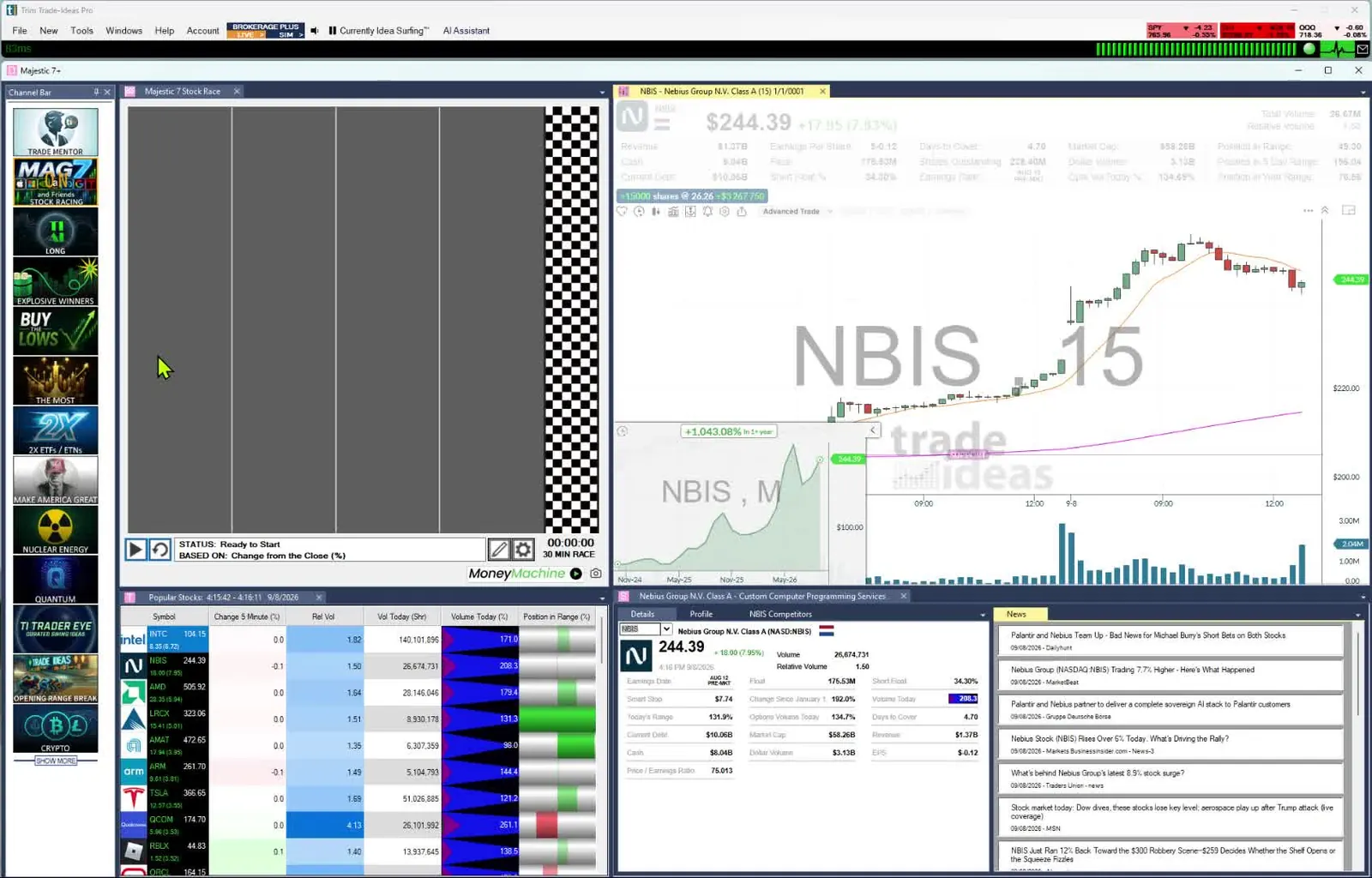
A Stock Race turns a Top List (Screener) into lanes so the stock gaining ground stands out. Races are in every TI Pro plan and the Web Dashboard; open Stock Races in your browser. Market Pulse, in the Web Dashboard, adds Compare Count momentum and streaming tickers for a read on the whole market.
The AI Assistant is in every TI Pro plan. Type "show me small caps making new highs on volume" and it builds the Alert or Top List (Screener) window for you. Holly AI Signals (TI Premium) go further: Holly retests her strategies every night and sends signals with an entry and a suggested stop during the session. Video demos are on the AI stock screener page.
OddsMaker (TI Premium) runs any alert window on Trade Ideas history, with exits by profit target, stop, time, or a future close or open. You can also practice in simulated trading on live prices.
Past results, including backtests, don't guarantee future results.
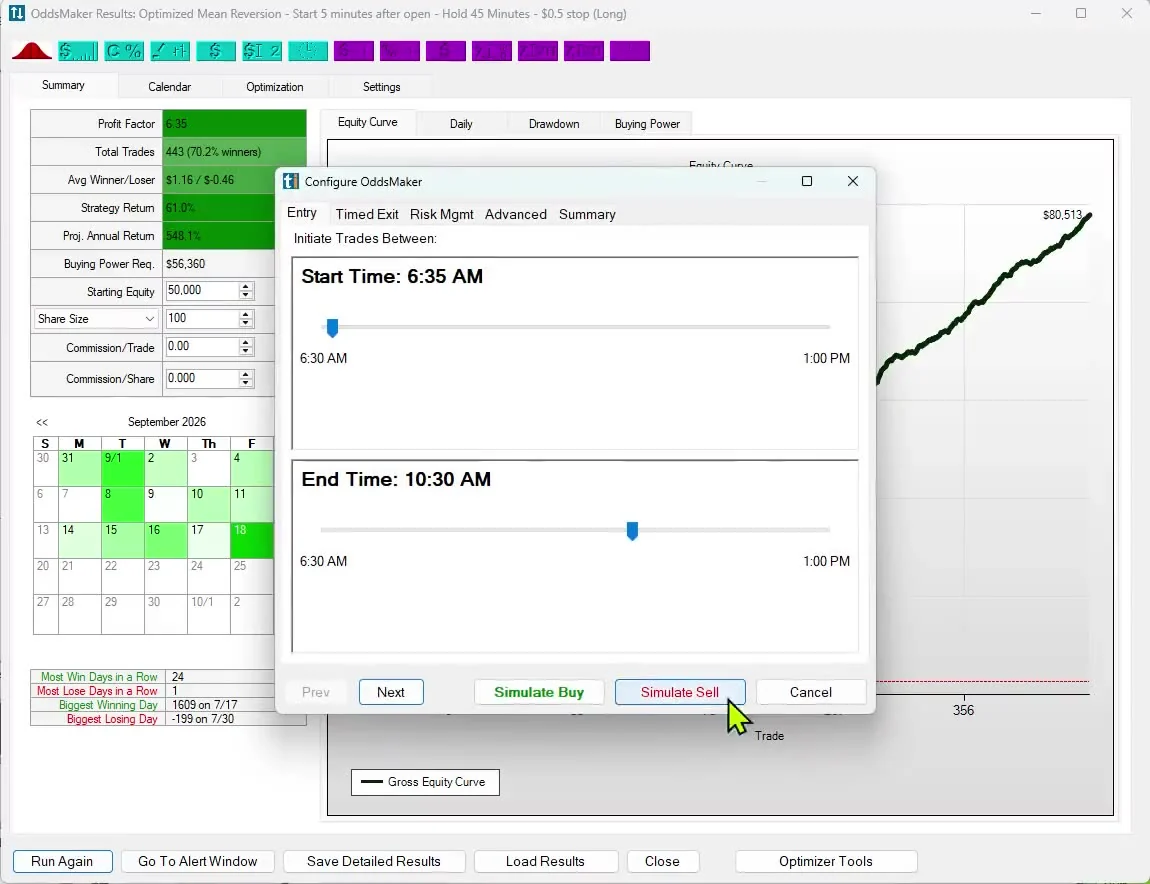
The Web Dashboard has Top Lists (Screeners), Races and Market Pulse in any browser, on a Mac or a PC. TI Pro, with Streaming Alerts, OddsMaker and the AI Assistant, runs on Windows and on a Mac through Parallels. Both plans include 308 alerts and 249 filters.
To try it, open a free account. Prices checked October 2026.
Software that finds stocks moving fast right now, on price speed, new highs and unusual volume. In Trade Ideas, Streaming Alerts catch the moves as they print and Top Lists (Screeners) rank them every 15 seconds.
Rank premarket gappers with a Top List sorted by Gap (%), then add the Pre-market Highs and 5 Minute Opening Range Breakout alerts. False Gap Up Retracement catches gaps that partly fill and then continue.
Yes. Use the New High alert with the Relative Volume and Minutes Since New High filters, and pair it with Running Up Now.
Yes. Pre-market Highs and Post-market Highs fire outside regular hours, and the Channel Bar has PREMARKET and AFTER HOURS presets.
Combine momentum alerts with the Price, Float and Market Cap filters, for example stocks between $1 and $20 with a float under 20 million shares.
Streaming Alerts fire on every qualifying trade, with no refresh timer. Top Lists update every 15 seconds.
Yes. The AI Assistant, in every TI Pro plan, builds the window from plain English, such as "show me small caps making new highs on volume".
Yes, with OddsMaker on TI Premium. Past results, including backtests, don't guarantee future results.
The Web Dashboard runs in any browser, Mac included, with Top Lists and Races. TI Pro runs on a Mac through Parallels. Open a free account to try it.
See also: Stock market replay · High short float stocks.
For small caps and low float names, see the small cap stock scanner.
New to scanners? Start with what a trade scanner is and how streaming works.
Related scanners: Unusual Volume Scanner · Premarket Scanner · Gap Scanner · Low Float Scanner · Halt Scanner
Free account, just an email. No card. Live access for a limited time. Ready to buy? See plans & pricing

