
Light Mode

Written by Daniel Mirkin, CEO of Trade Ideas, which makes the software described here.
Free account, just an email. No card. Live access for a limited time.

Named to the Inc. 5000 list of America’s fastest-growing private companies six years in a row (2017–2022).

Investopedia: Best Short Term Stock Screener, 2024
The short answer: The Trade Ideas Web Dashboard can replay a full trading day. A Stock Race replay compresses the session into about a minute, so you can see which stocks pulled ahead and when, with heat maps and Top Lists from the same session alongside. It runs in any browser, Mac included.
In this video, recorded on October 11, 2026, Daniel Mirkin replays the Friday, October 9 session in the Web Dashboard. Everything on screen is a replay of that day's data.
The race panel has a switch between Real-time and Replay. On Replay it plays back a past session, here October 9, 2026, from the open. The stocks on a Top List (Screener) become lanes, and each lane grows as the stock gains, showing the percent move and the dollar move. In the video, one full pass runs from about 0:40 to 1:52: a trading day in roughly 70 seconds.
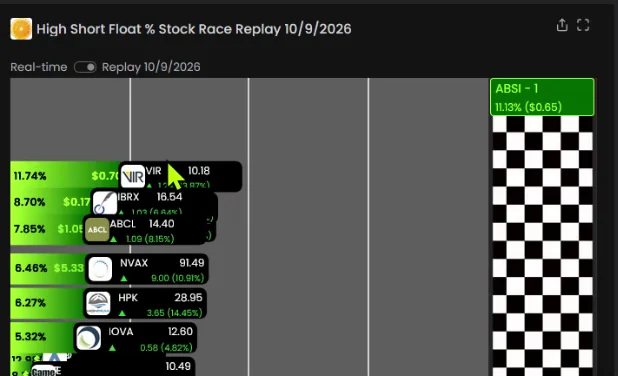
At about 1:12, GameStop (GME) pops into the race. Some names move so fast they are hard to click, which is a good reminder of how quickly momentum shifts. A race is built from a Top List, Trade Ideas' stock screener, so you can replay any list you follow. More on Stock Races and the momentum stock scanner.
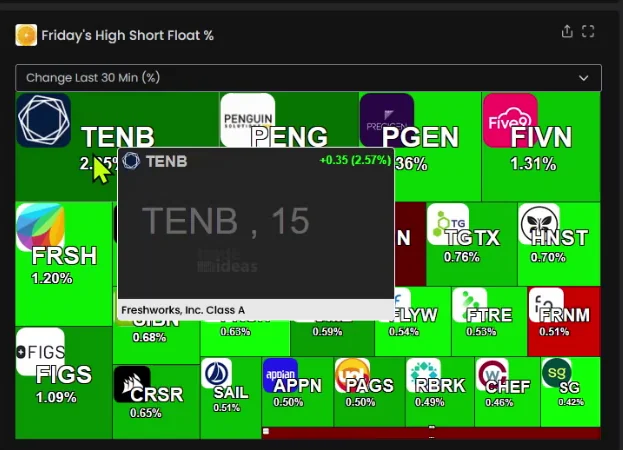
The race does not sit alone. In the same channel, a scrolling Top List and a heat map show the same group of stocks from the same session. The heat map can sort by change from the close or by change over the last 30 minutes, which shows which names ran into the close.
Top Lists rank stocks on 249 filters, and in a live session they update every 15 seconds. The streaming stock screener page explains how Top Lists and alert windows differ.
Hover over any heat map tile and a snapshot chart opens, so you can check a stock without clicking away. Open the main chart and Picture in Picture shows a 15-minute chart with a daily chart inset: two timeframes at the same time (2:41 to 2:48 in the video).
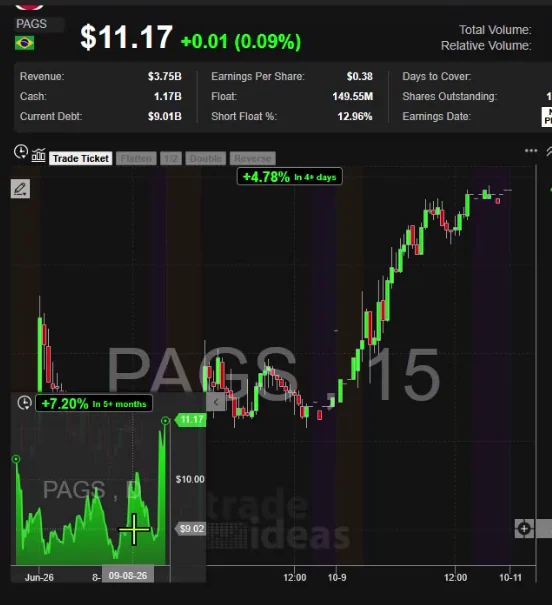
More on Picture in Picture charting.
A replay lets you study a session after it ends: which stocks led, when the leaders changed, and how sharp the pullbacks were. In the video, Daniel points to a stock that broke out, pulled back hard, broke out again and pulled back again. Moves like that are why risk management matters, and why a plan to try a setup more than once can help. A replay shows what happened. It does not show what will happen next.
Past results, including backtests, don't guarantee future results.
The Web Dashboard runs in any browser, Mac included, with nothing to download. Open a free account to try it. For the full desktop software, TI Pro runs on Windows, and on a Mac through Parallels. Plans and prices are on the pricing page.
A playback of a past trading session. In the Trade Ideas Web Dashboard, the Stock Race can replay a day from the open, compressed into about a minute.
Yes. Switch the Stock Race panel from Real-time to Replay to play back a past session, such as October 9, 2026 in the video on this page.
In the video, one full replay of the October 9 session runs from about 0:40 to 1:52, roughly 70 seconds.
No. A replay plays back a past session's data. It shows how that day unfolded, not what is happening now.
The same channel shows a Top List (Screener) and a heat map of the same stocks from that session. The heat map can sort by change from the close or over the last 30 minutes.
Yes. It runs in any browser, Mac included. TI Pro, the desktop software, runs on Windows and on a Mac through Parallels.
No. A replay shows what already happened. Past results, including backtests, don't guarantee future results.
Free account, just an email. No card. Live access for a limited time. Ready to buy? See plans & pricing

