
Light Mode

Live Alerts When a Stock Meets Your Criteria
Written by Daniel Mirkin, CEO of Trade Ideas, which makes the software described here.
Free account, just an email. No card. Live access for a limited time.

Named to the Inc. 5000 list of America’s fastest-growing private companies six years in a row (2017–2022).

Investopedia: Best Short Term Stock Screener, 2024
The short answer: In TI Pro, an alert window with filters but no alerts automatically uses the Heartbeat alert and streams, in real time, the stocks that meet your filter criteria, so the window works as a streaming screener. Top Lists show a ranked list every 15 seconds. The AI Assistant can build either window from plain English, and the Formula Editor, in every TI Pro plan, adds your own filters.
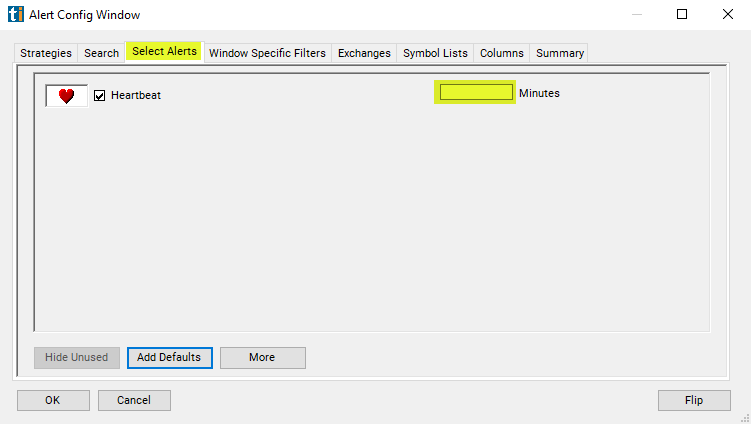
Every TI Pro alert window needs at least one alert. If you pick filters and leave the alerts empty, the window selects the Heartbeat alert for you. Heartbeat is based on time rather than a trade: each stock that passes all your filters gets a row reading "All filters satisfied", streamed into the window in real time. By default each matching stock repeats about every 5 minutes, and the optional Minutes setting changes that.
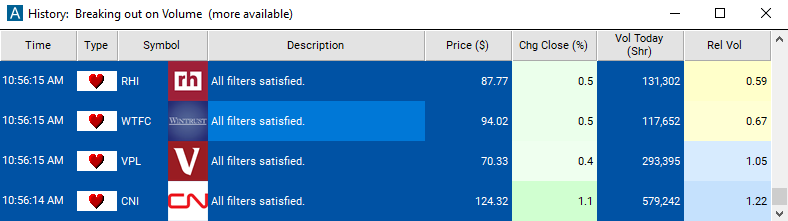
The result is a live stock screener in an alert window: a running feed of the stocks that meet your criteria, with whatever columns you choose. Filters combine with AND, so a stock has to pass every one.
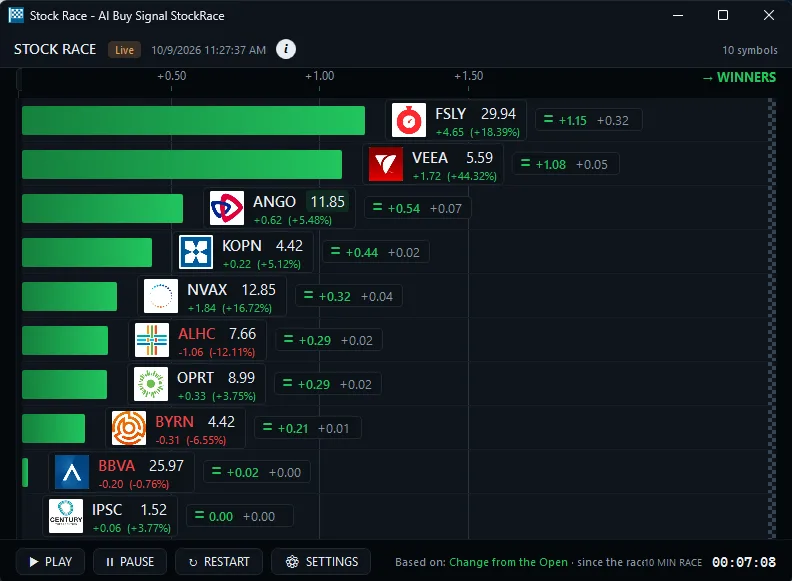
Top Lists rank the stocks that pass your filters on 249 filters and sort columns, and update every 15 seconds. You see where each stock stands against the rest right now: the top gappers, the highest relative volume, the biggest movers from the open.
Many traders run a Top List and a streaming window side by side with the same filters. For the event alerts momentum traders use, see the momentum stock scanner; for how fast alerts reach you, see how fast Trade Ideas is.
Ask the AI Assistant, in every TI Pro plan, for something like "stocks between $5 and $50 with relative volume above 2" and it builds the window. To do it by hand, open an alert window, choose Configure, set your filters on the Window Specific Filters tab, and leave Select Alerts empty so Heartbeat is used.
If a built-in filter doesn't measure what you want, the Formula Editor lets you build your own and use it like any other filter. It is in every TI Pro plan. See stock scanner scripting.
OddsMaker (TI Premium) can test an alert window, including a filters-only window, on Trade Ideas history with profit targets, stops, timed exits or the future close or open. See no-code backtesting.
Past results, including backtests, don't guarantee future results.
Alert windows, the AI Assistant and the Formula Editor are in TI Pro on both plans: TI Standard at $89 a month billed annually ($1,068 a year) or $127 monthly, and TI Premium at $178 a month billed annually ($2,136 a year) or $254 monthly. TI Pro runs on Windows, and on a Mac through Parallels. The Web Dashboard has Top Lists (Screeners) in any browser. Open a free account to try it. Prices checked October 2026.
A screener that pushes matching stocks to you as a live feed instead of waiting for you to refresh. In TI Pro, a filters-only alert window does this with the Heartbeat alert.
Open an alert window, set your filters and select no alerts. TI Pro uses Heartbeat automatically and streams each stock that passes every filter.
By default each matching stock gets a Heartbeat row about every 5 minutes. The optional Minutes setting changes that.
A Top List is a ranked board updated every 15 seconds. A filters-only alert window is a time-stamped feed of stocks meeting your criteria.
Yes. The AI Assistant, in every TI Pro plan, builds alert windows and Top Lists from plain English.
Yes. The Formula Editor, in every TI Pro plan, lets you build custom filters and use them in either window.
Yes. The window streams in real time, and adding an event alert such as New High makes it fire on the trade itself.
Free account, just an email. No card. Live access for a limited time. Ready to buy? See plans & pricing

