
Light Mode

Test a Stock Strategy Without Writing Code
Written by Daniel Mirkin, CEO of Trade Ideas, which makes the software described here.
Free account, just an email. No card. Live access for a limited time.

Named to the Inc. 5000 list of America’s fastest-growing private companies six years in a row (2017–2022).

Investopedia: Best Short Term Stock Screener, 2024
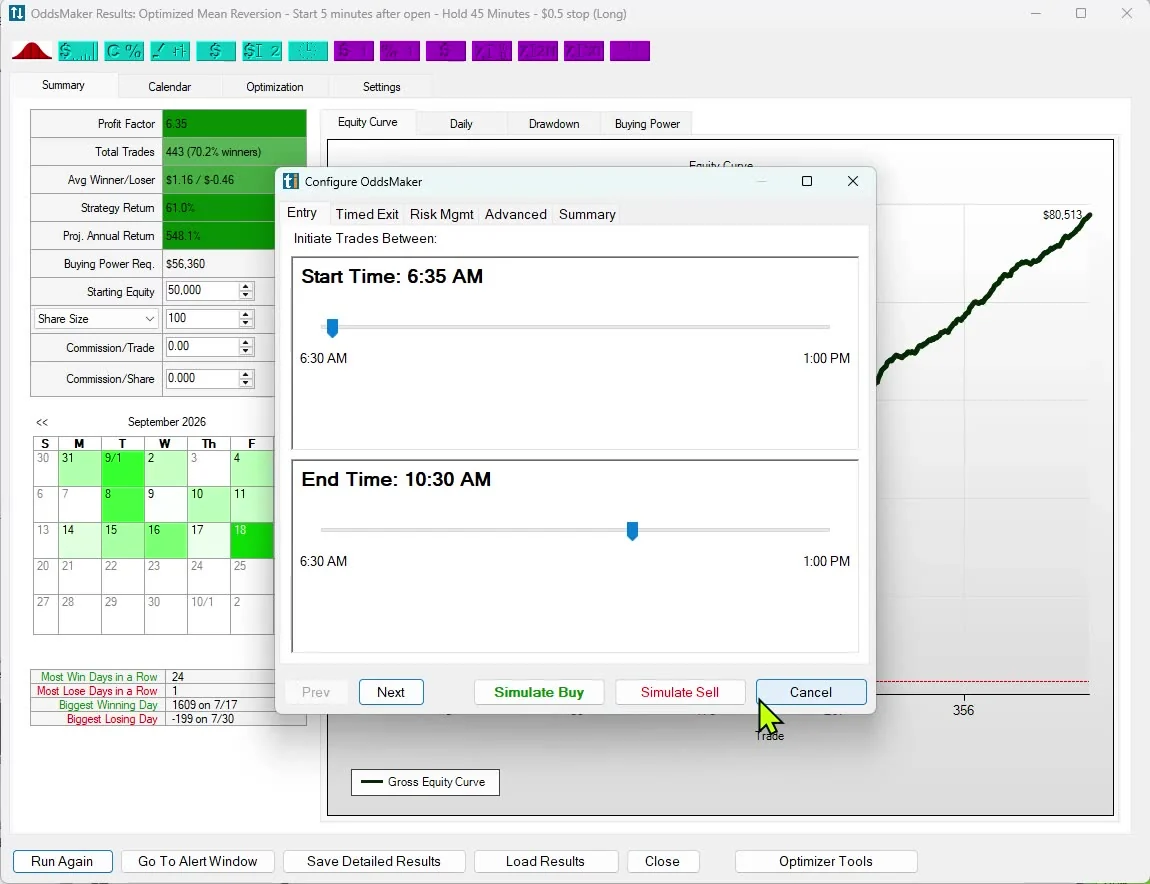
The short answer: OddsMaker, part of TI Premium, backtests any alert-and-filter setup without code. You choose the entry window, the exit (profit targets, stops, timed holds, or the future close or open) and the filters, and it reports win rate, profit factor and every trade. The AI Assistant can build the setup from plain English first.
The entry is the alert itself, inside the time window you choose. Exits can be a profit target, a stop loss, timed (hold a set number of minutes), or the future close or open.
On the Risk Mgmt tab, targets and stops are set in dollars or percent, either as a fixed amount or from a filter value such as Smart Stop ($), and the stop can take an optional Wiggle. That filter value can be a custom formula built in the Formula Editor, so you can set your exit to a formula you wrote.
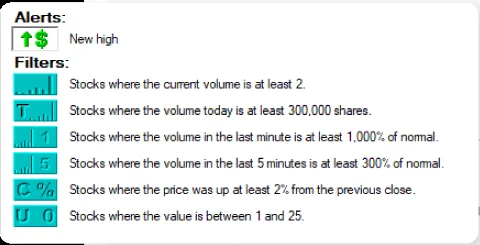
The close or open exit lets you compare an intraday hold with holding to the close or into the next session. Filters such as price, volume, float and relative volume narrow which alerts count. With 308 alerts and 249 filters, most rule-based ideas can be described without writing anything.
OddsMaker reports the trades it produced, the win rate, the profit factor, the equity curve and drawdown. The trade list lets you check individual entries rather than trusting a single number.
Past results, including backtests, don't guarantee future results.
The AI Assistant, in every TI Pro plan, builds Alert windows and Top Lists (Screeners) from a sentence such as "stocks gapping up 3% on twice their normal volume". You build the window with the Assistant, then set up the test in OddsMaker. Video demos are on the AI stock screener page.
The best backtesting software guide compares tools on these points.
The Formula Editor is Trade Ideas' scripting engine for building your own measurements. It is in every TI Pro plan. Save a formula and it works as a filter; testing it in OddsMaker needs TI Premium. More on stock scanner scripting.
OddsMaker comes with TI Premium: $178 a month billed annually ($2,136 a year) or $254 monthly. TI Standard is $89 a month billed annually ($1,068 a year) or $127 monthly. TI Pro runs on Windows, and on a Mac through Parallels. To look around, open a free account. Prices checked October 2026.
Yes. In OddsMaker you pick alerts and filters from lists, set entry and exit rules, and run the test. No code is needed.
Profit targets and stop losses, in dollars or percent, as a fixed amount or a filter value such as Smart Stop ($), with an optional Wiggle on the stop; timed holds; and exits at the future close or open.
Win rate, profit factor, the equity curve, drawdown and the list of trades.
The AI Assistant, in every TI Pro plan, builds Alert windows from plain English. Then set up the test for that window in OddsMaker.
TI Premium.
Yes. The Formula Editor, in every TI Pro plan, lets you script your own measurements and use them as filters. Testing them in OddsMaker needs TI Premium.
No. Past results, including backtests, don't guarantee future results. Practice in simulated trading before trading live.
Free account, just an email. No card. Live access for a limited time. Ready to buy? See plans & pricing

