
Light Mode

Written by Daniel Mirkin, CEO of Trade Ideas, which makes the software described here.
Free account, just an email. No card. Live access for a limited time.

Named to the Inc. 5000 list of America’s fastest-growing private companies six years in a row (2017–2022).

Investopedia: Best Short Term Stock Screener, 2024
The short answer: Small caps move fast, so the scanner has to see the move as it happens. In Trade Ideas, Streaming Alerts fire on every trade for running-up, new-high and halt moves. Float, Float Turnover and Price filters keep the list to the small, thin names you trade. Top Lists rank them every 15 seconds, and Stock Races show who is pulling ahead.
Streaming Alerts don't wait for a refresh. They fire on each trade that meets the condition. The ones small cap traders lean on: Running Up Now for moves faster than the stock's own volatility, Running Up, New High for each print above the day's high, 30 Minute High, High Relative Volume and 1 Minute Volume Spike.
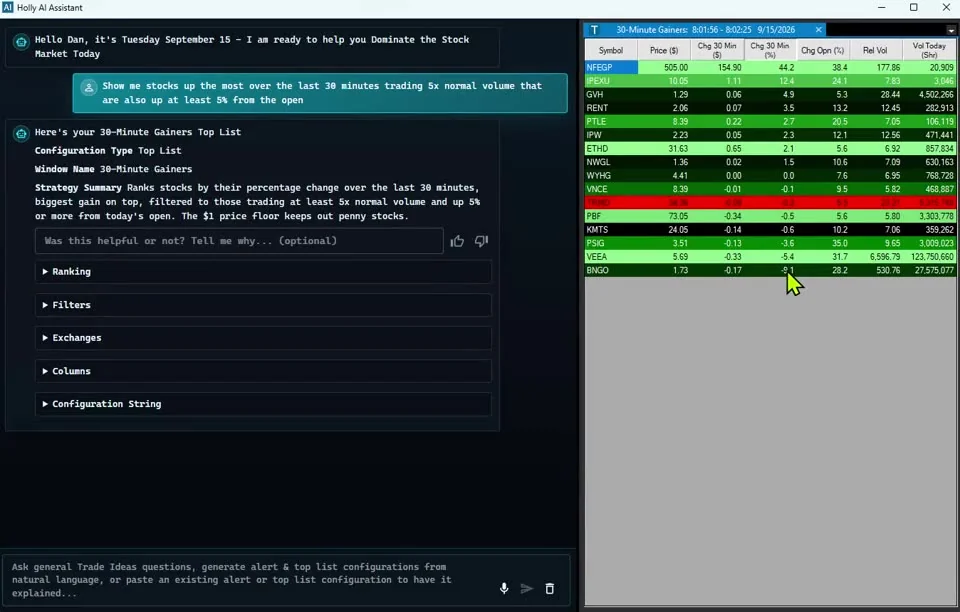
Want only the small-float names? The low float stock scanner page walks through it, and the penny stock scanner covers price.
The Float filter is the shares available to trade. Set a maximum, like 10 or 20 million, and any alert window becomes a low float scanner. A low float can move hard in both directions.
Float Turnover is today's volume divided by the float, so it tells you what percent of the float has traded. A minimum of 1 means the whole float has changed hands at least once today. More on reading that in the float rotation guide.
The Short Float filter is shares sold short as a percent of the float. A minimum of 20 picks the heavily shorted names. In the Web Dashboard, the Short Squeeze Stocks channel puts a High Short Float heat map next to the Top List (Screener). See high short float stocks for the full walk-through.
A Top List ranks stocks on any filter and updates every 15 seconds. Sort small caps by change from the close, by Float Turnover or by Relative Volume, and the leaders stay at the top as the day changes.
A Stock Race turns a Top List into lanes, so the small cap gaining ground stands out. Races are in every TI Pro plan and in the Web Dashboard; open Stock Races in your browser.
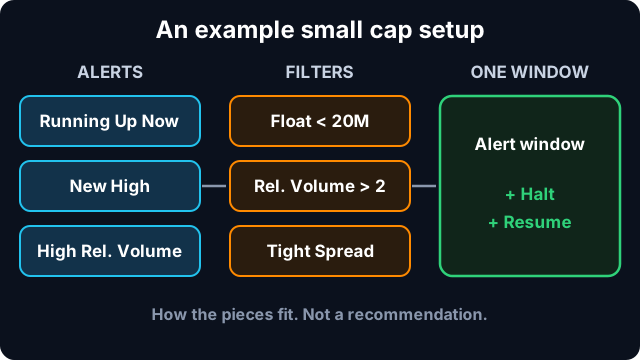
One way to put the pieces together. These numbers show how the pieces fit. They are not a recommendation.
Past results don't guarantee future results.
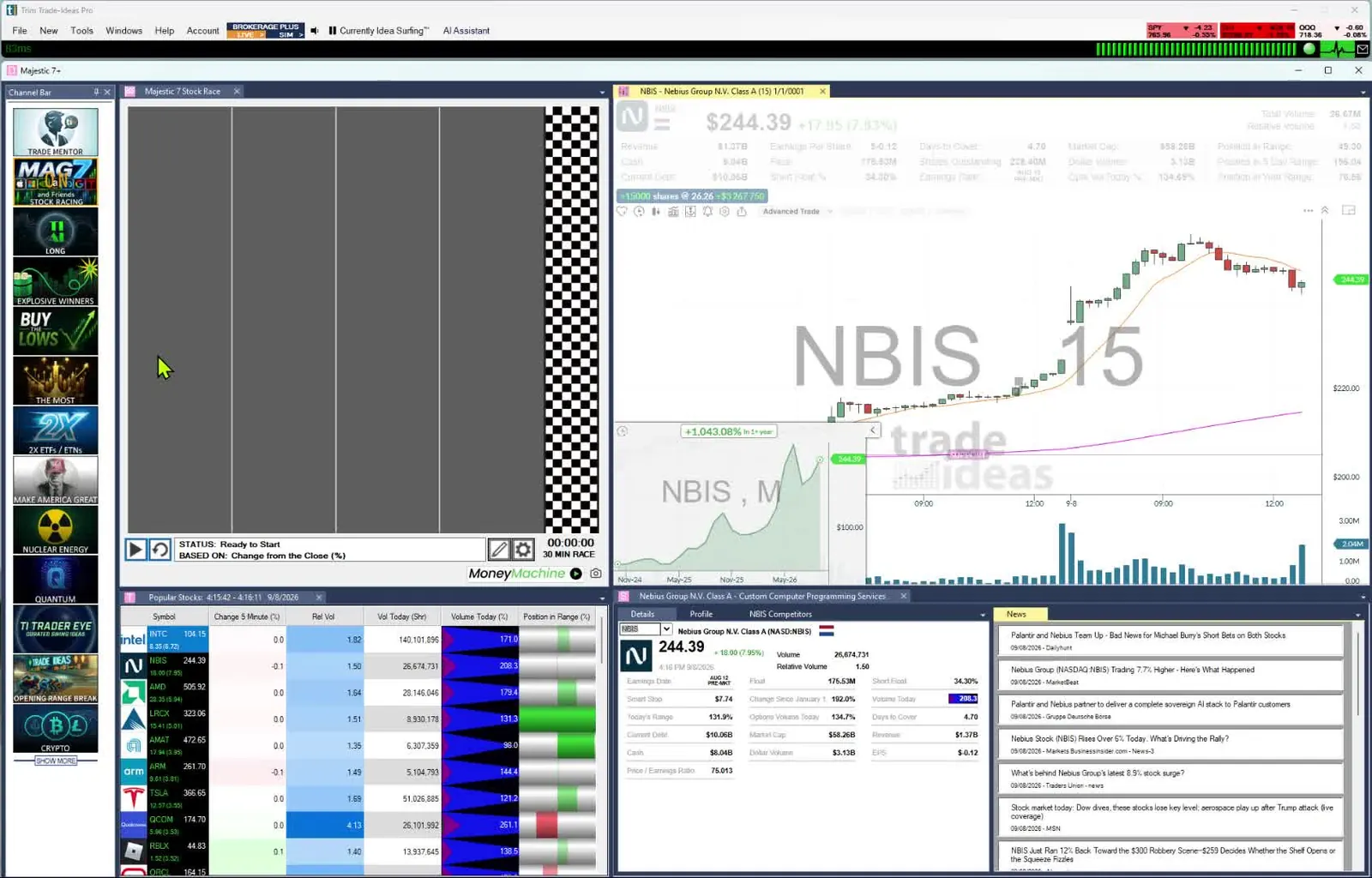
Alerts, a Top List, a race and a chart, side by side.
The Web Dashboard runs in any browser, on a Mac or a PC, with Top Lists (Screeners), heat maps and Races. TI Pro, the full desktop app with Streaming Alerts windows, runs on Windows and on a Mac through Parallels. The AI Assistant is in every TI Pro plan: type "small caps making new highs on volume" and it builds the window. Compare the two in Web Dashboard vs TI Pro.
To try it, open a free account. It takes just an email, no card, and access is time-limited.
Software that finds smaller companies moving right now. In Trade Ideas, Streaming Alerts (the scanner) flag moves like running up, new highs and halts as they print, and Top Lists (the screener) rank stocks on filters like Float and Market Cap every 15 seconds.
Add the Float filter with a maximum, for example 20 million shares, to a Running Up Now or New High alert window. Add Float Turnover to see how much of the float has traded today.
The Price filter sets the price range you want, and the Float, Volume and Spread filters keep the list to stocks you can actually trade. Pick the range that fits your rules and test it in a SIM account first.
Yes. Use the New High alert with Price, Float and Relative Volume filters, and add Minutes Since New High so you skip names that topped out hours ago.
Streaming Alerts fire on every qualifying trade, with no refresh timer. Top Lists update every 15 seconds.
Yes. The Halt alert fires when a stock is halted, with the reason, and Resume fires when trading starts again.
The Web Dashboard runs in any browser, Mac included. TI Pro runs on Windows and on a Mac through Parallels. See Web Dashboard vs TI Pro.
Past results, including backtests, don't guarantee future results.
Free account, just an email. No card. Live access for a limited time. Ready to buy? See plans & pricing

