







 EarningD
Filter
Earnings Date Filter (EarningD)
Find stocks reporting earnings today, tomorrow, this week, or next week, in real time, with Trade Ideas Streaming Alerts (Scanner) and Top Lists (Screeners). The Earnings Date filter counts days until the next earnings report: 0 is midnight this morning and 1 is midnight tonight. Weekends are not counted, so -10 means two weeks ago.
Watch the market turn, stock by stock.
Free account, just an email. No card. Live access for a limited time.
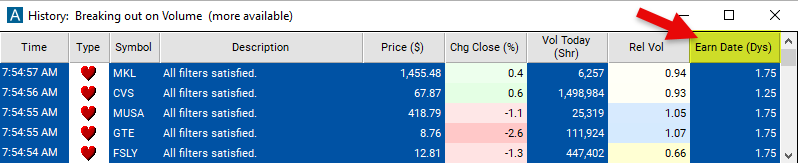
Seeing an earnings mover react as it happens helps active traders. The Earnings Date filter value changes once a day, so Streaming Alerts apply it the moment each alert fires: you see only the stocks that pass it, while they are moving.
How Trade Ideas finds it: min 0 and max 1 shows earnings reporting today; min 1 and max 2, tomorrow; min 0 and max 5, this week; min 5 and max 10, next week; min -1 and max 0, yesterday. See Trade Ideas plans and pricing to run it live.
How the Earnings Date filter works
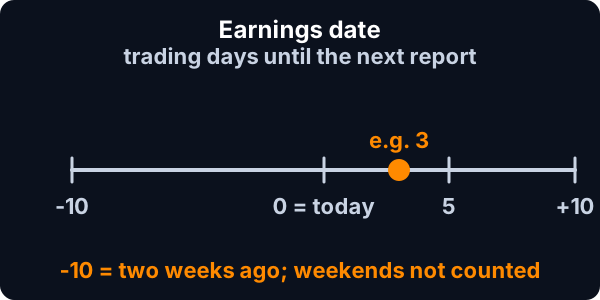
The earnings date represents how long (in days) until the next earnings report. 0 means midnight this morning. 1 means midnight tonight / tomorrow morning. We do not count weekends, so -10 means 2 weeks ago.
Earnings Date filter settings
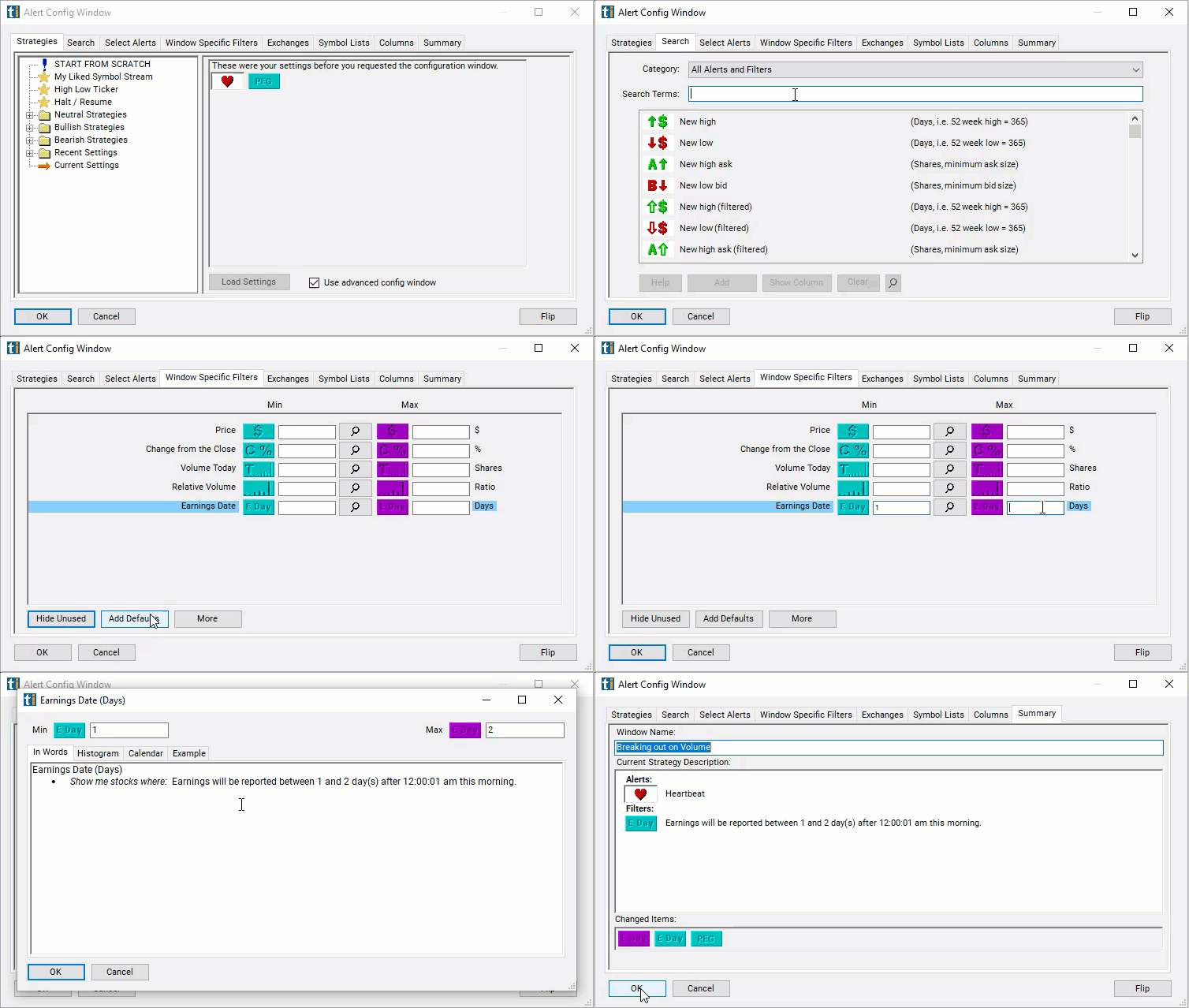
Configuring the "Earnings Date" filter is simple and can be done within the Window Specific Filters Tab of the Configuration Window in your Alert or Top List (Screener) window.
Here's how to set up the filter in your configuration window:
- Earnings reporting sometime today: Min=0 Max=1
- Earnings reporting tomorrow: Min=1 Max=2
- Earnings reported yesterday: Min=-1 Max=0
- Earnings reporting this week: Min=0 Max=5
- Earnings reporting next week: Min=5 Max=10
- Earnings reported last week: Min=-5 Max=0
Using the Earnings Date Filter
The "Earnings Date" filter can be used in various trading strategies, including:
- Earnings Momentum Trading: This strategy involves taking positions before the earnings announcement based on expectations of positive or negative earnings surprises. Traders may buy shares of a company expected to beat earnings estimates or short sell shares of a company expected to miss estimates. Positions are usually closed shortly after the earnings announcement to capture short-term price movements.
- Event-Based Trading: Traders focus on trading opportunities arising from the earnings event itself. They may enter positions before the announcement and exit immediately afterward, aiming to capitalize on short-term price movements driven by the earnings release.
- Post-Earnings Drift: This strategy involves taking positions based on the historical tendency of stocks to continue trending in the direction of the earnings surprise after the announcement. Traders may enter long positions in stocks that beat earnings estimates, expecting positive momentum to continue in the subsequent days or weeks. Conversely, they may short sell stocks that miss earnings estimates, anticipating continued downward pressure on the stock price.
Filters to combine with Earnings Date
Categories
FAQ
Which stocks report earnings today?
Add the Earnings Date filter (EarningD) to a Trade Ideas Streaming Alerts or Top List (Screener) window. Min 0 and max 1 shows earnings reporting today; min 1 and max 2, tomorrow; min 0 and max 5, this week; min 5 and max 10, next week; min -1 and max 0, yesterday.
What is the Earnings Date filter?
The Earnings Date filter counts days until the next earnings report: 0 is midnight this morning and 1 is midnight tonight. Weekends are not counted, so -10 means two weeks ago.
How do I find stocks reporting earnings this week?
Use the Earnings Date filter (EarningD) in Trade Ideas Streaming Alerts and Top Lists to find stocks reporting earnings today, tomorrow, this week, or next week. The Earnings Date filter counts days until the next earnings report: 0 is midnight this morning and 1 is midnight tonight.