Light Mode

Find it. Test it. Trade it.
Real-Time Stock Scanner, Screener, Backtesting and AI Signals
Trade Ideas spots stocks the moment they move and shows you what's working now. The features work together for beginners, active day traders and long-term investors.
Free account, just an email. No card. Live access for a limited time.

Named to the Inc. 5000 list of America’s fastest-growing private companies six years in a row (2017–2022).
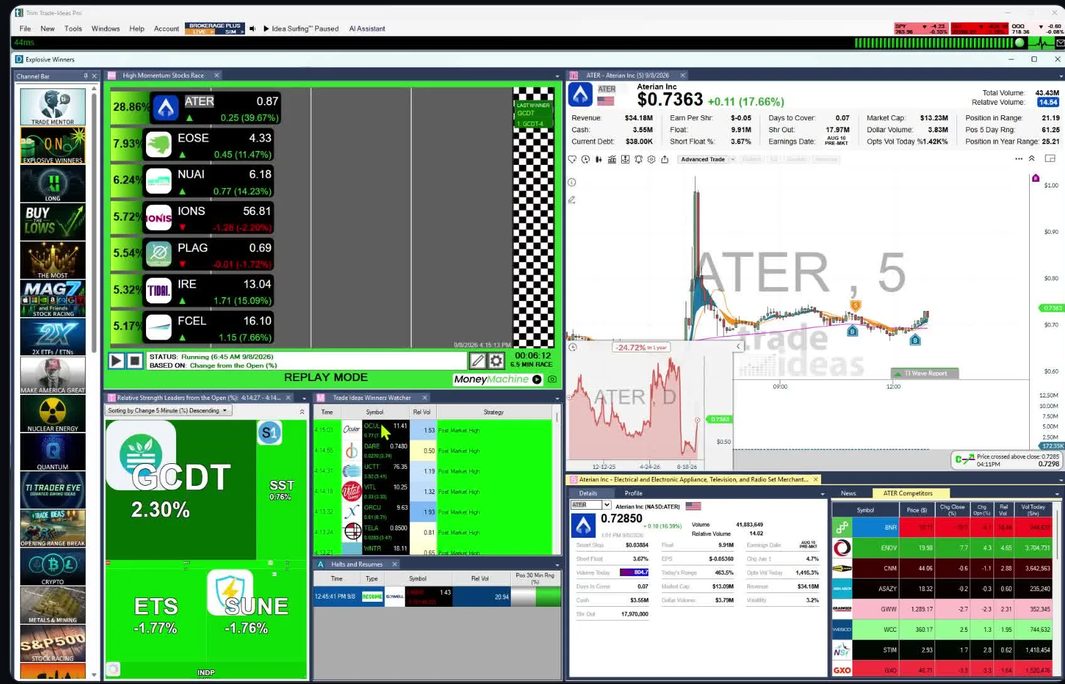
Find stocks with the scanner and the screener, test the idea in OddsMaker TI Premium, then trade it by hand, in simulation, or with Money Machine. Each card links to the full page for that feature.
Each card shows the plan it comes with. TI Pro is the Trade Ideas desktop app, and it comes with both paid plans: TI Standard and TI Premium. TI Premium adds OddsMaker, Money Machine, Holly AI Signals, Smart Risk Levels and the RBI/GBI windows. The rest of TI Pro, including multi-strategy windows and unlimited watchlists, comes with every TI Pro plan, and the Web Dashboard runs in your browser, where you can try it with a free account.
Ready-made themed channels
Every TI Pro plan
Click a theme and watch live Alerts and Top Lists (Screeners), with no need to configure anything. It comes with TI Pro on every plan.
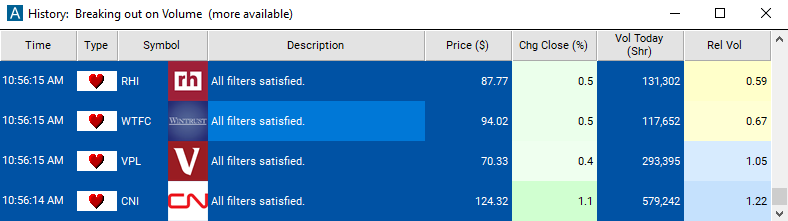
Real-time Streaming Alerts (Scanner)
Every TI Pro plan
Streaming Alerts can fire on every trade. That can be multiple times per second, with no refresh.
Top List
Every TI Pro plan · also in the Web Dashboard
A live lineup of stocks that meet your criteria, updated every 15 seconds, built from 249 filters or by asking Holly in plain English.
OddsMaker
TI Premium
OddsMaker backtests any alert or filter strategy across all stocks using real market events, so you see what is working now.
Holly AI
TI Premium
Holly AI Signals fire during the trading day with a symbol, an entry price and a stop to manage risk, and you choose whether to exit the same day or hold, based on your risk.
Money Machine
TI Premium
Money Machine automates trading from your Top Lists and Streaming Alerts, with a custom stop and target for each stock, and Brokerage Plus sends the orders.
Dedicated options channel in TI Pro and the Web Dashboard
Every TI Pro plan · also in the Web Dashboard
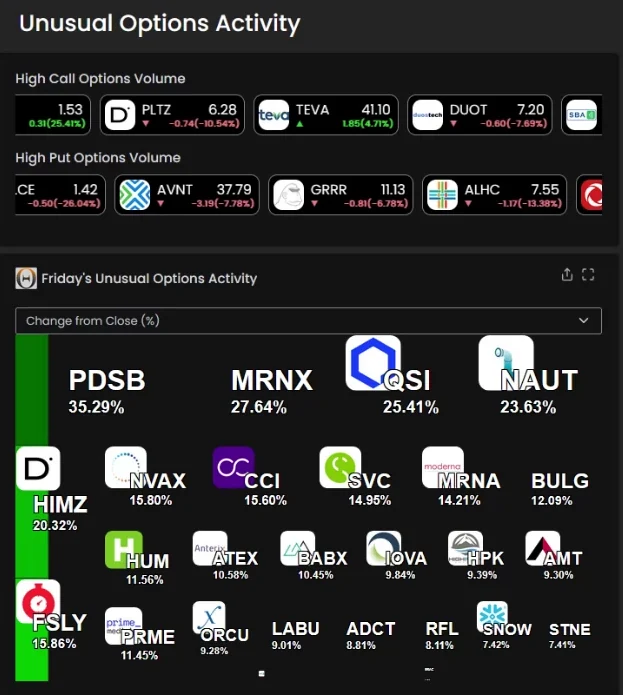
Find stocks trading more option contracts today than they usually do in a full day with the Options Volume Today (%) filter, in Streaming Alerts and Top Lists.
Real-time patterns
Every TI Pro plan
Trade Ideas searches every stock for chart patterns as they form and refreshes the results live, so you are not hunting chart by chart.
Charts for US-listed stocks
Every TI Pro plan · also in the Web Dashboard
Chart any US-listed stock with automated pattern recognition, and use Picture in Picture to see two timeframes on one chart.
Formula Editor
Every TI Pro plan
Script your own filters with our proprietary formula language. The result is custom data only you have.
Build alerts in plain English
Every TI Pro plan · no extra cost
Describe a setup in plain English and Holly builds the Alert or Top List window for you. AI Assistant is included in TI Pro on every Trade Ideas plan.
Automated buy and sell triggers
Every TI Pro plan
TI Wave gives buy and sell triggers for any stock and any timeframe, with AI that adapts EMA bands to each stock.
Momentum race
Every TI Pro plan · Races are also in the Web Dashboard
Like watching 10 charts at the same time and seeing which one has the most momentum.
Auto-rotating chart ideas
TI Pro · Holly trades in the rotation need TI Premium
Your charts step through the top stocks of every open Top List, plus Holly Strategy Trades and Price Alerts, one every 7 seconds.
Paper trading
Every TI Pro plan
Practice with no money at risk, using live market data and the same scanner and order tools as a live account.
Brokerage Plus sends orders to your broker
Every TI Pro plan
Trade from the screen that found the stock. Trade Ideas Pro sends one-click and automated orders to IBKR, TradeStation, E*TRADE, Alpaca and more.
Live Trading Room with Barrie
Free · live every market day
Sit in the live Trade Ideas Trading Room with Barrie Einarson, Monday to Friday, 8am to 3:30pm ET.
Help from the Trade Ideas team
All customers
Contact the Trade Ideas support team, or learn at your own pace with the Users Guide.
Browser-based dashboards
Try with a free account · browser-based, no download
Open a free account to try the Trade Ideas web dashboards in your browser, with no download, on a Mac or a PC.
Data Difference
Every TI Pro plan
Trade Ideas runs live market data through a proprietary event engine, so Streaming Alerts, Top Lists, OddsMaker and Holly AI see events as they happen.
For beginners: Trade Ideas is a good fit for a beginning trader who wants the premium experience. There is no need to configure anything. The Channel Bar's ready-made, themed channels come with TI Pro on every plan. AI Assistant is included in TI Pro on every Trade Ideas plan. Stock Races show stocks racing each other in real time, so you see the speed and power of the market. The free Trading Room with Barrie Einarson and the AI Assistant help you learn. Then 308 alerts and 249 filters, OddsMaker, Money Machine and Holly AI Signals give you room to grow. See Trade Ideas for beginners.
Trade Ideas is built on real-time data. Streaming Alerts can fire on every trade. That can be multiple times per second. The Top List screener updates every 15 seconds. A setup reaches you while it is happening, not after the close. If you are okay with static non-refreshing data, Trade Ideas is probably not your best choice.
When you find an idea worth trading, OddsMaker tests it against real market events across all stocks, so you see what is working now. You can script your own filters in the Formula Editor and test those too.
Holly AI Signals fire during the trading day with a symbol, an entry price and a stop to manage risk. Some people now call advanced AI Super Intelligence. See how Trade Ideas thinks about it on the Super Intelligence page. Holly is designed to look for stocks with large long-term potential. Many signals won't work out. Past results, including backtests, don't guarantee future results. You choose whether to exit the same day or hold, based on your risk. Holly is Trade Ideas' version of Super Intelligence.
Trade Ideas also monitors unusual options activity across all stocks, with a dedicated channel in TI Pro and the Web Dashboard.
When you are ready to act, practice in simulated trading with live data, send orders to your broker with Brokerage Plus, or let Money Machine place trades from your Top Lists and Streaming Alerts.
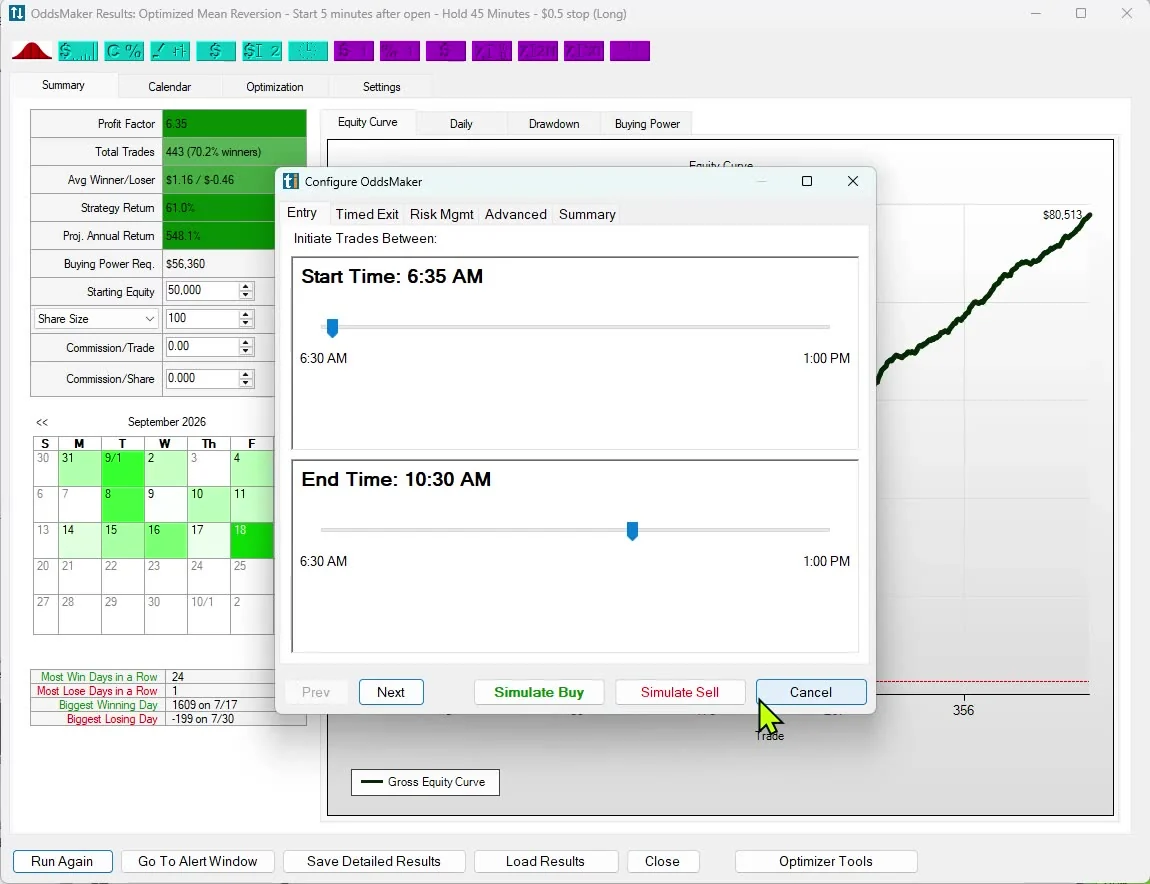
The Trade Ideas features hand work to each other. A filter you write becomes part of a strategy, the strategy gets tested, the results decide what trades next, and each session's market data starts the cycle again.
The data behind each step, with links to the guide chapters, is on our Data Difference page: see the full closed loop.

TI Pro is the desktop app for Windows, and it also runs on a Mac through Parallels. The Web Dashboard needs no install: it runs in any browser, and you can open a free account to try it. Besides the rows below, it has TreeMaps, Market Pulse with Compare Count momentum and streaming tickers, and detailed stock information and news. TI Pro is where the scanner, the AI tools and automation live.
| Feature | Web Dashboard | TI Pro |
|---|---|---|
| Where it runs | Any web browser, no download, on a Mac or a PC | Desktop app for Windows; runs on a Mac through Parallels |
| Top Lists (Screeners) | Included | Included, updated every 15 seconds, built from 249 filters |
| Races | Included | Included (Stock Races) |
| Charting with Picture in Picture | Included | Included |
| Unusual Options Activity channel | Included | Included |
| Streaming Alerts | Not included | Every TI Pro plan |
| AI Assistant | Not included | Every TI Pro plan, at no extra cost |
| OddsMaker backtesting | Not included | TI Premium |
| Holly AI Signals | Not included | TI Premium |
| Money Machine automated trading | Not included | TI Premium |
| Cost | Open a free account to try it | TI Standard or TI Premium (see plans below) |
Open a free account to try the Dashboard, or read more about the Web Dashboard.
Try it in your browser
Top Lists (Screeners), Races, TreeMaps, Market Pulse, charts with Picture in Picture, stock details and news, and the Unusual Options Activity channel, in your browser.
$127 a month, or $1,068 a year
TI Pro with real-time data, Streaming Alerts and Top Lists from 308 alerts and 249 filters, the Channel Bar, the AI Assistant, charts, multi-strategy windows, unlimited watchlists, TI Wave, paper trading and in-app trading through Brokerage Plus.
$254 a month, or $2,136 a year
All of TI Standard, plus OddsMaker backtesting, Money Machine automated trading, Holly AI Signals, Smart Risk Levels and the RBI/GBI windows.
Prices from the pricing page, checked October 2026. Prices can change, and the pricing page has the current prices.

Every Streaming Alert and Top List (Screener) filter has its own page that explains what it finds and how to set it.

Describe a scan or a ranked list in plain English and the AI Assistant builds it, in Standard and Premium. She also answers how-to questions. AI stock scanning · AI stock screening

Investopedia: Best Short Term Stock Screener, 2024
 StockBrokers.com review of Trade Ideas
Trade Ideas has built real-time market scanning software since the company was founded in 2002. For what customers say about these features, and a plain list of what Trade Ideas does not do, read our Trade Ideas review.
Side-by-side pages, sourced from each company's own pricing and help pages:
Roundups by category:
Streaming Alerts fire on every qualifying trade, and Top Lists (Screeners) update every 15 seconds. The TI Pro toolbar shows a live latency reading: the round trip from your computer to our servers. It varies with your connection and location, and you can check it on screen. More on how fast Trade Ideas is.
Trade Ideas finds stocks the moment they move with real-time Streaming Alerts and Top Lists, tests strategies with the OddsMaker backtester, gives Holly AI Signals during the trading day, and helps you trade through paper trading, Brokerage Plus and Money Machine. It is built for beginners, active day traders and long-term investors.
Yes. The stock scanner is Streaming Alerts. They can fire on every trade, and that can be multiple times per second. The stock screener is the Top List, a live lineup of stocks that meet your criteria, updated every 15 seconds.
Yes, on TI Premium. OddsMaker backtests any alert or filter strategy across all stocks using real market events. Money Machine can then automate trading from your Top Lists and Streaming Alerts, with a custom stop and target for each stock, and Brokerage Plus sends the orders to your broker. Trade Ideas does not offer a public API.
Trade Ideas also monitors unusual options activity across all stocks, with a dedicated channel in TI Pro and the Web Dashboard. The Options Volume Today (%) filter finds stocks trading more option contracts today than they usually do in a full day.
Yes, for beginners who want the premium experience. There is no need to configure anything. The Channel Bar's ready-made, themed channels come with TI Pro on every plan. AI Assistant is included in TI Pro on every Trade Ideas plan. The free Trading Room with Barrie Einarson and the AI Assistant help you learn. When you are ready, OddsMaker, Money Machine and Holly AI Signals give you room to grow. See Trade Ideas for beginners.
TI Premium, at $254 a month or $2,136 a year. It also adds Smart Risk Levels and the RBI/GBI windows. Everything else in TI Pro, including Streaming Alerts, Top Lists, multi-strategy windows, unlimited watchlists, the Channel Bar, charts and the AI Assistant, comes with TI Standard at $127 a month or $1,068 a year. Check the pricing page for current prices.
No. The AI Assistant is included at no extra cost in every TI Pro plan, TI Standard and TI Premium alike. Type the setup you want in plain English and it opens a matching Alert or Top List window.
The Web Dashboard runs in your browser, and you can open a free account to try it. It has Top Lists, Races, TreeMaps, Market Pulse, charting with Picture in Picture, detailed stock information and news, and an Unusual Options Activity channel. Streaming Alerts, OddsMaker, Holly AI Signals, the AI Assistant and Money Machine are in TI Pro, not in the Dashboard. TI Pro itself is a Windows desktop app, and Mac users can run it through Parallels. Before you choose a plan, open a free account and try the Dashboard in your browser.