







 CBO30
▲ Bullish
CBO30
▲ Bullish
Streaming Alert (Scanner)
30 Minute Consolidation Breakout Alert (CBO30)
Find stocks breaking out above a 30-minute consolidation range in real time with Trade Ideas Streaming Alerts (Scanner). A 30-minute consolidation breakout is when price moves up out of a consolidation range on the 30-minute chart. It is traditional chart analysis on one time frame, and a single print can trigger it.
Know when the pattern finishes.
Free account, just an email. No card. Live access for a limited time.
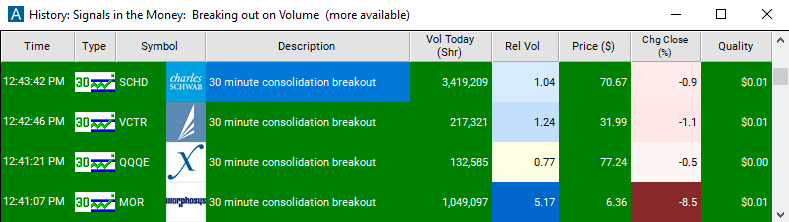
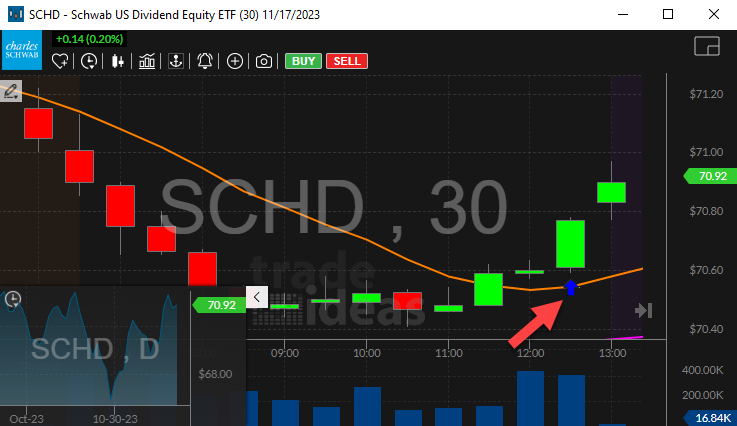
Streaming Alerts push each 30 Minute Consolidation Breakout alert on the print that triggers it.
How Trade Ideas finds it: by default, the 30 Minute Consolidation Breakout alert will appear when the stock price moves upward outside of the range of the consolidation pattern. See Trade Ideas plans and pricing to run it live.
How the 30 Minute Consolidation Breakout alert works
Keep in mind
This alert describes a consolidation breakout pattern and describes the same general pattern as the channel breakout alert. However, this alert uses more traditional methods of analysis, and may be easier to see on a stock chart. For one thing, this alert works on one specific time frame, where the channel breakout alert automatically looks at a wide range of timeframes. Also, this alert pays more attention to time, and very little attention to volume. Finally, this alert does not require any confirmation; a single print can create an alert.
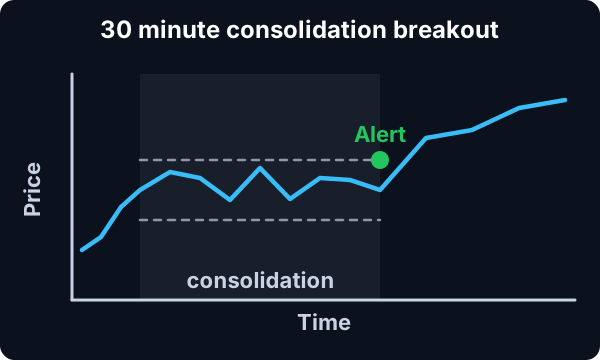
To see this alert clearly, configure your stock chart to show candlesticks. And show exactly 41 periods in the chart. This pattern will be visible on other charts, but it will be easiest to spot on a chart configured in this way.
Keep in mind
Our definition of a consolidation removes any stock with empty candles. If a stock hasn’t traded at all in some time, that does not count as a consolidation pattern. Each candle in the consolidation must contain at least one print.
Default settings
By default, the 30 Minute Consolidation Breakout alert will appear when the stock price moves upward outside of the range of the consolidation pattern. If the price continues to move in the same direction, and it moves quickly enough and far enough, we will report additional alerts.
Custom settings
Settings
For '30 Minute Consolidation Breakout' alerts, you have the option to use an alert specific filter. This filter is located immediately to the right of the corresponding alert and is always optional. You can decide to leave it blank if you want to receive more alerts, or you can fill it in to restrict the number of alerts you receive. This filter allows you to specify the quality of the alert. When you set a higher number for this filter, you are telling the alerts server to display only alerts that meet a higher quality standard, resulting in fewer alerts being shown.
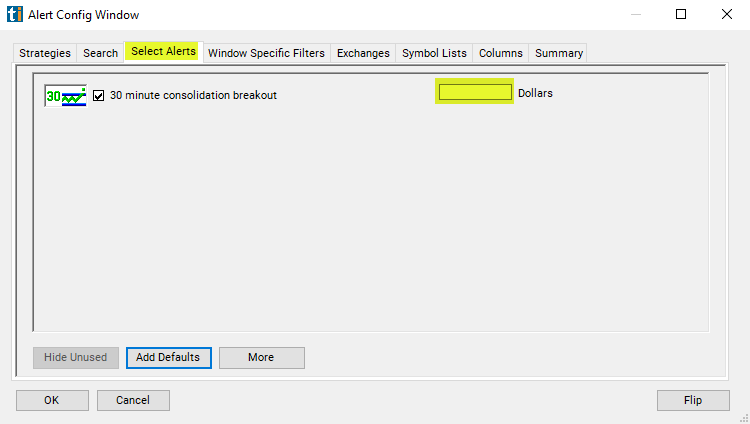
When setting an alert for '30 Minute Consolidation Breakout', the user can filter the alert in dollars, showing how far the last print was above the top of the consolidation pattern.
What the alert shows you
The description of the alert will give you more details on the alert.
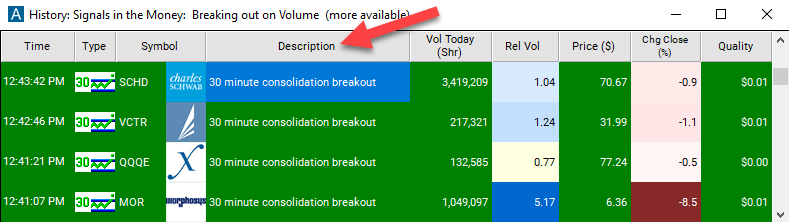
Key point
Add the quality column to a scan using the '30 Minute Consolidation Breakout' alert to see the dollar value difference between the top of the channel and the last print at the time of the alert.
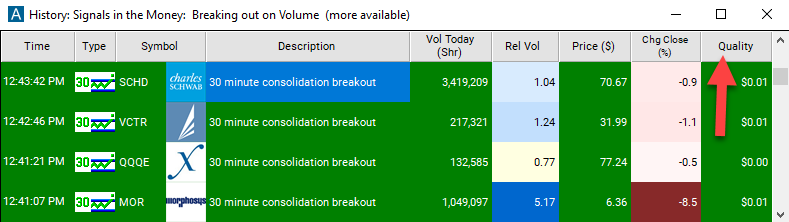
Related alerts
Filters to pair with the 30 Minute Consolidation Breakout alert
Categories
FAQ
Show me stocks breaking out of a 30 minute range?
Turn on the 30 Minute Consolidation Breakout alert (CBO30) in Trade Ideas Streaming Alerts. By default, the 30 Minute Consolidation Breakout alert will appear when the stock price moves upward outside of the range of the consolidation pattern.
What is the 30 Minute Consolidation Breakout alert?
A 30-minute consolidation breakout is when price moves up out of a consolidation range on the 30-minute chart. It is traditional chart analysis on one time frame, and a single print can trigger it.
How do I see fewer, higher-quality 30 Minute Consolidation Breakout alerts?
Use the optional alert-specific filter immediately to the right of the alert. A higher number tells the alerts server to show only higher-quality alerts, so fewer appear. Leave it blank to see more.