







 Income
Filter
Income Filter (Income)
Find the most profitable companies by yearly net income in real time with Trade Ideas Streaming Alerts (Scanner) and Top Lists (Screeners). The Income filter screens by net income (net profit) for the most recent fiscal year.
Watch the market turn, stock by stock.
Free account, just an email. No card. Live access for a limited time.
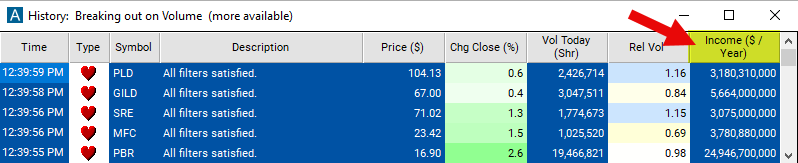
Seeing a profitable stock start to move as it happens helps active traders. The Income filter value changes once a day, so Streaming Alerts apply it the moment each alert fires: you see only the stocks that pass it, while they are moving.
How Trade Ideas finds it: set the minimum value to 3,000,000,000 to see only stocks with a yearly income of at least $3 billion. See Trade Ideas plans and pricing to run it live.
How the Income filter works
Income refers to the net income or net profit generated by a company during a specific period, in this case the most recent fiscal year. Here's a detailed explanation of the "Income" filter:
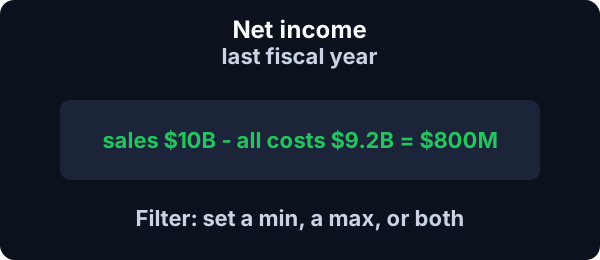
Definition: Income, specifically net income, represents the amount of money remaining after deducting all costs, expenses, taxes, depreciation, and interest from a company's total sales or revenue. It is often referred to as the bottom line because it appears at the bottom of the income statement, summarizing the company's profitability.
Components of Net Income: Net income is calculated by subtracting total expenses from total revenues. The formula for net income is: Total Revenues - Total Expenses
Key point
Total revenues include all sources of income generated by the company, such as sales revenue, service revenue, and investment income. Total expenses encompass all costs incurred in the process of generating revenue, including operating expenses, cost of goods sold, depreciation, interest expenses, and taxes.
Significance of Net Income: Net income is a crucial metric for investors as it provides insights into a company's profitability and financial performance. A positive net income indicates that the company earned more revenue than it incurred expenses, resulting in a profit. Conversely, a negative net income indicates a loss.
Income filter settings
Settings
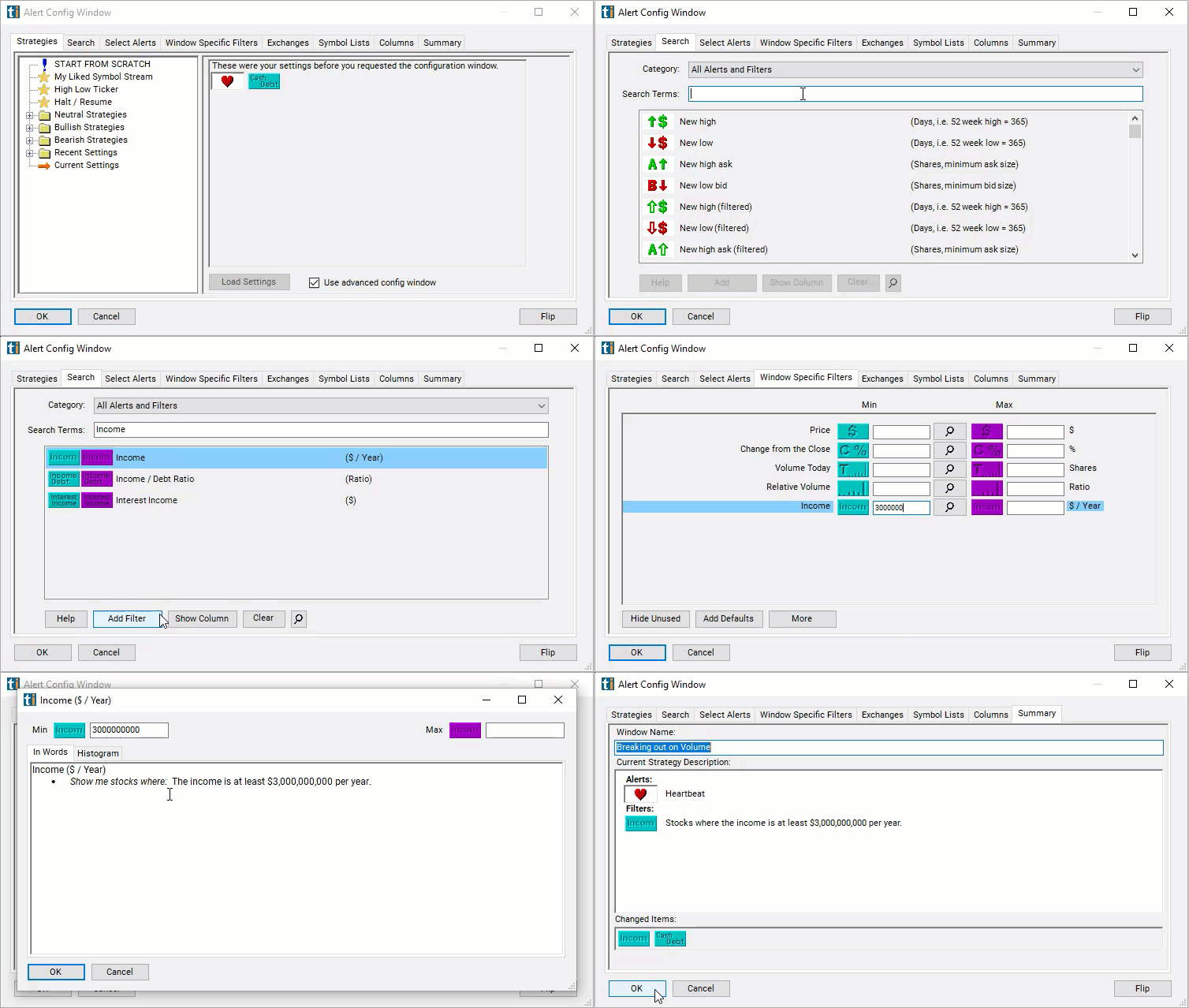
Configuring the "Income" filter is simple and can be done within the Window Specific Filters Tab of the Configuration Window in your Alert or Top List (Screener) window.
Here's how to set up the filter in your configuration window:
- Set the minimum value to 3,000,000,000 to see only stocks with a yearly income of at least $3 billion.
Using the Income Filter
The "Income" filter can be used in various trading strategies, including:
- Earnings Momentum Trading: This strategy involves trading based on the momentum of a company's earnings growth. Traders look for companies that consistently beat earnings expectations or demonstrate accelerating earnings growth. Stocks of companies with strong income growth may experience upward price momentum, presenting buying opportunities.
- Earnings Surprises: Traders focus on companies that surprise the market with better-than-expected earnings results. Stocks of companies that exceed earnings estimates often experience positive price reactions, leading to short-term trading opportunities. Conversely, stocks of companies that miss earnings estimates may experience negative price movements, offering potential short-selling opportunities.
- Growth Investing: Growth investors focus on stocks of companies with strong income growth prospects. Traders look for companies that demonstrate consistent revenue and earnings growth, often investing in high-growth sectors such as technology, healthcare, or consumer discretionary. Stocks of growth companies may experience rapid price appreciation as investors anticipate future earnings growth.
Filters to combine with Income
Categories
FAQ
Which companies have the highest net income?
Add the Income filter (Income) to a Trade Ideas Streaming Alerts or Top List (Screener) window. Set the minimum value to 3,000,000,000 to see only stocks with a yearly income of at least $3 billion.
What is the Income filter?
The Income filter screens by net income (net profit) for the most recent fiscal year.
How do I screen for profitable companies?
Use the Income filter (Income) in Trade Ideas Streaming Alerts and Top Lists to find the most profitable companies by yearly net income. The Income filter screens by net income (net profit) for the most recent fiscal year.